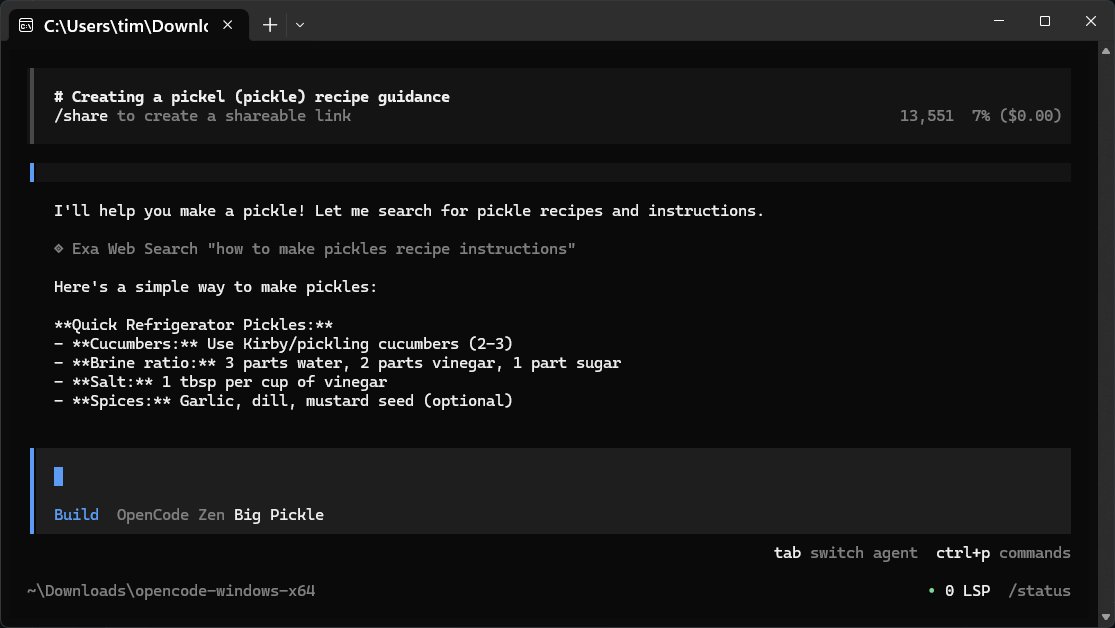
OpenCode version 1.15.13 has been released, offering a free, open-source AI coding assistant that operates directly on your computer. This tool is designed to aid developers by helping them write code, troubleshoot bugs, and better understand their projects. OpenCode functions like a command-line companion that interprets natural language commands, allowing developers to focus on coding without the complexities of technical jargon. It supports various programming languages, ensuring that it can cater to a wide range of coding tasks.
The application is designed for efficiency, featuring a lightweight interface with no heavy graphical user interface (GUI), which allows for quicker loading and operation. While it may not appeal to those who prefer rich GUIs, it is ideal for users who thrive in terminal environments or integrated development environments (IDEs). Besides coding assistance, OpenCode can also provide answers to general inquiries, explain concepts, and even share recipes, although it mainly relies on web searches for such tasks.
One of OpenCode’s key advantages is its straightforward setup. Unlike many AI tools that require accounts, cloud services, and other encumbrances, users can simply download, unzip, and run the program with minimal fuss. OpenCode does not come with its own language model (LLM) but connects to an online repository, allowing it to stay updated without needing frequent manual updates. However, an internet connection is necessary for its operation.
Users can customize OpenCode by choosing from over 75 different LLMs, such as OpenAI, Anthropic, and Gemini, through LM Studio or Ollama. Configuration is user-friendly, enabling users to switch between different models based on their needs, whether they require a lightweight model for quick queries or a more robust one for complex tasks.
For optimal use, the text emphasizes securing API keys, managing multiple model providers for different tasks, and recognizing that the application does not save sessions automatically. Users are encouraged to use the export function for session saving and to utilize the built-in copy method for better reliability.
In conclusion, OpenCode stands out as a nimble, open-source coding assistant that prioritizes user autonomy and privacy. While it may lack some advanced features and rely on an internet connection, it offers a compelling option for developers comfortable with command-line interfaces who seek a straightforward, efficient coding aid. For any technical issues, the MajorGeeks forums provide a supportive community for users to seek help.
Future developments could include enhanced user interface options, offline capabilities with local models, and a broader range of integrated features to appeal to users who prefer a more visual approach while maintaining the core ethos of simplicity and privacy
The application is designed for efficiency, featuring a lightweight interface with no heavy graphical user interface (GUI), which allows for quicker loading and operation. While it may not appeal to those who prefer rich GUIs, it is ideal for users who thrive in terminal environments or integrated development environments (IDEs). Besides coding assistance, OpenCode can also provide answers to general inquiries, explain concepts, and even share recipes, although it mainly relies on web searches for such tasks.
One of OpenCode’s key advantages is its straightforward setup. Unlike many AI tools that require accounts, cloud services, and other encumbrances, users can simply download, unzip, and run the program with minimal fuss. OpenCode does not come with its own language model (LLM) but connects to an online repository, allowing it to stay updated without needing frequent manual updates. However, an internet connection is necessary for its operation.
Users can customize OpenCode by choosing from over 75 different LLMs, such as OpenAI, Anthropic, and Gemini, through LM Studio or Ollama. Configuration is user-friendly, enabling users to switch between different models based on their needs, whether they require a lightweight model for quick queries or a more robust one for complex tasks.
For optimal use, the text emphasizes securing API keys, managing multiple model providers for different tasks, and recognizing that the application does not save sessions automatically. Users are encouraged to use the export function for session saving and to utilize the built-in copy method for better reliability.
In conclusion, OpenCode stands out as a nimble, open-source coding assistant that prioritizes user autonomy and privacy. While it may lack some advanced features and rely on an internet connection, it offers a compelling option for developers comfortable with command-line interfaces who seek a straightforward, efficient coding aid. For any technical issues, the MajorGeeks forums provide a supportive community for users to seek help.
Future developments could include enhanced user interface options, offline capabilities with local models, and a broader range of integrated features to appeal to users who prefer a more visual approach while maintaining the core ethos of simplicity and privacy
OpenCode 1.15.13 released
OpenCode is a free, Open Source AI assistant that runs on your computer and helps you write code, fix bugs, and understand what your files are doing.