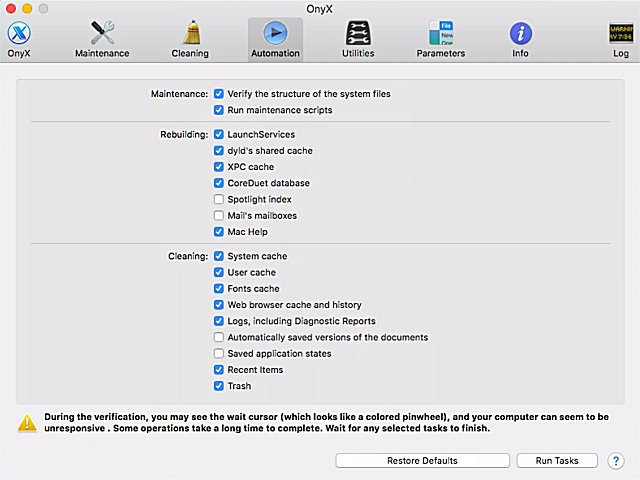
OnyX has released updates for versions 5.0.1 and 4.6.2, enhancing its functionality as a multifunction utility designed for macOS users. This versatile application allows users to verify the integrity of system files, perform various maintenance and cleaning tasks, and customize settings within Finder, Dock, Safari, and several Apple applications. Additionally, OnyX enables users to delete cache files, eliminate problematic folders and files, and rebuild databases and indexes, streamlining the process of system optimization.
The user-friendly interface of OnyX simplifies many tasks that would typically require intricate command-line instructions, making it accessible for users of all skill levels. Each major version of macOS has a corresponding version of OnyX, ensuring compatibility and tailored functionality. Users seeking older versions can find them through the provided author link.
In extension of the features mentioned, OnyX also offers advanced options for power users, including scripts for automation and enhanced privacy settings. The latest updates may introduce additional features or performance improvements, making it essential for users to stay current with the latest releases. Regularly utilizing OnyX can significantly enhance system performance, stability, and overall user experience on macOS devices
The user-friendly interface of OnyX simplifies many tasks that would typically require intricate command-line instructions, making it accessible for users of all skill levels. Each major version of macOS has a corresponding version of OnyX, ensuring compatibility and tailored functionality. Users seeking older versions can find them through the provided author link.
In extension of the features mentioned, OnyX also offers advanced options for power users, including scripts for automation and enhanced privacy settings. The latest updates may introduce additional features or performance improvements, making it essential for users to stay current with the latest releases. Regularly utilizing OnyX can significantly enhance system performance, stability, and overall user experience on macOS devices
OnyX 5.0.1 / 4.6.2 released
OnyX is a multifunction utility that you can use to verify the structure of the system files, to run miscellaneous maintenance and cleaning tasks, to configure parameters in the Finder, Dock, Safari, and some Apple applications, to delete caches, to remove certain problematic folders and files, to rebuild various databases and indexes, and more.