Ollama has launched version 0.35.0 of its local-first platform, designed to run large language models (LLMs) directly on users' desktops. This tool enables offline access to advanced models like LLaMA 3.3, Phi-4, Mistral, and DeepSeek without requiring cloud services or user accounts, providing a strong emphasis on privacy and data control.
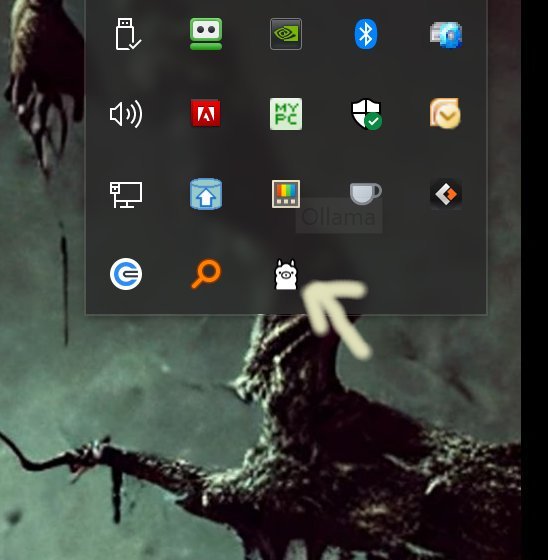
Installation is straightforward: simply download Ollama, and once running, it can be accessed from the system tray using the Command Prompt or PowerShell. The platform supports multiple operating systems, including Windows, macOS, and Linux, making it versatile for various users.
One of Ollama's key features is its command-line interface (CLI), which allows for quick and customizable interactions with the models. Users can chat, switch models, and even create their own using Modelfiles, which enable customization of prompts and system instructions. The platform also includes built-in libraries for Python and JavaScript, appealing to developers who want to integrate Ollama into their applications.
While Ollama works best in a CLI environment, it does offer some alternative interfaces, albeit with reduced functionality. Users who prefer graphical interfaces may find this limiting, but the CLI provides powerful capabilities for those comfortable with command-line operations. Comprehensive documentation is available to help users navigate commands and customization options.
In summary, Ollama is an efficient, local solution for utilizing large language models, offering speed and full data control. Its command-line focus is a significant advantage for tech-savvy users, though those preferring a graphical interface may need to rely on third-party solutions. As a tool for developers and privacy-conscious individuals, Ollama delivers robust performance and flexibility in managing and utilizing LLMs.
To further enhance user experience, Ollama could consider developing a more user-friendly graphical interface or integrating additional features that simplify command-line interactions for less experienced users. Additionally, expanding community support and resources could foster a more inclusive environment for all skill levels
Installation is straightforward: simply download Ollama, and once running, it can be accessed from the system tray using the Command Prompt or PowerShell. The platform supports multiple operating systems, including Windows, macOS, and Linux, making it versatile for various users.
One of Ollama's key features is its command-line interface (CLI), which allows for quick and customizable interactions with the models. Users can chat, switch models, and even create their own using Modelfiles, which enable customization of prompts and system instructions. The platform also includes built-in libraries for Python and JavaScript, appealing to developers who want to integrate Ollama into their applications.
While Ollama works best in a CLI environment, it does offer some alternative interfaces, albeit with reduced functionality. Users who prefer graphical interfaces may find this limiting, but the CLI provides powerful capabilities for those comfortable with command-line operations. Comprehensive documentation is available to help users navigate commands and customization options.
In summary, Ollama is an efficient, local solution for utilizing large language models, offering speed and full data control. Its command-line focus is a significant advantage for tech-savvy users, though those preferring a graphical interface may need to rely on third-party solutions. As a tool for developers and privacy-conscious individuals, Ollama delivers robust performance and flexibility in managing and utilizing LLMs.
To further enhance user experience, Ollama could consider developing a more user-friendly graphical interface or integrating additional features that simplify command-line interactions for less experienced users. Additionally, expanding community support and resources could foster a more inclusive environment for all skill levels
Ollama 0.35.0 released
Ollama is the local-first platform that brings large language models (LLMs) right to your desktop.