Ollama has released version 0.34.0, enhancing its platform that allows users to run large language models (LLMs) directly on their desktops without relying on cloud services. The platform emphasizes privacy, as it requires no accounts and operates entirely offline, making it ideal for developers and privacy-conscious users. With Ollama, you can effortlessly run advanced models such as LLaMA 3.3, Phi-4, Mistral, and DeepSeek on various operating systems including Windows, macOS, and Linux.
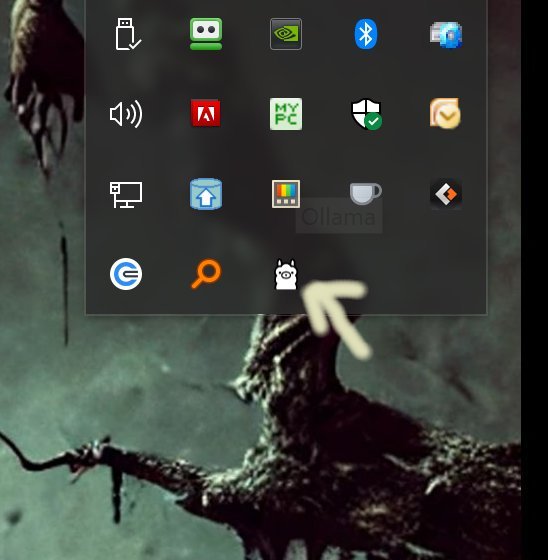
The installation process is straightforward: download and install Ollama, and you'll find it running in your system tray with a recognizable icon. Users can interact with the models through a command-line interface (CLI), which allows them to execute commands, customize model parameters, and create personalized AI assistants using Modelfiles. Ollama supports importing models in different formats like GGUF and Safetensors, giving users flexibility in how they customize and utilize the models.
Ollama offers significant advantages over competitors like GPT4All and LM Studio. It operates locally, which means quicker response times and complete control over user data without the complexities of cloud setups. The CLI provides a range of commands, enabling users to download models, run them interactively, and script batch outputs efficiently. Comprehensive documentation is available to assist users in navigating commands and customizing models effectively.
While Ollama excels in a CLI environment, its lack of a built-in graphical user interface (GUI) might deter some users. However, community-developed interfaces can bridge this gap for those who prefer a visual approach. Ultimately, for users comfortable with command-line operations, Ollama delivers a robust, customizable, and efficient local AI experience.
The installation process is straightforward: download and install Ollama, and you'll find it running in your system tray with a recognizable icon. Users can interact with the models through a command-line interface (CLI), which allows them to execute commands, customize model parameters, and create personalized AI assistants using Modelfiles. Ollama supports importing models in different formats like GGUF and Safetensors, giving users flexibility in how they customize and utilize the models.
Ollama offers significant advantages over competitors like GPT4All and LM Studio. It operates locally, which means quicker response times and complete control over user data without the complexities of cloud setups. The CLI provides a range of commands, enabling users to download models, run them interactively, and script batch outputs efficiently. Comprehensive documentation is available to assist users in navigating commands and customizing models effectively.
While Ollama excels in a CLI environment, its lack of a built-in graphical user interface (GUI) might deter some users. However, community-developed interfaces can bridge this gap for those who prefer a visual approach. Ultimately, for users comfortable with command-line operations, Ollama delivers a robust, customizable, and efficient local AI experience.
Extension
Looking ahead, Ollama could further enhance its usability by introducing a lightweight GUI option that maintains the core principles of local execution and privacy while making it accessible to a broader audience. Additionally, expanding the range of supported models and improving integration with popular programming languages could attract more developers. As the landscape of AI evolves, maintaining a focus on privacy and performance will be crucial for Ollama to remain competitive and relevant among emerging AI tools. Further community engagement through forums or workshops could also foster innovation and encourage user contributions, ultimately strengthening the Ollama ecosystemOllama 0.34.0 released
Ollama is the local-first platform that brings large language models (LLMs) right to your desktop.