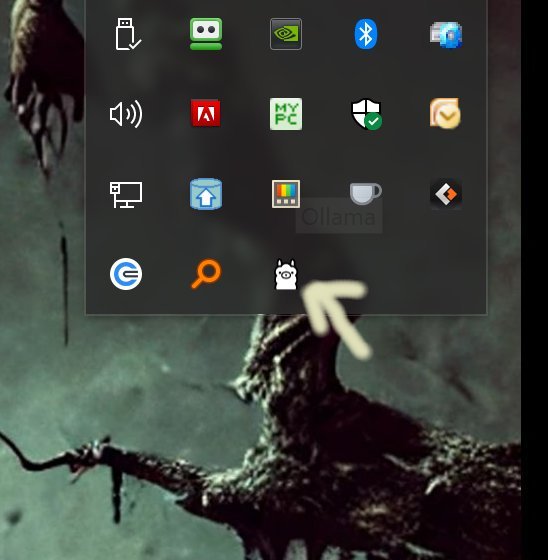
Ollama has recently launched version 0.33.0, a local-first platform designed to bring large language models (LLMs) directly to users' desktops without any reliance on cloud services. This innovative software allows developers and privacy-conscious users to run advanced models such as LLaMA 3.3, Phi-4, and Mistral entirely offline, ensuring data security and personalization. Installation is straightforward—users can simply download and set up Ollama, and once running, they can access it via Command Prompt or PowerShell.
The platform stands out for several reasons: it supports a wide range of operating systems including Windows, macOS, and Linux, and streamlines the process of running LLMs with a command-line interface (CLI) that allows for swift, customizable interactions. Users can easily chat, switch between models, or even create their own using simple commands or Modelfiles. Ollama also provides built-in support for popular programming languages such as Python and JavaScript, making it a developer-friendly tool.
Ollama is particularly beneficial for those who appreciate the command line for its speed and control. Users can customize models, set default prompts, and import various formats (like GGUF or Safetensors) directly from the terminal. The software's documentation is robust, offering guidance on everything from basic commands to advanced Modelfile configurations.
Some example commands include downloading a model, running a model interactively, and asking one-off questions, all of which enhance user experience and efficiency. Although Ollama excels as a command-line tool, it may not appeal to those who prefer graphical user interfaces (GUIs). Community-developed alternatives exist, but they do not provide the full range of commands available in the CLI.
In summary, Ollama 0.33.0 is a powerful, efficient, and entirely local solution for those seeking to leverage LLMs without the complications of cloud computing. Its lightweight design and extensive customization capabilities make it a compelling choice for tech-savvy users who prioritize privacy and control over their AI interactions. Users comfortable with the command line will find Ollama to be a valuable asset, delivering significant LLM capabilities right at their fingertips.
Looking ahead, Ollama could enhance its appeal by exploring GUI options while maintaining its strong CLI foundation, potentially attracting a broader user base. Adding community-driven features or integrations could also expand its functionality, fostering a vibrant ecosystem around local AI development
The platform stands out for several reasons: it supports a wide range of operating systems including Windows, macOS, and Linux, and streamlines the process of running LLMs with a command-line interface (CLI) that allows for swift, customizable interactions. Users can easily chat, switch between models, or even create their own using simple commands or Modelfiles. Ollama also provides built-in support for popular programming languages such as Python and JavaScript, making it a developer-friendly tool.
Ollama is particularly beneficial for those who appreciate the command line for its speed and control. Users can customize models, set default prompts, and import various formats (like GGUF or Safetensors) directly from the terminal. The software's documentation is robust, offering guidance on everything from basic commands to advanced Modelfile configurations.
Some example commands include downloading a model, running a model interactively, and asking one-off questions, all of which enhance user experience and efficiency. Although Ollama excels as a command-line tool, it may not appeal to those who prefer graphical user interfaces (GUIs). Community-developed alternatives exist, but they do not provide the full range of commands available in the CLI.
In summary, Ollama 0.33.0 is a powerful, efficient, and entirely local solution for those seeking to leverage LLMs without the complications of cloud computing. Its lightweight design and extensive customization capabilities make it a compelling choice for tech-savvy users who prioritize privacy and control over their AI interactions. Users comfortable with the command line will find Ollama to be a valuable asset, delivering significant LLM capabilities right at their fingertips.
Looking ahead, Ollama could enhance its appeal by exploring GUI options while maintaining its strong CLI foundation, potentially attracting a broader user base. Adding community-driven features or integrations could also expand its functionality, fostering a vibrant ecosystem around local AI development
Ollama 0.33.0 released
Ollama is the local-first platform that brings large language models (LLMs) right to your desktop.