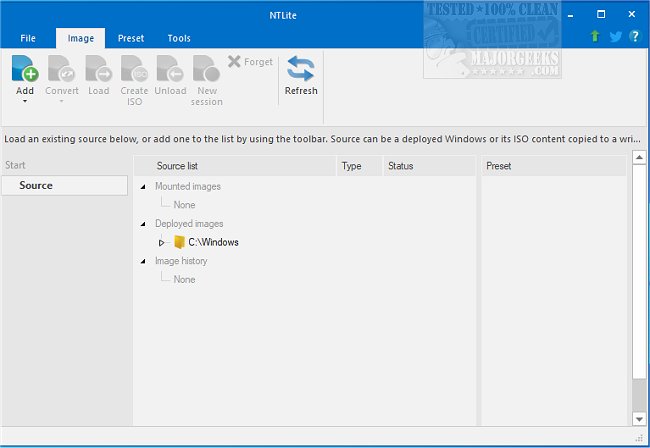
NTLite has released version 2026.09.11904, enhancing its capabilities as a comprehensive Windows customization tool. This software provides users with a wide range of options to modify the standard Windows distribution by removing unnecessary components, including obsolete locations and operating system updates, while also allowing the addition of missing drivers. NTLite simplifies the process of modifying already installed operating systems, making it powerful yet user-friendly.
Key features of NTLite include a dynamic toolbar, an overview of image lists, presets for efficiency, and support for various image formats like WIM, decrypted ESD, and SWM, along with capabilities for conversion between these formats. Users can create bootable ISO images as long as the required folder structure is maintained. Additionally, NTLite supports a variety of host combinations, enabling users to edit Windows 10 images from a Windows 7 environment, among others.
The software's features encompass image conversion, basic component removal, a host hardware checklist, integration capabilities, system tweaks, unattended setup options, and post-setup automation. These functionalities make NTLite a valuable tool for individuals looking to streamline their Windows experience.
In extension, NTLite continues to evolve, reflecting the needs of its user base by integrating new features and improving existing ones. The focus on user-friendliness and productivity means that both novice and experienced users can benefit from its powerful customization options. As Windows operating systems continue to develop, tools like NTLite will play a crucial role in helping users tailor their systems to suit specific needs, enhancing performance and usability while reducing clutter and unnecessary elements. This ongoing development suggests that future releases will likely introduce even more advanced features, further solidifying NTLite's position as a leading tool in the Windows customization landscape
Key features of NTLite include a dynamic toolbar, an overview of image lists, presets for efficiency, and support for various image formats like WIM, decrypted ESD, and SWM, along with capabilities for conversion between these formats. Users can create bootable ISO images as long as the required folder structure is maintained. Additionally, NTLite supports a variety of host combinations, enabling users to edit Windows 10 images from a Windows 7 environment, among others.
The software's features encompass image conversion, basic component removal, a host hardware checklist, integration capabilities, system tweaks, unattended setup options, and post-setup automation. These functionalities make NTLite a valuable tool for individuals looking to streamline their Windows experience.
In extension, NTLite continues to evolve, reflecting the needs of its user base by integrating new features and improving existing ones. The focus on user-friendliness and productivity means that both novice and experienced users can benefit from its powerful customization options. As Windows operating systems continue to develop, tools like NTLite will play a crucial role in helping users tailor their systems to suit specific needs, enhancing performance and usability while reducing clutter and unnecessary elements. This ongoing development suggests that future releases will likely introduce even more advanced features, further solidifying NTLite's position as a leading tool in the Windows customization landscape
NTLite 2026.09.11904 released
NTLite is an all-in-one Windows customization tool that offers a robust set of options for modifying and removing unnecessary components from the standard distribution of Windows.