NTLite has released version 2026.06.11200, continuing to serve as a comprehensive Windows customization tool that empowers users to tailor their operating system by modifying and removing unnecessary components from the default Windows distribution. This tool enables a range of functionalities, such as eliminating unwanted locations, integrating operating system updates, and adding essential drivers. Additionally, NTLite simplifies the process of modifying an already installed operating system.
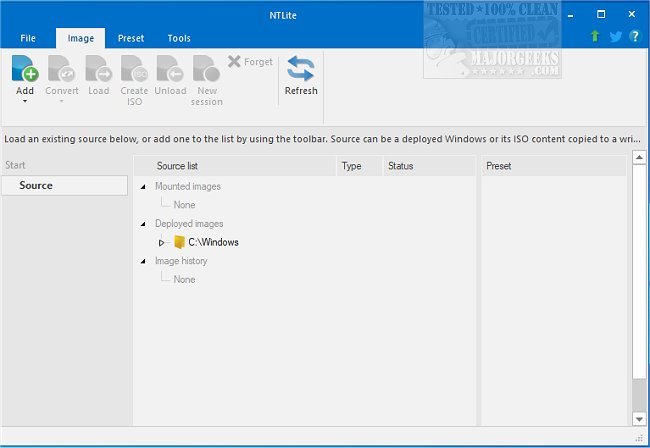
The software boasts a user-friendly interface, complete with a dynamic toolbar and image list overview that enhances productivity when managing different types of images, including WIM, decrypted ESD, and SWM formats. Users can also perform conversions between these formats, such as ESD to WIM and SWM to WIM, as well as create bootable ISO files from images, provided the correct folder structure (Boot and Sources) is maintained.
NTLite's features include image conversion, basic component removal, host hardware checklists, integration options, system tweaks, unattended setup configurations, and post-setup automation. It is compatible with various host operating systems, allowing users to edit Windows 10 images from a Windows 7 environment, among other combinations.
In addition to the core functionalities, NTLite facilitates a seamless customization experience for users looking to optimize their Windows installations. It is particularly useful for system administrators and tech enthusiasts who desire greater control over the Windows operating environment.
For users seeking further customization and enhancement options, NTLite complements other tools, such as the Windows 10 Media Creation Tool for creating bootable USB drives, PowerShell for removing unwanted Windows applications, and methods to disable Windows activity history.
Overall, NTLite stands out as an essential tool for those who wish to refine their Windows experience, providing a balance of power and ease of use for effective system management
The software boasts a user-friendly interface, complete with a dynamic toolbar and image list overview that enhances productivity when managing different types of images, including WIM, decrypted ESD, and SWM formats. Users can also perform conversions between these formats, such as ESD to WIM and SWM to WIM, as well as create bootable ISO files from images, provided the correct folder structure (Boot and Sources) is maintained.
NTLite's features include image conversion, basic component removal, host hardware checklists, integration options, system tweaks, unattended setup configurations, and post-setup automation. It is compatible with various host operating systems, allowing users to edit Windows 10 images from a Windows 7 environment, among other combinations.
In addition to the core functionalities, NTLite facilitates a seamless customization experience for users looking to optimize their Windows installations. It is particularly useful for system administrators and tech enthusiasts who desire greater control over the Windows operating environment.
For users seeking further customization and enhancement options, NTLite complements other tools, such as the Windows 10 Media Creation Tool for creating bootable USB drives, PowerShell for removing unwanted Windows applications, and methods to disable Windows activity history.
Overall, NTLite stands out as an essential tool for those who wish to refine their Windows experience, providing a balance of power and ease of use for effective system management
NTLite 2026.06.11200 released
NTLite is an all-in-one Windows customization tool that offers a robust set of options for modifying and removing unnecessary components from the standard distribution of Windows.