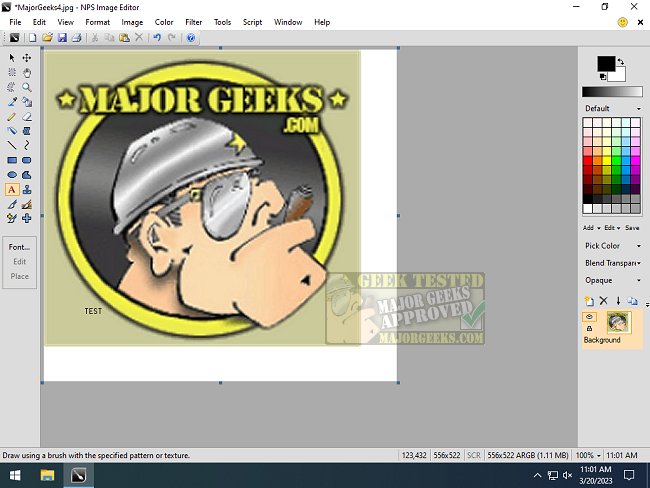
NPS Image Editor version 4.5.0.9045 has been released, offering users a lightweight and versatile tool for image editing on Windows. This application is particularly suited for pixel art, drawing, and photo enhancements, making it an excellent choice for both casual users and professional artists. NPS Image Editor, also known as Nookkin's Paint Shop, is designed to be user-friendly, closely resembling the familiar interface of Microsoft Paint, which allows for a seamless transition for users accustomed to basic image editing.
The latest version enhances the original capabilities with modern features such as multi-layer support, transparency options, filters, and custom brush shapes, thereby expanding creative possibilities. It's optimized for pixel art, allowing artists to work with precision and ease. Additionally, the app provides an efficient method for editing screenshots, enabling users to blur out sensitive data professionally rather than relying on less sophisticated techniques.
In summary, NPS Image Editor stands out as a robust alternative for image editing that balances functionality with simplicity, making it accessible for users of all skill levels. It is particularly beneficial for those looking for an efficient way to create and edit images without the complexity often found in more advanced software.
For further enhancements, future updates could introduce even more features, such as advanced color correction tools, additional export options, or integration with online platforms for easy sharing of artwork. This could further solidify NPS Image Editor's position as a go-to application for image editing on Windows
The latest version enhances the original capabilities with modern features such as multi-layer support, transparency options, filters, and custom brush shapes, thereby expanding creative possibilities. It's optimized for pixel art, allowing artists to work with precision and ease. Additionally, the app provides an efficient method for editing screenshots, enabling users to blur out sensitive data professionally rather than relying on less sophisticated techniques.
In summary, NPS Image Editor stands out as a robust alternative for image editing that balances functionality with simplicity, making it accessible for users of all skill levels. It is particularly beneficial for those looking for an efficient way to create and edit images without the complexity often found in more advanced software.
For further enhancements, future updates could introduce even more features, such as advanced color correction tools, additional export options, or integration with online platforms for easy sharing of artwork. This could further solidify NPS Image Editor's position as a go-to application for image editing on Windows
NPS Image Editor 4.5.0.9045 released
NPS Image Editor is a lightweight, multi-layer Windows image editing app perfect for pixel art, drawing, and photo editing.