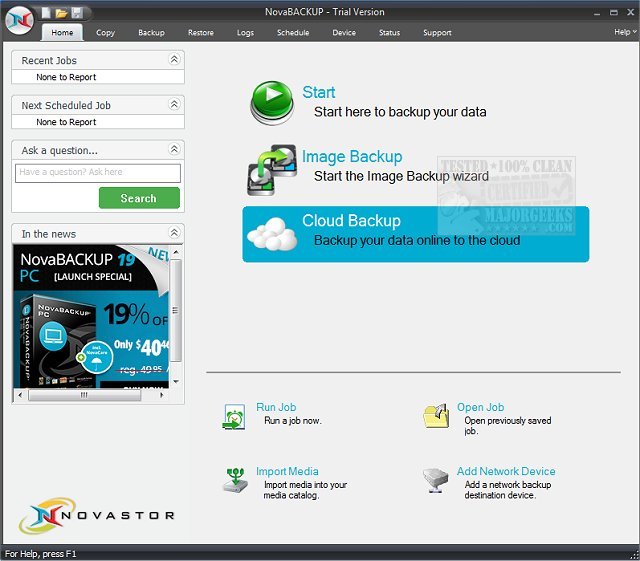
NovaBACKUP version 21.3.410.2 has been released, enhancing its reputation as a user-friendly data protection solution tailored for home and small business users. This software allows users to securely back up vital data with a streamlined interface and extensive device compatibility. Users can back up their data to various media types, including CD/DVD drives, internet cloud services, tape drives, and disk drives, all without disrupting other applications.
The latest version provides flexibility in backup options, allowing for both file-level and image-level backups. This means users can choose to back up individual files, folders, or their entire hard drive. The drag-and-drop feature simplifies the backup process, enabling users to exclude duplicates easily. NovaBACKUP also integrates local and cloud backup management into a single interface, supporting popular cloud storage solutions like Dropbox and OneDrive for free cloud storage.
A standout feature is the built-in scheduler, which automates backup processes, ensuring that users never forget to back up their data. Users can set their preferences, and NovaBACKUP will perform backups routinely.
Key features of NovaBACKUP include device spanning, mapped drive recognition, virus scanning, data encryption, open file backup support, tape backup support, and compatibility with Blu-Ray and removable media. Additionally, it provides support for Russian and Simplified Chinese, making it accessible to a broader audience.
In summary, NovaBACKUP 21.3.410.2 represents a significant update that enhances usability and functionality for users looking to safeguard their data efficiently. Whether for personal use or for small business needs, NovaBACKUP offers a comprehensive solution for reliable data protection.
Future developments could include further integration with emerging cloud services, enhanced mobile application interfaces, and improved AI-driven optimization for backup processes, ensuring users have the most advanced tools at their disposal for data protection
The latest version provides flexibility in backup options, allowing for both file-level and image-level backups. This means users can choose to back up individual files, folders, or their entire hard drive. The drag-and-drop feature simplifies the backup process, enabling users to exclude duplicates easily. NovaBACKUP also integrates local and cloud backup management into a single interface, supporting popular cloud storage solutions like Dropbox and OneDrive for free cloud storage.
A standout feature is the built-in scheduler, which automates backup processes, ensuring that users never forget to back up their data. Users can set their preferences, and NovaBACKUP will perform backups routinely.
Key features of NovaBACKUP include device spanning, mapped drive recognition, virus scanning, data encryption, open file backup support, tape backup support, and compatibility with Blu-Ray and removable media. Additionally, it provides support for Russian and Simplified Chinese, making it accessible to a broader audience.
In summary, NovaBACKUP 21.3.410.2 represents a significant update that enhances usability and functionality for users looking to safeguard their data efficiently. Whether for personal use or for small business needs, NovaBACKUP offers a comprehensive solution for reliable data protection.
Future developments could include further integration with emerging cloud services, enhanced mobile application interfaces, and improved AI-driven optimization for backup processes, ensuring users have the most advanced tools at their disposal for data protection
NovaBACKUP 21.3.410.2 released
NovaBACKUP is an easy-to-use data protection solution for home and small business users to securely backup crucial data.