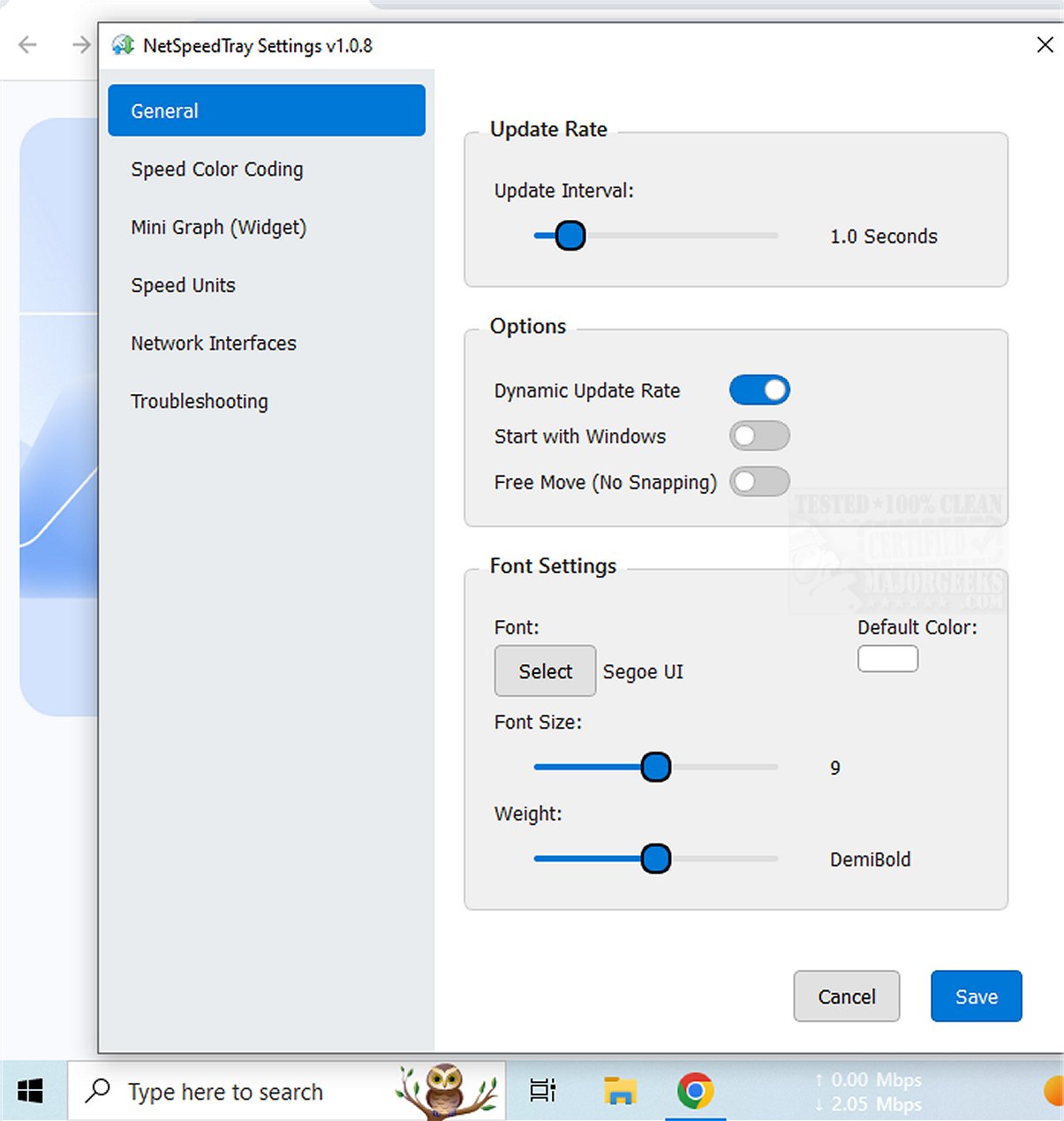
NetSpeedTray is a real-time network speed monitoring application that provides users with valuable insights into their internet performance. This tool is particularly useful for those who want to stay informed about their connection status and assess their network speeds effectively.
Convenient Systray Integration
The application operates as a tray-based utility, allowing users to quickly access network speed information without interrupting their workflow. Whether you're transferring files or experiencing slower speeds, the displayed statistics in your system tray can help clarify your network performance effortlessly. Unlike the built-in Task Manager, which offers a more detailed breakdown of network usage per process, NetSpeedTray prioritizes convenience and unobtrusiveness.
Targeted Network Interface Monitoring
A notable feature of NetSpeedTray is its ability to monitor specific network interfaces. This functionality allows users to focus on the most relevant network connections. An enhancement that could further augment this feature would be the option to track network usage for individual applications or processes, providing even more precise insights into performance.
Customization Options for Enhanced User Experience
NetSpeedTray offers various customization options, including the Speed Color Coding functionality, which visually indicates speed performance. Users can adjust font settings, apply color coding to differentiate between download and upload speeds, and enable a mini graph widget to visually represent speed metrics alongside numerical data. These features contribute to a personalized and intuitive user experience.
Geek Verdict: A Seamless Windows Integration
NetSpeedTray is a sleek and efficient network monitoring tool designed for Windows users, allowing them to effortlessly keep track of their internet speeds. Its native appearance and real-time display of upload and download speeds directly on the Taskbar make monitoring network performance both intuitive and visually appealing. Users can enjoy staying connected with this beautifully integrated tool at their fingertips.
Future Enhancements and Additional Resources
As technology evolves, potential future enhancements for NetSpeedTray could include advanced analytics features, such as historical data tracking and performance trends, allowing users to identify patterns in their network usage. Furthermore, users seeking to improve their wireless network performance can explore related resources, such as guides on hiding or blocking neighbor's Wi-Fi networks, checking network adapter speeds, and resetting network settings on Windows 10 and 11
Convenient Systray Integration
The application operates as a tray-based utility, allowing users to quickly access network speed information without interrupting their workflow. Whether you're transferring files or experiencing slower speeds, the displayed statistics in your system tray can help clarify your network performance effortlessly. Unlike the built-in Task Manager, which offers a more detailed breakdown of network usage per process, NetSpeedTray prioritizes convenience and unobtrusiveness.
Targeted Network Interface Monitoring
A notable feature of NetSpeedTray is its ability to monitor specific network interfaces. This functionality allows users to focus on the most relevant network connections. An enhancement that could further augment this feature would be the option to track network usage for individual applications or processes, providing even more precise insights into performance.
Customization Options for Enhanced User Experience
NetSpeedTray offers various customization options, including the Speed Color Coding functionality, which visually indicates speed performance. Users can adjust font settings, apply color coding to differentiate between download and upload speeds, and enable a mini graph widget to visually represent speed metrics alongside numerical data. These features contribute to a personalized and intuitive user experience.
Geek Verdict: A Seamless Windows Integration
NetSpeedTray is a sleek and efficient network monitoring tool designed for Windows users, allowing them to effortlessly keep track of their internet speeds. Its native appearance and real-time display of upload and download speeds directly on the Taskbar make monitoring network performance both intuitive and visually appealing. Users can enjoy staying connected with this beautifully integrated tool at their fingertips.
Future Enhancements and Additional Resources
As technology evolves, potential future enhancements for NetSpeedTray could include advanced analytics features, such as historical data tracking and performance trends, allowing users to identify patterns in their network usage. Furthermore, users seeking to improve their wireless network performance can explore related resources, such as guides on hiding or blocking neighbor's Wi-Fi networks, checking network adapter speeds, and resetting network settings on Windows 10 and 11
NetSpeedTray 2.1.1 released
NetSpeedTray allows you to monitor and assess your network speeds in real-time. This tool provides valuable insights into your internet performance, helping you stay informed about your connection status.