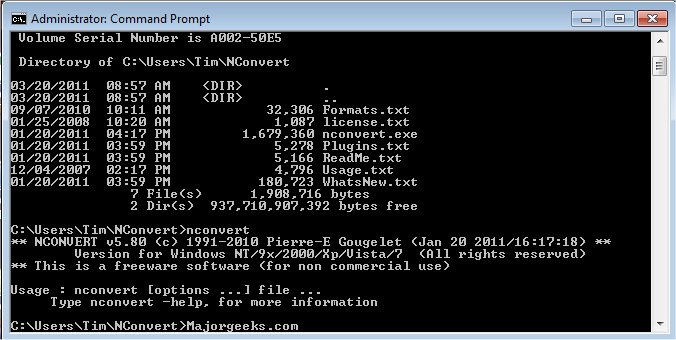
NConvert 7.300 has been released, enhancing its capabilities as a batch conversion tool for graphic files. Developed by the creator of the widely used XnView, NConvert allows users to import approximately 400 different graphic file formats and export around 40 formats. It offers support for multipage TIFF files, animated GIFs, and animated ICOs, making it a versatile choice for various graphic conversion needs.
The software provides users with extensive control over image processing features, including resizing, adjusting brightness and contrast, modifying the number of colors, and applying a variety of filters and effects such as blur, average, emboss, lens, and wave. This enables users to customize their images according to specific requirements.
In addition to its core functionalities, NConvert's recent update may include improvements in user interface, speed, and compatibility with newer file formats, although specific details on new features are yet to be disclosed. Users looking for efficient ways to manage and convert graphic files will find NConvert a valuable tool.
Furthermore, for Windows users, there are resources available for restoring the Windows Photo Viewer, managing folders in the Windows Photos app, and customizing the context menu to include or exclude specific editing options. These related guides can enhance the overall experience of handling graphic files on Windows 10 and 11 platforms
The software provides users with extensive control over image processing features, including resizing, adjusting brightness and contrast, modifying the number of colors, and applying a variety of filters and effects such as blur, average, emboss, lens, and wave. This enables users to customize their images according to specific requirements.
In addition to its core functionalities, NConvert's recent update may include improvements in user interface, speed, and compatibility with newer file formats, although specific details on new features are yet to be disclosed. Users looking for efficient ways to manage and convert graphic files will find NConvert a valuable tool.
Furthermore, for Windows users, there are resources available for restoring the Windows Photo Viewer, managing folders in the Windows Photos app, and customizing the context menu to include or exclude specific editing options. These related guides can enhance the overall experience of handling graphic files on Windows 10 and 11 platforms
NConvert 7.300 released
NConvert is batch conversion software for graphics files. From the author of the popular XnView.