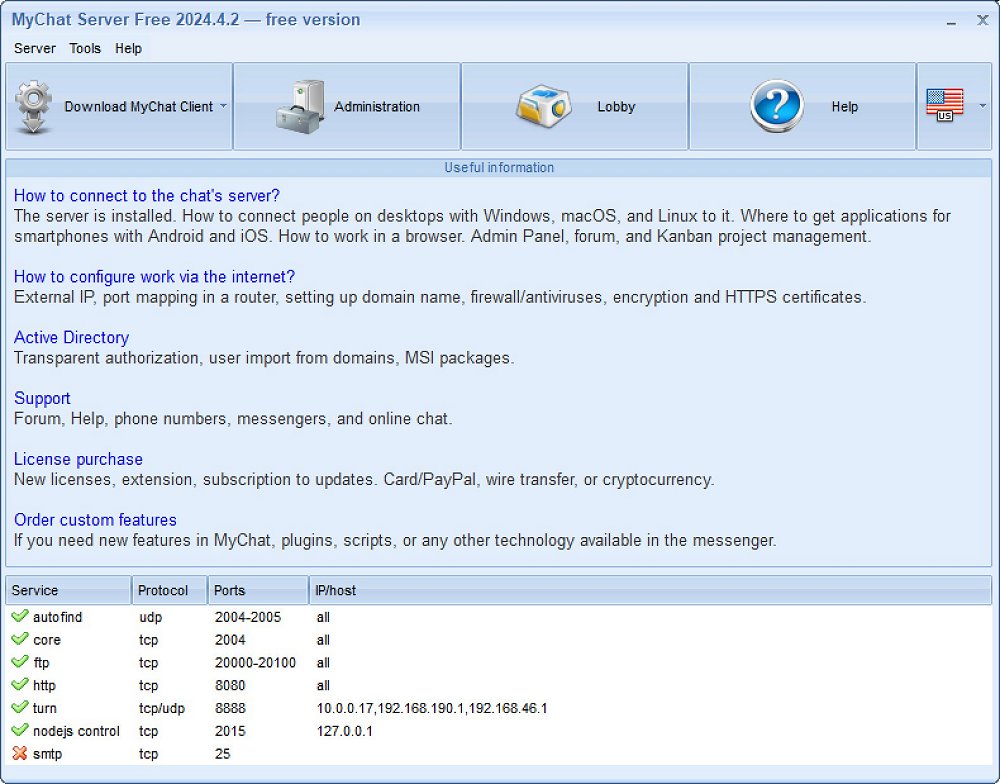
MyChat is a robust messaging and collaboration platform designed specifically for internal business networks, ensuring secure, private communication for organizations that prefer to keep their conversations off the cloud. Unlike typical messaging apps that may promote meme sharing, MyChat focuses on providing a comprehensive chat system that includes functionalities such as instant messaging, file sharing, task management, and notifications—all without the risk of data being transmitted through third-party servers.
Key Features and Benefits
The standout aspect of MyChat is its in-house server architecture, which operates over both Local Area Network (LAN) and the internet for remote teams. This platform supports essential features like file transfers, project tracking, Kanban boards, and video/voice calls, making it an ideal choice for businesses where data security and control are critical. Its encryption is powered by OpenSSL, ensuring that sensitive communications—such as those in medical offices, IT development, or finance—remain confidential and secure.
MyChat is particularly beneficial for small to medium-sized businesses that prioritize privacy. It offers customizable options, allowing organizations to tailor user access and integrate task-tracking features according to their specific needs. The mobile app further enhances connectivity, enabling team members to communicate effectively even when away from their desks.
Installation and Requirements
Installing MyChat is straightforward, provided your system meets the minimal requirements: Windows 7/Windows Server 2008 or later, a 1 GHz or faster processor, at least 1 GB of RAM, and a minimum of 100 MB of free disk space. Users can easily set up the server version and must remember to change the default credentials to enhance security. While the installation process is generally user-friendly, those with networking experience will find it particularly manageable. Comprehensive help resources and a community forum are available for additional support.
Licensing Options
MyChat offers a free version for small teams of up to 20 users, making it a suitable option for organizations needing secure internal communication without financial commitment. For larger teams or those seeking advanced features, a paid license is available, which includes benefits such as extended message history, unlimited push notifications, guest access for external collaborators, and automation through bots—all starting at an affordable price of $60.00 for a 10-user license with corporate discounts.
Pros and Cons
Pros:
- Secure, in-house communication that keeps data off third-party servers
- Consolidated platform for text, voice, and file sharing
- Customizable features suitable for various industries
- Mobile apps for Android and iOS for on-the-go connectivity
- Free version available for small teams
Cons:
- Free version limited to 20 users
- Advanced features require a paid subscription
- Installation may necessitate IT support due to network management needs
- Limited integrations with other software, primarily functioning as a standalone solution
Conclusion
In summary, MyChat represents a secure communication platform that prioritizes privacy and data control for businesses. It is not just another messaging app; it offers a fully secure environment for managing communications, files, and projects internally. With its strong encryption, flexible features, and no-cost option for small teams, MyChat is a compelling choice for businesses looking to safeguard their internal discussions and streamline collaboration without relying on external cloud services. As the digital landscape evolves, tools like MyChat will become increasingly relevant for organizations that value their data security
Key Features and Benefits
The standout aspect of MyChat is its in-house server architecture, which operates over both Local Area Network (LAN) and the internet for remote teams. This platform supports essential features like file transfers, project tracking, Kanban boards, and video/voice calls, making it an ideal choice for businesses where data security and control are critical. Its encryption is powered by OpenSSL, ensuring that sensitive communications—such as those in medical offices, IT development, or finance—remain confidential and secure.
MyChat is particularly beneficial for small to medium-sized businesses that prioritize privacy. It offers customizable options, allowing organizations to tailor user access and integrate task-tracking features according to their specific needs. The mobile app further enhances connectivity, enabling team members to communicate effectively even when away from their desks.
Installation and Requirements
Installing MyChat is straightforward, provided your system meets the minimal requirements: Windows 7/Windows Server 2008 or later, a 1 GHz or faster processor, at least 1 GB of RAM, and a minimum of 100 MB of free disk space. Users can easily set up the server version and must remember to change the default credentials to enhance security. While the installation process is generally user-friendly, those with networking experience will find it particularly manageable. Comprehensive help resources and a community forum are available for additional support.
Licensing Options
MyChat offers a free version for small teams of up to 20 users, making it a suitable option for organizations needing secure internal communication without financial commitment. For larger teams or those seeking advanced features, a paid license is available, which includes benefits such as extended message history, unlimited push notifications, guest access for external collaborators, and automation through bots—all starting at an affordable price of $60.00 for a 10-user license with corporate discounts.
Pros and Cons
Pros:
- Secure, in-house communication that keeps data off third-party servers
- Consolidated platform for text, voice, and file sharing
- Customizable features suitable for various industries
- Mobile apps for Android and iOS for on-the-go connectivity
- Free version available for small teams
Cons:
- Free version limited to 20 users
- Advanced features require a paid subscription
- Installation may necessitate IT support due to network management needs
- Limited integrations with other software, primarily functioning as a standalone solution
Conclusion
In summary, MyChat represents a secure communication platform that prioritizes privacy and data control for businesses. It is not just another messaging app; it offers a fully secure environment for managing communications, files, and projects internally. With its strong encryption, flexible features, and no-cost option for small teams, MyChat is a compelling choice for businesses looking to safeguard their internal discussions and streamline collaboration without relying on external cloud services. As the digital landscape evolves, tools like MyChat will become increasingly relevant for organizations that value their data security
MyChat 2026.3 released
MyChat is a secure messaging and collaboration platform built for internal business networks.