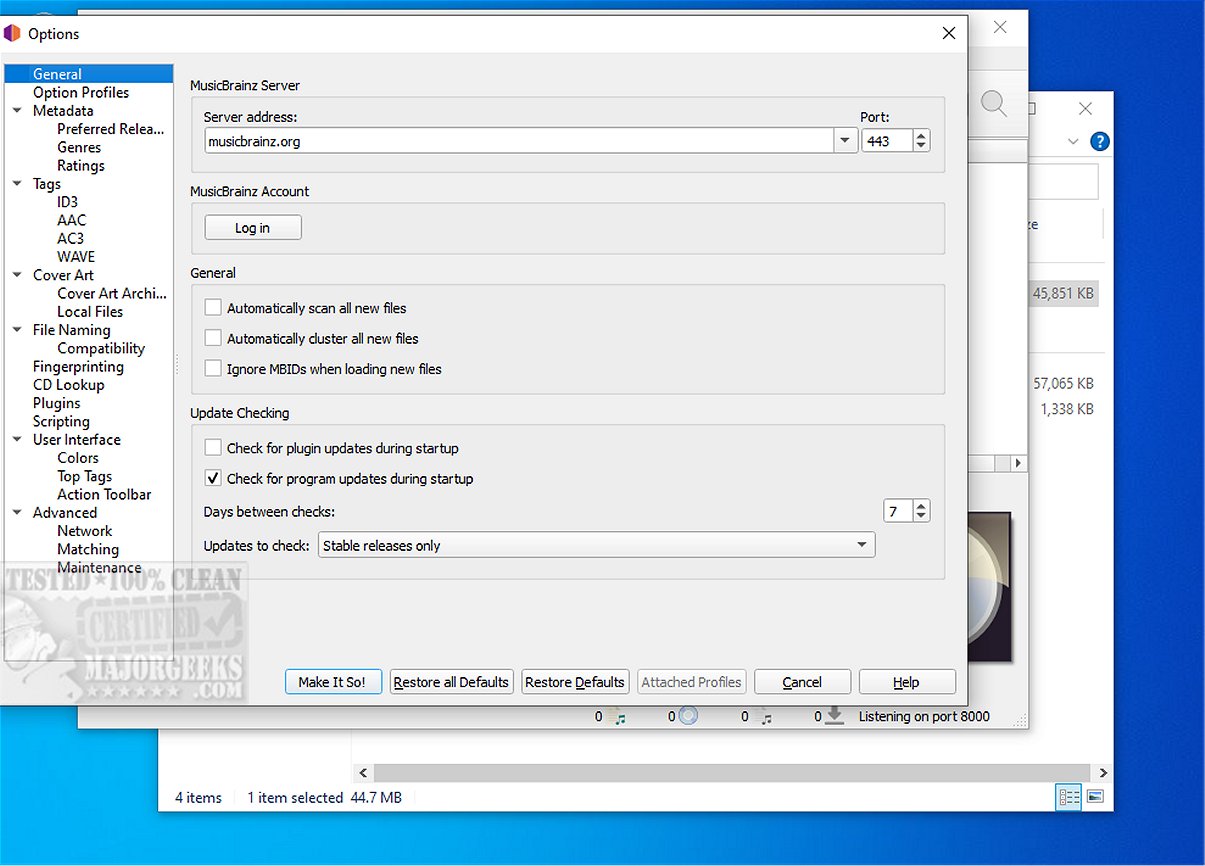
MusicBrainz Picard is a free and open-source music tagging application designed to enhance audio library management. The recent release of version 3.0.0 RC 4 and 2.13.3 showcases a plethora of features aimed at both music enthusiasts and casual users alike.
Key Features and Functionality
MusicBrainz Picard stands out due to its robust capabilities, which include support for plugins and scripting, allowing users to personalize the application according to their specific needs. This flexibility not only makes the software accessible to beginners but also caters to advanced users who require more intricate customization options.
The application emphasizes a user-friendly interface while maintaining advanced functionalities, enabling users to easily organize and tag their music collections. Users can start by selecting folders and files, ideally clustering them by album, genre, or artist, which simplifies the tagging process and enhances library organization.
Beyond Basic Tagging
Unlike conventional tagging utilities, MusicBrainz Picard offers a comprehensive suite of features. Users can rectify incorrect matches from the database using the convenient Ctrl+T hotkey, facilitating quick access to alternative tracks. For those seeking a more tailored experience, the script editor available in the Options menu allows for customized file naming conventions. The application comes with three preset naming conventions that serve as a helpful starting point.
Additionally, users can utilize the Scan or Lookup functions to access the extensive MusicBrainz database, ensuring that untagged files can be quickly and accurately matched, thus streamlining the organization of music collections.
Conclusion
In conclusion, MusicBrainz Picard is a fully-featured music tagging solution that appeals to a diverse range of users, from novices to seasoned professionals. Its blend of ease of use, extensive customization options, and powerful tagging functionalities make it a recommended choice for anyone looking to improve their music tagging process. As the software continues to evolve, users can look forward to even more enhancements that will further simplify music organization and tagging.
Future Extensions
Looking forward, it would be beneficial for MusicBrainz Picard to integrate more machine learning capabilities for automatic tagging, allowing for even smarter organization based on listening habits and preferences. Additionally, incorporating community-driven features, such as user-shared tagging templates or collaborative tagging, could enrich the user experience and foster a more connected community of music enthusiasts. Regular updates and enhancements could further solidify MusicBrainz Picard’s position as a leading tool in music library management
Key Features and Functionality
MusicBrainz Picard stands out due to its robust capabilities, which include support for plugins and scripting, allowing users to personalize the application according to their specific needs. This flexibility not only makes the software accessible to beginners but also caters to advanced users who require more intricate customization options.
The application emphasizes a user-friendly interface while maintaining advanced functionalities, enabling users to easily organize and tag their music collections. Users can start by selecting folders and files, ideally clustering them by album, genre, or artist, which simplifies the tagging process and enhances library organization.
Beyond Basic Tagging
Unlike conventional tagging utilities, MusicBrainz Picard offers a comprehensive suite of features. Users can rectify incorrect matches from the database using the convenient Ctrl+T hotkey, facilitating quick access to alternative tracks. For those seeking a more tailored experience, the script editor available in the Options menu allows for customized file naming conventions. The application comes with three preset naming conventions that serve as a helpful starting point.
Additionally, users can utilize the Scan or Lookup functions to access the extensive MusicBrainz database, ensuring that untagged files can be quickly and accurately matched, thus streamlining the organization of music collections.
Conclusion
In conclusion, MusicBrainz Picard is a fully-featured music tagging solution that appeals to a diverse range of users, from novices to seasoned professionals. Its blend of ease of use, extensive customization options, and powerful tagging functionalities make it a recommended choice for anyone looking to improve their music tagging process. As the software continues to evolve, users can look forward to even more enhancements that will further simplify music organization and tagging.
Future Extensions
Looking forward, it would be beneficial for MusicBrainz Picard to integrate more machine learning capabilities for automatic tagging, allowing for even smarter organization based on listening habits and preferences. Additionally, incorporating community-driven features, such as user-shared tagging templates or collaborative tagging, could enrich the user experience and foster a more connected community of music enthusiasts. Regular updates and enhancements could further solidify MusicBrainz Picard’s position as a leading tool in music library management
MusicBrainz Picard 3.0.0 RC 4 / 2.13.3 released
MusicBrainz Picard is a free and Open Source music tagging utility that provides a wide array of features to enhance your audio library management. It supports plug-ins and scripting, allowing users to customize and extend its functionality. Additionally, it offers a range of tools to make organizing and tagging your music collection easier and more efficient.
MusicBrainz Picard 3.0.0 RC 4 / 2.13.3 released @ MajorGeeks