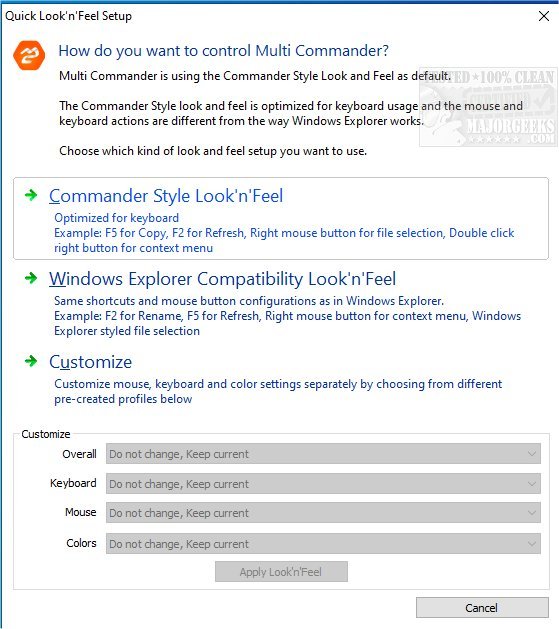
Multi Commander has recently released version 16.0 Build 3186, enhancing its reputation as a free, multi-tabbed file manager that serves as a robust alternative to the traditional Windows Explorer. This software employs a modern dual-panel layout, streamlining file management tasks and significantly boosting productivity for users.
The application encompasses all essential features found in standard file managers, such as copying, moving, renaming, and viewing files. However, its standout capabilities lie in advanced functionalities that simplify complex tasks, including auto-unpacking, auto-sorting, and browsing within archives. Multi Commander also supports scripting and searching, allowing users to efficiently manage files using keyboard shortcuts.
Key features of Multi Commander include:
- Tabbed Interface: Enables multiple folders to be open simultaneously.
- Caching: Facilitates rapid file browsing.
- Background Tasks: Allows users to continue working while lengthy operations are processed.
- Customization Options: Users can tailor the layout and color schemes to their preferences.
- Extensibility: Supports plugins and extensions to enhance functionality.
- File Management Support: Compatible with FTP, as well as various archive formats like Zip and Rar.
- File Permissions Management: Users can view and modify file permissions and ownership.
- Media Tools: Includes tools for handling pictures and audio files, such as converting images and editing MP3 tags.
- Developer-Friendly: An open API allows developers to create custom extensions.
- Seamless Navigation: Remembers file selections when navigating back to previously visited locations.
- Robust File Operations: Automates sorting and unpacking during file transfers.
- Portable Version: Can be run from a USB drive without leaving traces on the host computer.
In addition to these features, Multi Commander is designed to efficiently handle folders containing thousands of files, incorporating powerful filtering options to enhance user experience. It also offers folder comparison tools to identify differences and similarities easily.
Overall, Multi Commander addresses a wide range of file management needs, making it an invaluable tool for both casual users and professionals seeking a more versatile and efficient alternative to Windows Explorer. As technology continues to evolve, future updates may further enhance its capabilities, potentially introducing new features that cater to the changing demands of users in file management
The application encompasses all essential features found in standard file managers, such as copying, moving, renaming, and viewing files. However, its standout capabilities lie in advanced functionalities that simplify complex tasks, including auto-unpacking, auto-sorting, and browsing within archives. Multi Commander also supports scripting and searching, allowing users to efficiently manage files using keyboard shortcuts.
Key features of Multi Commander include:
- Tabbed Interface: Enables multiple folders to be open simultaneously.
- Caching: Facilitates rapid file browsing.
- Background Tasks: Allows users to continue working while lengthy operations are processed.
- Customization Options: Users can tailor the layout and color schemes to their preferences.
- Extensibility: Supports plugins and extensions to enhance functionality.
- File Management Support: Compatible with FTP, as well as various archive formats like Zip and Rar.
- File Permissions Management: Users can view and modify file permissions and ownership.
- Media Tools: Includes tools for handling pictures and audio files, such as converting images and editing MP3 tags.
- Developer-Friendly: An open API allows developers to create custom extensions.
- Seamless Navigation: Remembers file selections when navigating back to previously visited locations.
- Robust File Operations: Automates sorting and unpacking during file transfers.
- Portable Version: Can be run from a USB drive without leaving traces on the host computer.
In addition to these features, Multi Commander is designed to efficiently handle folders containing thousands of files, incorporating powerful filtering options to enhance user experience. It also offers folder comparison tools to identify differences and similarities easily.
Overall, Multi Commander addresses a wide range of file management needs, making it an invaluable tool for both casual users and professionals seeking a more versatile and efficient alternative to Windows Explorer. As technology continues to evolve, future updates may further enhance its capabilities, potentially introducing new features that cater to the changing demands of users in file management
Multi Commander 16.0 Build 3186 released
Multi Commander is a free multi-tabbed file manager that is a solid alternative to the standard Windows Explorer.