MSI Viewer 3.1.2 has been released, offering users a powerful tool for examining the contents of MSI installer packages without the need to run the installer. Built on the lessmsi project, this application provides a simple and efficient means to access individual files from within MSI files.
When you need a specific file from an application but want to avoid a full installation, MSI Viewer is an ideal choice. It allows users to extract necessary components directly from the installer, streamlining the process significantly. To use MSI Viewer, simply launch the application and select the MSI file you wish to inspect. The program will then present a detailed list of all files included in the package, making it easy to find and extract the components you need.
The extraction process is straightforward: after selecting the desired files, users can click the "Extract" button, allowing for direct access to the files without the hassle of installing and later uninstalling the full application. This feature is particularly beneficial for those who only require a small part of a larger software suite.
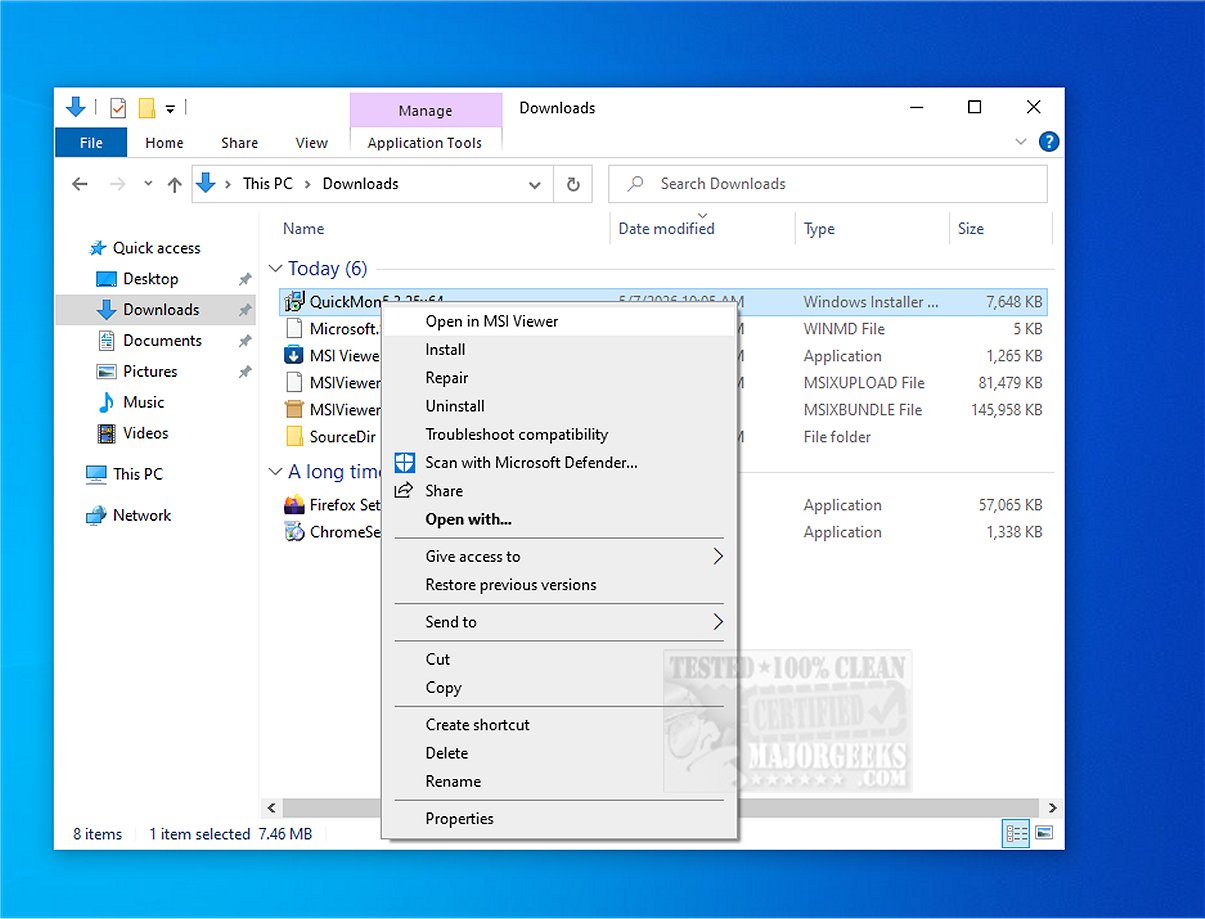
Additionally, MSI Viewer integrates a context menu for enhanced usability, making file extraction even more convenient. The tool is not only beneficial for those needing to access files quickly but also for those who wish to inspect the contents of MSI packages for potential security threats or other analysis purposes.
In conclusion, MSI Viewer is an essential utility for anyone working with MSI installer packages. Its user-friendly interface and effective file extraction capabilities make it a valuable asset for both casual users and IT professionals alike.
For users looking for similar functionalities, there are various tools and methods available, such as extracting, expanding, or creating CAB files via command line, creating self-extracting archives on Windows 10, and understanding formats such as RAR files and LZMA compression. Each of these tools complements the capabilities offered by MSI Viewer, enhancing overall file management and extraction processes
When you need a specific file from an application but want to avoid a full installation, MSI Viewer is an ideal choice. It allows users to extract necessary components directly from the installer, streamlining the process significantly. To use MSI Viewer, simply launch the application and select the MSI file you wish to inspect. The program will then present a detailed list of all files included in the package, making it easy to find and extract the components you need.
The extraction process is straightforward: after selecting the desired files, users can click the "Extract" button, allowing for direct access to the files without the hassle of installing and later uninstalling the full application. This feature is particularly beneficial for those who only require a small part of a larger software suite.
Additionally, MSI Viewer integrates a context menu for enhanced usability, making file extraction even more convenient. The tool is not only beneficial for those needing to access files quickly but also for those who wish to inspect the contents of MSI packages for potential security threats or other analysis purposes.
In conclusion, MSI Viewer is an essential utility for anyone working with MSI installer packages. Its user-friendly interface and effective file extraction capabilities make it a valuable asset for both casual users and IT professionals alike.
For users looking for similar functionalities, there are various tools and methods available, such as extracting, expanding, or creating CAB files via command line, creating self-extracting archives on Windows 10, and understanding formats such as RAR files and LZMA compression. Each of these tools complements the capabilities offered by MSI Viewer, enhancing overall file management and extraction processes
MSI Viewer 3.1.2 released
MSI Viewer is designed to help you examine the contents of MSI installer packages without running the installer. It is based on the lessmsi project and provides a practical solution for efficiently accessing individual files from MSI files.