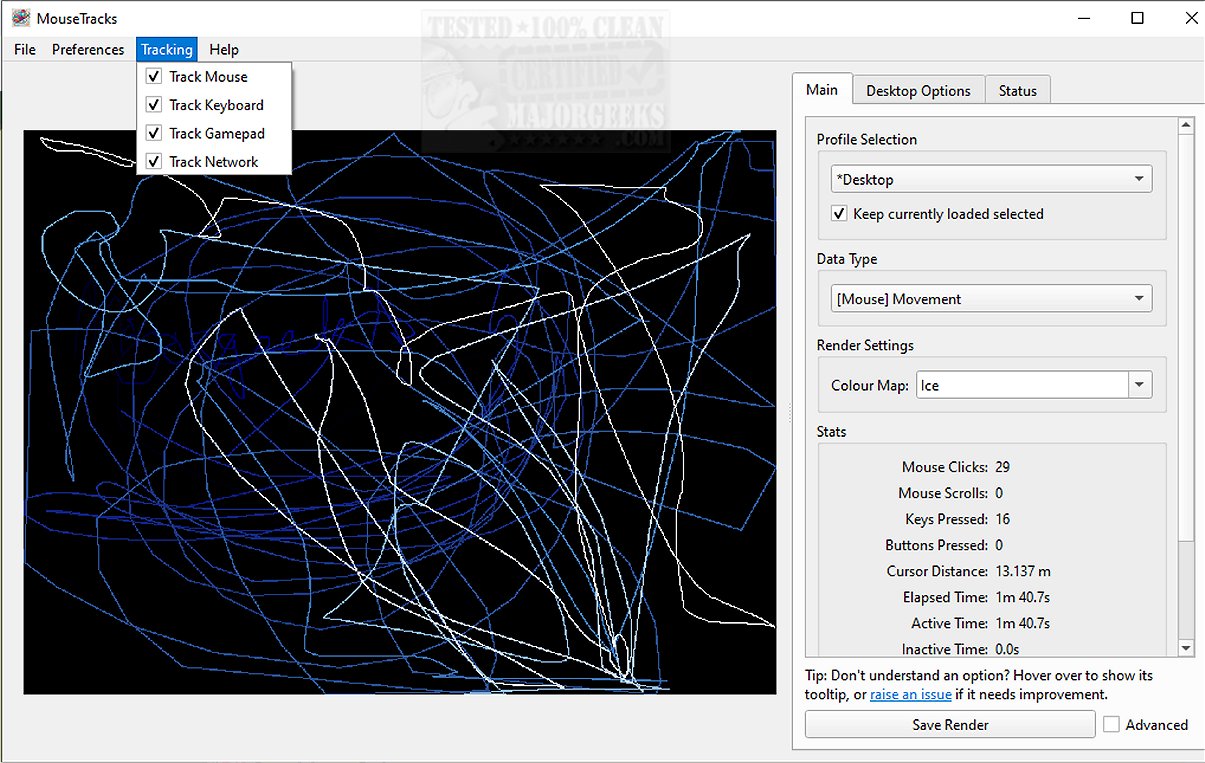
MouseTracks 2.6.2 has been released, enhancing its reputation as a sophisticated application dedicated to tracking and visualizing user input, including mouse movements, clicks, keyboard actions, and gamepad interactions. The software is designed for unobtrusiveness, allowing for continuous operation over extended periods, even years, enabling users to later explore detailed visualizations of their activity.
At its core, MouseTracks monitors mouse movements and clicks with precision, employing a dynamic interface where older interactions fade away to keep the focus on recent activity. The application also features keyboard heatmaps and gamepad input tracking to provide a comprehensive overview of user interaction patterns.
A key feature is the Live Preview capability, which offers real-time rendering of tracking data in the graphical user interface (GUI). This function maintains high-quality visual outputs regardless of changes in screen resolution, merging data effectively for clarity.
MouseTracks supports multi-monitor setups, allowing seamless tracking across multiple displays. When associated with a specific application, it adjusts the rendering bounds to match the application's window, increasing the relevance of the data.
Operating silently in the background, MouseTracks can be configured to launch at system startup and minimize to the system tray, providing a hassle-free experience. Its modular architecture allows for reliable live tracking, even during resource-heavy tasks.
MouseTracks is more than just a tracking tool—it offers deep insights into user input behavior with clarity and efficiency. The software is designed for users interested in analyzing their interaction patterns with minimal disruption. For those looking to delve deeper, the developer's repository contains additional information, including instructions for building from source and a mini-FAQ.
In summary, MouseTracks 2.6.2 stands out as an invaluable tool for users seeking to enhance their understanding of their input habits, making it not only practical but also an appealing addition to any tech-savvy individual's toolkit. As technology continues to evolve, features like these will likely pave the way for more advanced tracking solutions, further integrating data visualization into everyday computing
At its core, MouseTracks monitors mouse movements and clicks with precision, employing a dynamic interface where older interactions fade away to keep the focus on recent activity. The application also features keyboard heatmaps and gamepad input tracking to provide a comprehensive overview of user interaction patterns.
A key feature is the Live Preview capability, which offers real-time rendering of tracking data in the graphical user interface (GUI). This function maintains high-quality visual outputs regardless of changes in screen resolution, merging data effectively for clarity.
MouseTracks supports multi-monitor setups, allowing seamless tracking across multiple displays. When associated with a specific application, it adjusts the rendering bounds to match the application's window, increasing the relevance of the data.
Operating silently in the background, MouseTracks can be configured to launch at system startup and minimize to the system tray, providing a hassle-free experience. Its modular architecture allows for reliable live tracking, even during resource-heavy tasks.
MouseTracks is more than just a tracking tool—it offers deep insights into user input behavior with clarity and efficiency. The software is designed for users interested in analyzing their interaction patterns with minimal disruption. For those looking to delve deeper, the developer's repository contains additional information, including instructions for building from source and a mini-FAQ.
In summary, MouseTracks 2.6.2 stands out as an invaluable tool for users seeking to enhance their understanding of their input habits, making it not only practical but also an appealing addition to any tech-savvy individual's toolkit. As technology continues to evolve, features like these will likely pave the way for more advanced tracking solutions, further integrating data visualization into everyday computing
MouseTracks 2.6.2 released
MouseTracks is a sophisticated application crafted to meticulously track and visualize various forms of user input over time, including mouse movements, clicks, keyboard activity, and gamepad input.