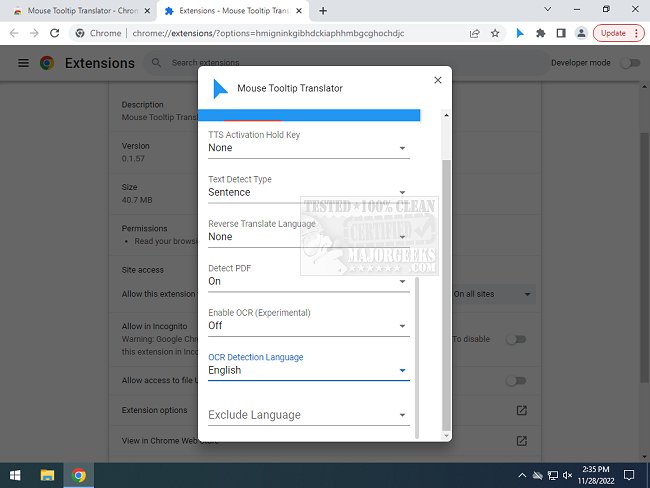
The Mouse Tooltip Translator extension for Chrome and Edge, version 0.1.248, has been released, offering a convenient solution for translating text on web pages through mouseover tooltips. This user-friendly extension allows users to hover over foreign language text to receive immediate translations into their preferred language, making it particularly useful for those who frequently encounter content in languages they do not understand. Instead of translating an entire page, users can simply hover over specific sections of text, thus enhancing their browsing experience.
The extension utilizes Google Translate for its translation services and supports additional features such as text-to-speech capabilities via Google TTS. Users can visualize tooltips on nearly any webpage, excluding the Chrome Web Store, and even translate text within PDF documents using PDF.js. Other notable features include the ability to filter translations when the source and target languages are the same and experimental options for translating YouTube captions and utilizing OCR technology for comics, allowing for translation of text in speech bubbles.
Overall, the Mouse Tooltip Translator is a valuable addition to the Chrome and Edge browsers, streamlining the translation process for users who may only need quick snippets of information in various languages as they navigate the web.
In addition to the features mentioned, future updates could potentially include support for more languages, improved accuracy in translations, and enhanced OCR capabilities for different types of content. Moreover, incorporating machine learning could refine the translation process, making it more context-aware and responsive to colloquial expressions or idioms in various languages. As global connectivity continues to rise, such tools will become increasingly essential for fostering understanding and communication across linguistic barriers
The extension utilizes Google Translate for its translation services and supports additional features such as text-to-speech capabilities via Google TTS. Users can visualize tooltips on nearly any webpage, excluding the Chrome Web Store, and even translate text within PDF documents using PDF.js. Other notable features include the ability to filter translations when the source and target languages are the same and experimental options for translating YouTube captions and utilizing OCR technology for comics, allowing for translation of text in speech bubbles.
Overall, the Mouse Tooltip Translator is a valuable addition to the Chrome and Edge browsers, streamlining the translation process for users who may only need quick snippets of information in various languages as they navigate the web.
In addition to the features mentioned, future updates could potentially include support for more languages, improved accuracy in translations, and enhanced OCR capabilities for different types of content. Moreover, incorporating machine learning could refine the translation process, making it more context-aware and responsive to colloquial expressions or idioms in various languages. As global connectivity continues to rise, such tools will become increasingly essential for fostering understanding and communication across linguistic barriers
Mouse Tooltip Translator for Chrome and Edge 0.1.248 released
Mouse Tooltip Translator for Chrome and Edge extension that provides mouseover tooltip language translations.
Mouse Tooltip Translator for Chrome and Edge 0.1.248 released @ MajorGeeks