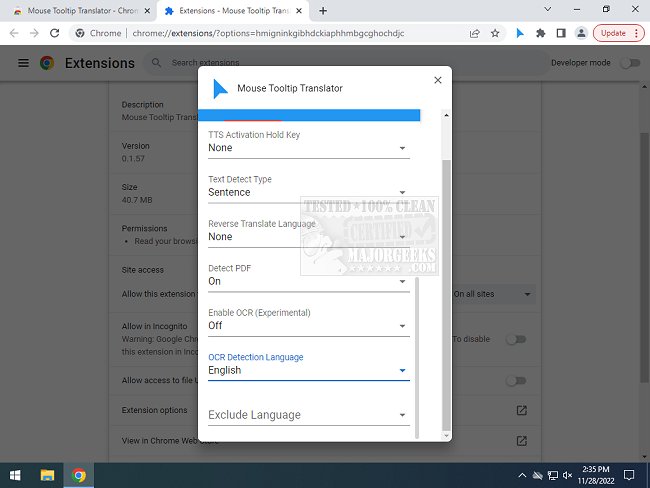
The Mouse Tooltip Translator extension for Chrome and Edge, version 0.1.225, has been released, offering a convenient solution for translating text on web pages through mouseover tooltips. This extension is particularly useful for users who encounter foreign language content while browsing and prefer not to translate entire pages. By simply hovering over a section of text, users can instantly receive translations in their preferred language, powered by Google Translate.
Key features of the Mouse Tooltip Translator include:
- The ability to translate text by hovering or selecting it.
- Displaying tooltips on virtually any web page, albeit with the exception of the Chrome Web Store.
- Compatibility with both Google Translator and Bing Translator for language translation.
- An option in the settings to enable Google Text-to-Speech (TTS) functionality for listening to the translated text.
- Support for translating tooltips within PDF documents using PDF.js.
- A filtering feature that detects when the source and target languages are the same to streamline the translation process.
- Experimental capabilities, including the translation of YouTube captions when hovering over subtitle blocks and using Optical Character Recognition (OCR) for translating text within comic book bubbles.
In addition to these features, the extension enhances the browsing experience, making it easier for users to engage with multilingual content without the hassle of comprehensive translations.
As the digital world becomes increasingly globalized, tools like the Mouse Tooltip Translator are invaluable, providing seamless access to diverse languages and fostering better communication across cultures. Users can expect future updates to refine and expand upon the extension's capabilities, potentially including more advanced translation technologies and user-friendly features.
This is particularly relevant for frequent travelers, language learners, or anyone looking to improve their understanding of different languages encountered online
Key features of the Mouse Tooltip Translator include:
- The ability to translate text by hovering or selecting it.
- Displaying tooltips on virtually any web page, albeit with the exception of the Chrome Web Store.
- Compatibility with both Google Translator and Bing Translator for language translation.
- An option in the settings to enable Google Text-to-Speech (TTS) functionality for listening to the translated text.
- Support for translating tooltips within PDF documents using PDF.js.
- A filtering feature that detects when the source and target languages are the same to streamline the translation process.
- Experimental capabilities, including the translation of YouTube captions when hovering over subtitle blocks and using Optical Character Recognition (OCR) for translating text within comic book bubbles.
In addition to these features, the extension enhances the browsing experience, making it easier for users to engage with multilingual content without the hassle of comprehensive translations.
As the digital world becomes increasingly globalized, tools like the Mouse Tooltip Translator are invaluable, providing seamless access to diverse languages and fostering better communication across cultures. Users can expect future updates to refine and expand upon the extension's capabilities, potentially including more advanced translation technologies and user-friendly features.
This is particularly relevant for frequent travelers, language learners, or anyone looking to improve their understanding of different languages encountered online
Mouse Tooltip Translator for Chrome and Edge 0.1.225 released
Mouse Tooltip Translator for Chrome and Edge extension that provides mouseover tooltip language translations.
Mouse Tooltip Translator for Chrome and Edge 0.1.225 released @ MajorGeeks