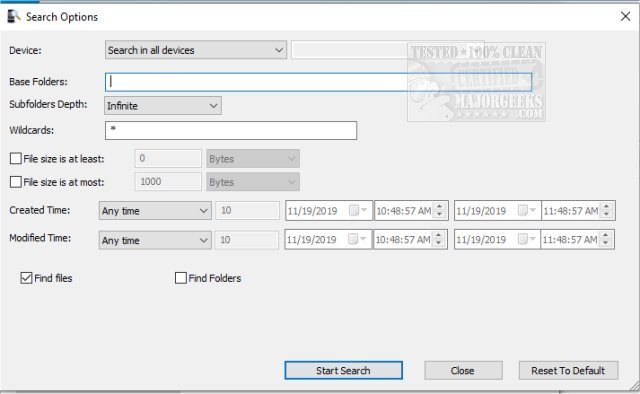
MobileFileSearch 1.51 has been released, offering a free and portable tool for Windows users to efficiently search files on USB-connected smartphones or tablets utilizing the Media Transfer Protocol (MTP). This application empowers users to search for files based on various criteria, including file size, creation time, modification time, or by using wildcard names.
Once users locate their desired files, they have several options: they can delete the files, copy them to a specific folder, or export the list of files in multiple formats such as CSV, tab-delimited, HTML, XML, or JSON. The user-friendly interface is designed to be intuitive, making it accessible for users of all skill levels.
Additionally, MobileFileSearch supports command-line operations, allowing users to execute searches and export results directly from the command line. This feature is particularly useful for advanced users who prefer automation or batch processing.
For example, users can execute commands to find files larger than 20 MB, sort them by size, and save the output as an HTML file, or copy files modified in the last two days to a specified folder. The command-line examples provided demonstrate the versatility of the application, showcasing its ability to handle various search and file management tasks efficiently.
In conclusion, MobileFileSearch is not only a practical solution for searching and managing files on mobile devices but also offers advanced features for power users, making it a valuable tool for anyone looking to streamline their file management process on MTP devices. Whether you are a casual user or a tech-savvy individual, MobileFileSearch provides the functionality needed to effectively manage files on your smartphone or tablet
Once users locate their desired files, they have several options: they can delete the files, copy them to a specific folder, or export the list of files in multiple formats such as CSV, tab-delimited, HTML, XML, or JSON. The user-friendly interface is designed to be intuitive, making it accessible for users of all skill levels.
Additionally, MobileFileSearch supports command-line operations, allowing users to execute searches and export results directly from the command line. This feature is particularly useful for advanced users who prefer automation or batch processing.
For example, users can execute commands to find files larger than 20 MB, sort them by size, and save the output as an HTML file, or copy files modified in the last two days to a specified folder. The command-line examples provided demonstrate the versatility of the application, showcasing its ability to handle various search and file management tasks efficiently.
In conclusion, MobileFileSearch is not only a practical solution for searching and managing files on mobile devices but also offers advanced features for power users, making it a valuable tool for anyone looking to streamline their file management process on MTP devices. Whether you are a casual user or a tech-savvy individual, MobileFileSearch provides the functionality needed to effectively manage files on your smartphone or tablet
MobileFileSearch 1.51 released
MobileFileSearch is a free portable Windows tool geared for searching files inside a USB-connected smartphone or tablet with Media Transfer Protocol (MTP).