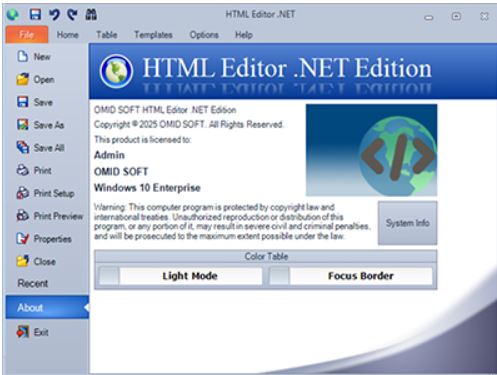
MHTML Editor .NET is a robust Windows application designed for seamless editing of HTML, CSS, JavaScript, and PHP within a WYSIWYG environment. This tool is particularly beneficial for developers and designers looking to create responsive web pages or make modifications to existing code efficiently.
Key Features:
- Live Preview: Users can see changes in real-time as they type, enhancing productivity and reducing the need for constant switching between different windows or browsers.
- Built-in FTP/SFTP: This feature allows for easy uploading and directory synchronization, making live editing of websites straightforward.
- Smart Autocomplete: The editor provides intelligent code completion, which speeds up the coding process and reduces errors.
- CSS Inspectors: Users can easily analyze and modify CSS properties, facilitating more efficient design adjustments.
- Syntax Highlighting: The application supports syntax highlighting and auto-completion for various programming languages, including HTML, XHTML, CSS, JavaScript, and PHP.
- Snippet and Template Support: Users can save time by utilizing reusable code snippets and templates for common design elements.
Pros and Cons:
- Pros:
- Instant live preview for immediate feedback on changes.
- Built-in FTP functionality for quick updates to live sites.
- Support for snippets enhances coding efficiency.
- A portable version is available for flexibility.
- User-friendly visual tools for CSS and tag manipulation.
- Cons:
- Exclusively available for Windows, limiting accessibility for users on other operating systems like Mac or Linux.
- The free version of the app restricts certain features.
- Lack of browser extensions may hinder some users' workflows.
Conclusion:
MHTML Editor .NET 19.10 stands out as a lightweight yet powerful tool for web development. With its dual-pane live preview, syntax-aware features, and built-in FTP capabilities, it streamlines the development and debugging process. While it is tailored for Windows users and has some limitations compared to cross-platform editors, it remains a polished all-in-one solution for HTML, CSS, and JavaScript editing, making it an attractive option for those who have outgrown basic text editors like Notepad.
Future Considerations:
As web technologies continue to evolve, potential improvements for MHTML Editor .NET could include expanding compatibility to other operating systems, enhancing collaboration features, and integrating more advanced debugging tools to appeal to a broader audience of developers. Additionally, incorporating cloud-based features could enhance accessibility and convenience for users working across multiple devices
Key Features:
- Live Preview: Users can see changes in real-time as they type, enhancing productivity and reducing the need for constant switching between different windows or browsers.
- Built-in FTP/SFTP: This feature allows for easy uploading and directory synchronization, making live editing of websites straightforward.
- Smart Autocomplete: The editor provides intelligent code completion, which speeds up the coding process and reduces errors.
- CSS Inspectors: Users can easily analyze and modify CSS properties, facilitating more efficient design adjustments.
- Syntax Highlighting: The application supports syntax highlighting and auto-completion for various programming languages, including HTML, XHTML, CSS, JavaScript, and PHP.
- Snippet and Template Support: Users can save time by utilizing reusable code snippets and templates for common design elements.
Pros and Cons:
- Pros:
- Instant live preview for immediate feedback on changes.
- Built-in FTP functionality for quick updates to live sites.
- Support for snippets enhances coding efficiency.
- A portable version is available for flexibility.
- User-friendly visual tools for CSS and tag manipulation.
- Cons:
- Exclusively available for Windows, limiting accessibility for users on other operating systems like Mac or Linux.
- The free version of the app restricts certain features.
- Lack of browser extensions may hinder some users' workflows.
Conclusion:
MHTML Editor .NET 19.10 stands out as a lightweight yet powerful tool for web development. With its dual-pane live preview, syntax-aware features, and built-in FTP capabilities, it streamlines the development and debugging process. While it is tailored for Windows users and has some limitations compared to cross-platform editors, it remains a polished all-in-one solution for HTML, CSS, and JavaScript editing, making it an attractive option for those who have outgrown basic text editors like Notepad.
Future Considerations:
As web technologies continue to evolve, potential improvements for MHTML Editor .NET could include expanding compatibility to other operating systems, enhancing collaboration features, and integrating more advanced debugging tools to appeal to a broader audience of developers. Additionally, incorporating cloud-based features could enhance accessibility and convenience for users working across multiple devices
MHTML Editor .NET 19.10 released
MHTML Editor .NET is a Windows app that delivers a powerful, WYSIWYG HTML, CSS, JavaScript, and PHP editing environment.