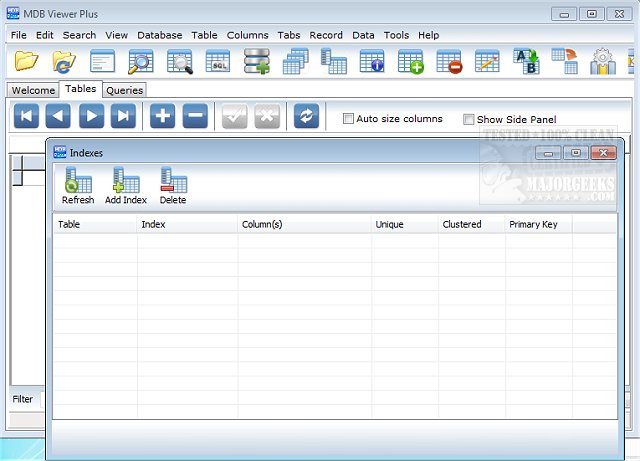
MDB Viewer Plus version 2.80 has been released, providing users with an efficient tool for accessing, viewing, and editing Microsoft Access database files, specifically MDB and ACCDB formats. This software leverages the existing Microsoft Data Access Components (MDAC) on Windows, making it lightweight and user-friendly for quick interactions with database files.
The application is particularly beneficial for software developers who require seamless integration with Access databases as backends for their custom applications. It offers a range of features that streamline database management, including inline editing, searching capabilities, and easy record filtering and sorting. Users can also print tables and query results, view records in form style, and execute SQL queries, further enhancing the overall functionality of the software.
Among the notable features of MDB Viewer Plus are:
- Support for opening both MDB and ACCDB files
- A tabbed interface for easy navigation
- Standard and partial word search functionalities
- Record viewing in a user-friendly format
- The ability to export data in multiple formats, including TXT, HTML, XML, XLS, and PDF
- Import options for various file types, including CSV and DOC
- Compatibility with Access 2007 files, provided the required database engine is installed
- Unicode support and the ability to create new databases
- Tools for managing tables and fields, including creating, renaming, and deleting them, as well as setting passwords
- Support for Workgroup Files (MDW) and customizable relationship dialogs
In addition to these features, MDB Viewer Plus allows developers to access field names directly, which can be copied and pasted into their source code. This facilitates a more integrated development process when working with Access databases.
As the software continues to evolve, future updates may introduce additional functionalities, improved user interfaces, and enhanced compatibility with newer database formats, ensuring that MDB Viewer Plus remains a robust tool for database management and development tasks
The application is particularly beneficial for software developers who require seamless integration with Access databases as backends for their custom applications. It offers a range of features that streamline database management, including inline editing, searching capabilities, and easy record filtering and sorting. Users can also print tables and query results, view records in form style, and execute SQL queries, further enhancing the overall functionality of the software.
Among the notable features of MDB Viewer Plus are:
- Support for opening both MDB and ACCDB files
- A tabbed interface for easy navigation
- Standard and partial word search functionalities
- Record viewing in a user-friendly format
- The ability to export data in multiple formats, including TXT, HTML, XML, XLS, and PDF
- Import options for various file types, including CSV and DOC
- Compatibility with Access 2007 files, provided the required database engine is installed
- Unicode support and the ability to create new databases
- Tools for managing tables and fields, including creating, renaming, and deleting them, as well as setting passwords
- Support for Workgroup Files (MDW) and customizable relationship dialogs
In addition to these features, MDB Viewer Plus allows developers to access field names directly, which can be copied and pasted into their source code. This facilitates a more integrated development process when working with Access databases.
As the software continues to evolve, future updates may introduce additional functionalities, improved user interfaces, and enhanced compatibility with newer database formats, ensuring that MDB Viewer Plus remains a robust tool for database management and development tasks
MDB Viewer Plus 2.80 released
MDB Viewer Plus allows you to open, view and edit Microsoft Access MDB and ACCDB database files.