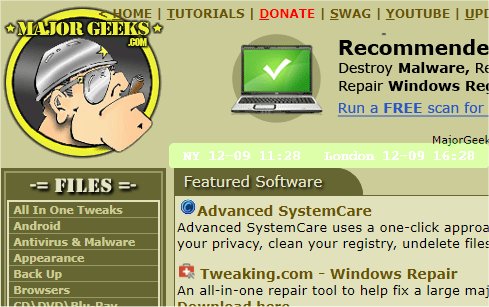
The recent release of mclocks version 0.2.48 has introduced an open-source application designed for displaying multiple clocks across different time zones. This tool can be especially useful for individuals who travel frequently or attend international meetings, as it allows users to keep track of time in various locations simultaneously.
To set up the application, users need to edit a configuration file named config.json, which can be easily modified using Notepad. Below is a sample configuration for reference:
This configuration allows users to customize various aspects of the clock display, including the time zones to monitor, the format of the date and time, and visual settings like font color and background color.
In addition to the functionality of mclocks, users may find it helpful to explore related topics such as how to show multiple clocks on Windows, how to fix incorrect date or time settings on Windows, displaying time only on the Windows 10 & 11 taskbar, or removing the clock from the Windows taskbar altogether.
For future developments, it would be beneficial to consider features such as customizable alarm settings for each clock, integration with calendar events to display upcoming meetings in respective time zones, and options for different visual themes to enhance user experience further
To set up the application, users need to edit a configuration file named config.json, which can be easily modified using Notepad. Below is a sample configuration for reference:
json{
"clocks": [
{ "name": "NY", "timezone": "America/New_York" },
{ "name": "London", "timezone": "Europe/London" }
],
"formatDateTime": "MM-DD ddd HH:mm",
"localeDateTime": "en",
"opacity": 1,
"fontColor": "#fff",
"fontSize": 14,
"bgColor": "#151",
"onlyText": false,
"alwaysOnTop": false
}
This configuration allows users to customize various aspects of the clock display, including the time zones to monitor, the format of the date and time, and visual settings like font color and background color.
In addition to the functionality of mclocks, users may find it helpful to explore related topics such as how to show multiple clocks on Windows, how to fix incorrect date or time settings on Windows, displaying time only on the Windows 10 & 11 taskbar, or removing the clock from the Windows taskbar altogether.
For future developments, it would be beneficial to consider features such as customizable alarm settings for each clock, integration with calendar events to display upcoming meetings in respective time zones, and options for different visual themes to enhance user experience further
mclocks 0.2.48 released
mclocks is an Open Source app that allows you to display multiple time zone clocks.