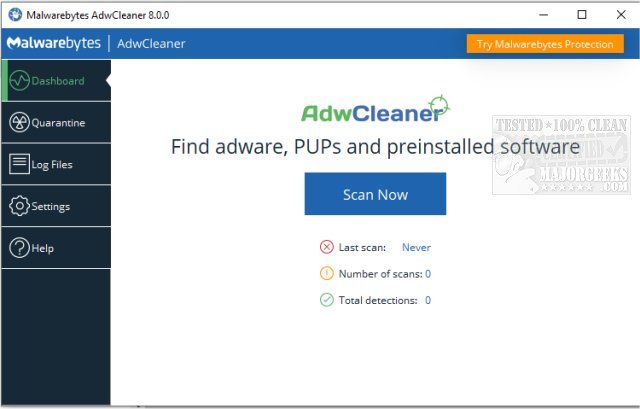
Malwarebytes has released version 8.7.1 of AdwCleaner, a free anti-malware tool designed to eliminate adware, potentially unwanted programs (PUPs), toolbars, and browser hijackers that can disrupt your online experience. This user-friendly application allows you to restore your computer's performance and browsing integrity without the need for installation, making it easily accessible for immediate use—whether from a local machine or a USB drive.
AdwCleaner stands out for its ability to efficiently clean your browser of unwanted clutter that can slow down your system, such as ad-injecting software and rogue toolbars that compromise your browsing experience. With its quick scanning capabilities, AdwCleaner identifies and tackles threats in a fraction of the time it takes to brew a cup of coffee, allowing users to reclaim control over their systems swiftly.
Key features include the ability to:
- Remove adware and pop-ups,
- Eliminate unwanted browser toolbars,
- Hunt down PUPs lurking on your system,
- Restore hijacked browser settings,
- Run without installation for maximum convenience,
- Provide detailed reports on detected threats.
Designed for both novices and tech-savvy users, AdwCleaner is intuitive and lightweight, making it an ideal solution for anyone looking to enhance their digital security. The app is completely free, making it an attractive option for users seeking immediate relief from digital nuisances.
In summary, if you are frustrated by persistent pop-ups, sluggish performance, or unwanted browser changes, Malwarebytes AdwCleaner is a powerful ally in restoring your computer to its optimal state. For comprehensive protection, consider pairing it with Malwarebytes' full antivirus software to ensure your devices, data, and privacy remain secure.
Looking ahead, it’s crucial to maintain your system's health by regularly using tools like AdwCleaner and to stay informed about the best practices for digital security. As technology evolves, staying updated with the latest versions of security software and understanding how to manage potential threats will be essential for maintaining a safe online environment
AdwCleaner stands out for its ability to efficiently clean your browser of unwanted clutter that can slow down your system, such as ad-injecting software and rogue toolbars that compromise your browsing experience. With its quick scanning capabilities, AdwCleaner identifies and tackles threats in a fraction of the time it takes to brew a cup of coffee, allowing users to reclaim control over their systems swiftly.
Key features include the ability to:
- Remove adware and pop-ups,
- Eliminate unwanted browser toolbars,
- Hunt down PUPs lurking on your system,
- Restore hijacked browser settings,
- Run without installation for maximum convenience,
- Provide detailed reports on detected threats.
Designed for both novices and tech-savvy users, AdwCleaner is intuitive and lightweight, making it an ideal solution for anyone looking to enhance their digital security. The app is completely free, making it an attractive option for users seeking immediate relief from digital nuisances.
In summary, if you are frustrated by persistent pop-ups, sluggish performance, or unwanted browser changes, Malwarebytes AdwCleaner is a powerful ally in restoring your computer to its optimal state. For comprehensive protection, consider pairing it with Malwarebytes' full antivirus software to ensure your devices, data, and privacy remain secure.
Looking ahead, it’s crucial to maintain your system's health by regularly using tools like AdwCleaner and to stay informed about the best practices for digital security. As technology evolves, staying updated with the latest versions of security software and understanding how to manage potential threats will be essential for maintaining a safe online environment
Malwarebytes AdwCleaner 8.7.1 Final released
Malwarebytes AdwCleaner is a free anti-malware app that deletes adware, PUP's, toolbars, and browser hijackers. Video tutorial available. For complete internet protection, download Malwarebytes here.