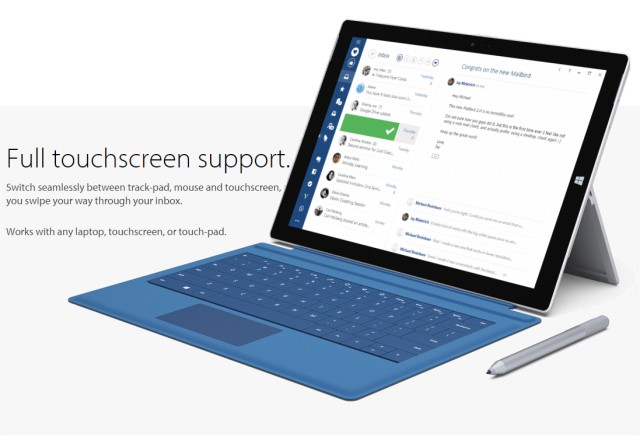
Mailbird has released version 3.0.49.0, a versatile application designed to streamline the management of your email, calendar, tasks, and messaging in one place. This update enhances the user experience with features such as multi-account support for both IMAP and POP3, a unified inbox to manage all your emails seamlessly, and comprehensive touch support for ease of use. Additionally, Mailbird integrates various messaging and task management applications, as well as calendar features, providing a cohesive digital workspace.
The application supports over 15 languages, allowing users around the globe to navigate comfortably. Customization options are abundant, enabling users to adjust colors and layouts to fit their personal preferences. Mailbird also includes minor customization features such as adjusting text size, font selections, auto-spellcheck functionality, and the convenience of dragging and dropping attachments directly within the email composition window.
Key Features of Mailbird:
- Multi-account support for IMAP, POP3, and more
- Integrated contacts manager for easy access to your contacts
- Various app integrations for enhanced productivity
In summary, Mailbird 3.0.49.0 not only aims to simplify communication by merging multiple platforms but also prioritizes user customization and accessibility. As technology continues to evolve, further updates may expand on these features, such as improved AI-driven functionalities for task management and enhanced security measures to safeguard user data
The application supports over 15 languages, allowing users around the globe to navigate comfortably. Customization options are abundant, enabling users to adjust colors and layouts to fit their personal preferences. Mailbird also includes minor customization features such as adjusting text size, font selections, auto-spellcheck functionality, and the convenience of dragging and dropping attachments directly within the email composition window.
Key Features of Mailbird:
- Multi-account support for IMAP, POP3, and more
- Integrated contacts manager for easy access to your contacts
- Various app integrations for enhanced productivity
In summary, Mailbird 3.0.49.0 not only aims to simplify communication by merging multiple platforms but also prioritizes user customization and accessibility. As technology continues to evolve, further updates may expand on these features, such as improved AI-driven functionalities for task management and enhanced security measures to safeguard user data
Mailbird 3.0.49.0 released
Mailbird connects all your preferred email, calendar, task, and messaging apps into one versatile utility.