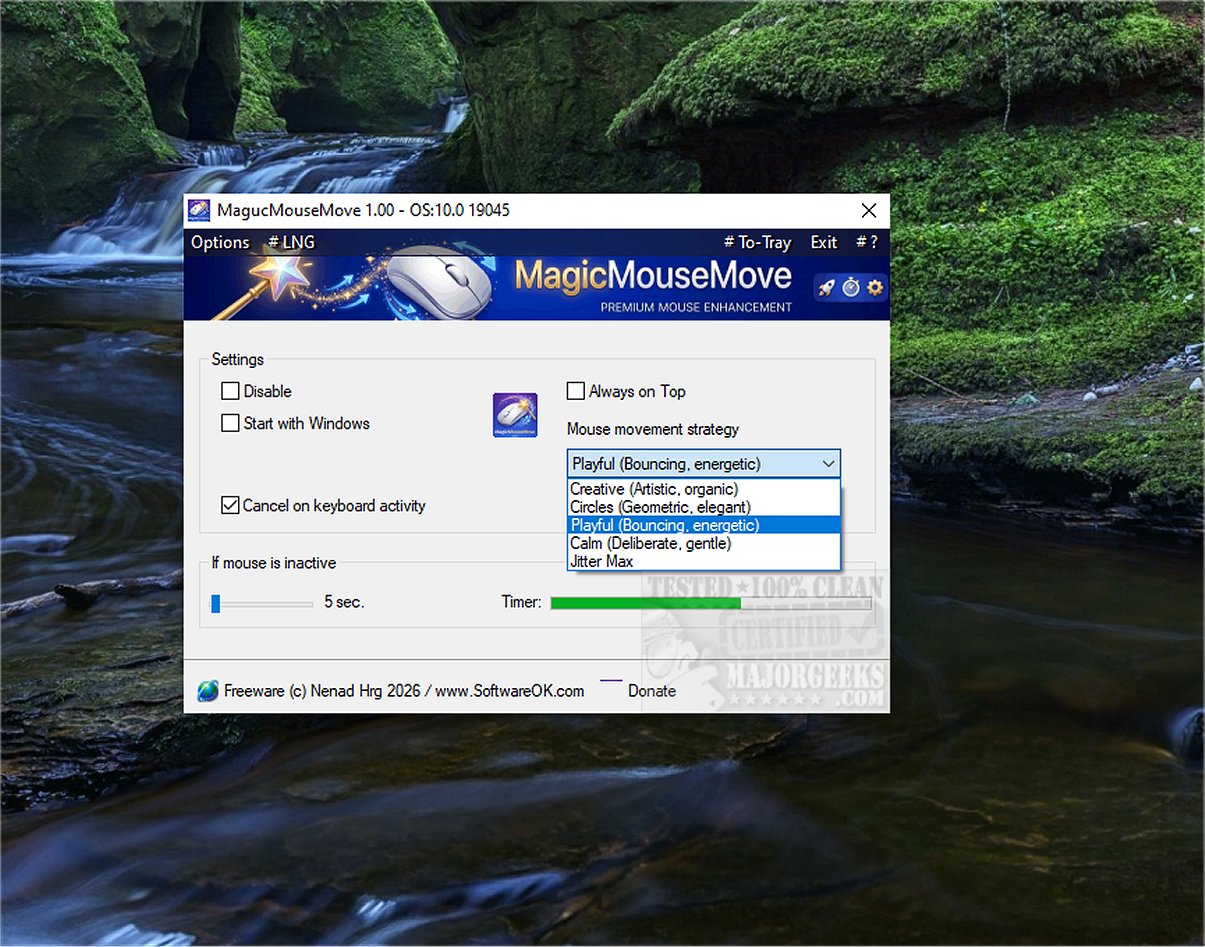
MagicMouseMove version 1.03 has been released, introducing a specialized tool designed for Windows users to maintain an active device status by simulating subtle mouse movements. This tool is particularly useful for individuals utilizing game streaming services like GeForce Now, Xbox Cloud Gaming, and Steam, as it prevents frustrating disconnections that can occur during brief periods of inactivity. By ensuring that remote desktop connections (such as RDP, TeamViewer, and AnyDesk) remain active, MagicMouseMove addresses inactivity timeouts effectively, allowing users to avoid interruptions to their services.
MagicMouseMove is also beneficial for users who run presentations or monitor devices at risk of going into standby mode due to inactivity. With this tool, users can take spontaneous breaks without the fear of losing their connections.
Key Features of MagicMouseMove:
- Adjustable automatic mouse movement after a set period of inactivity
- Five distinct movement types (micro, sweep, full screen, dance, jittermax)
- Movements that follow natural, sinusoidal paths, making them hard to detect as automated
- Easy deactivation via a taskbar icon with a context menu
- Intelligent inactivity detection, ensuring movement only occurs when the user is genuinely absent
- A mouse inactivity timer with pixel tolerance for added precision
Human-Like Movement for System Engagement:
MagicMouseMove stands out due to its ability to mimic realistic human-like movements, helping to keep the system engaged. This feature is crucial in circumventing automatic power-saving modes that could disrupt productivity. Users benefit from uninterrupted access to their applications and documents, fostering a more productive environment during long tasks or research sessions.
Set It and Forget It:
With MagicMouseMove, users can ensure their system remains interactive without the need for constant manual input. This is particularly advantageous when one needs to step away briefly for phone calls or other responsibilities, helping to prevent disruptions that could lead to lost work or delays in ongoing tasks. Ultimately, MagicMouseMove enhances the user experience by facilitating a seamless workflow, even during extended periods away from the keyboard.
Geek Verdict:
MagicMouseMove provides a straightforward, easy-to-setup solution that keeps devices active through the simulation of subtle, natural mouse movements, ensuring responsiveness and engagement without hassle.
Additional Related Tools:
- Change Double Click to Single Click for Files and Folders
- Enable Mouse Pointer Trails
- Turn On/Off Enhanced Mouse Pointer Precision
- Troubleshoot Slow, Lagging, or Jumpy Mice
- Logitech Firmware Update Tool
- Logitech Unifying Software
In conclusion, MagicMouseMove is an essential utility for anyone looking to maintain continuous system engagement, enhance productivity, and minimize interruptions during important tasks. Its user-friendly features and intelligent design make it a valuable addition to any Windows setup
MagicMouseMove is also beneficial for users who run presentations or monitor devices at risk of going into standby mode due to inactivity. With this tool, users can take spontaneous breaks without the fear of losing their connections.
Key Features of MagicMouseMove:
- Adjustable automatic mouse movement after a set period of inactivity
- Five distinct movement types (micro, sweep, full screen, dance, jittermax)
- Movements that follow natural, sinusoidal paths, making them hard to detect as automated
- Easy deactivation via a taskbar icon with a context menu
- Intelligent inactivity detection, ensuring movement only occurs when the user is genuinely absent
- A mouse inactivity timer with pixel tolerance for added precision
Human-Like Movement for System Engagement:
MagicMouseMove stands out due to its ability to mimic realistic human-like movements, helping to keep the system engaged. This feature is crucial in circumventing automatic power-saving modes that could disrupt productivity. Users benefit from uninterrupted access to their applications and documents, fostering a more productive environment during long tasks or research sessions.
Set It and Forget It:
With MagicMouseMove, users can ensure their system remains interactive without the need for constant manual input. This is particularly advantageous when one needs to step away briefly for phone calls or other responsibilities, helping to prevent disruptions that could lead to lost work or delays in ongoing tasks. Ultimately, MagicMouseMove enhances the user experience by facilitating a seamless workflow, even during extended periods away from the keyboard.
Geek Verdict:
MagicMouseMove provides a straightforward, easy-to-setup solution that keeps devices active through the simulation of subtle, natural mouse movements, ensuring responsiveness and engagement without hassle.
Additional Related Tools:
- Change Double Click to Single Click for Files and Folders
- Enable Mouse Pointer Trails
- Turn On/Off Enhanced Mouse Pointer Precision
- Troubleshoot Slow, Lagging, or Jumpy Mice
- Logitech Firmware Update Tool
- Logitech Unifying Software
In conclusion, MagicMouseMove is an essential utility for anyone looking to maintain continuous system engagement, enhance productivity, and minimize interruptions during important tasks. Its user-friendly features and intelligent design make it a valuable addition to any Windows setup
MagicMouseMove 1.03 released
MagicMouseMove is a specialized Windows tool that helps maintain an active device status by simulating subtle, natural mouse movements.