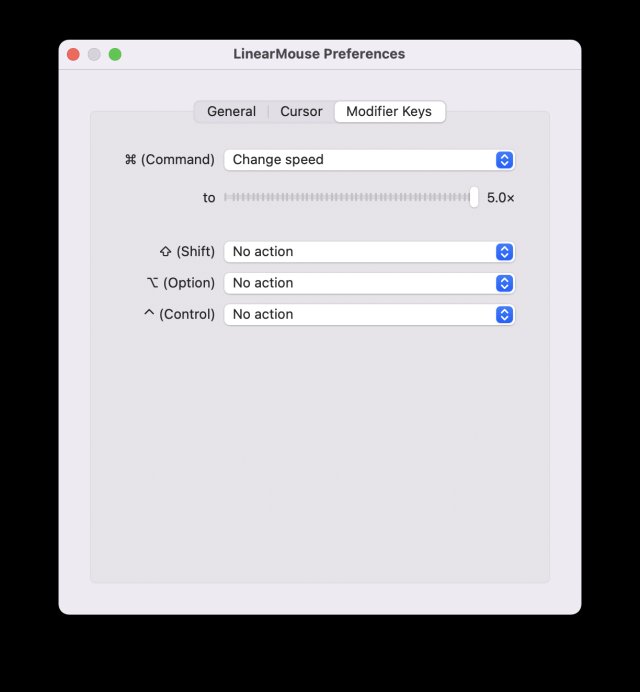
LinearMouse has released version 0.11.0 Beta 6 alongside version 0.10.4, providing macOS users with enhanced customization options for mouse controls. This software allows users to tailor scrolling direction, scrolling acceleration, cursor acceleration, and cursor sensitivity to their preferences while also ensuring that back and forward buttons on mice function universally across applications.
Key Features of LinearMouse:
- Reverse Scrolling: This feature allows users to reverse the scrolling direction for mice while maintaining the default direction for trackpads, catering to those who use both input devices.
- Linear Scrolling: By disabling scrolling acceleration, LinearMouse offers a linear and discrete scrolling experience reminiscent of Windows, which is particularly beneficial for mice lacking a smooth scrolling wheel.
- Universal Back & Forward: LinearMouse enhances the functionality of side buttons on mice, translating their clicks into swipe gestures that are recognized by most macOS applications, including Safari and Xcode.
- Cursor Acceleration & Sensitivity: While macOS typically only allows adjustments to cursor tracking speed, LinearMouse provides the ability to customize both cursor acceleration and sensitivity, or even disable them completely for a more stable cursor movement experience.
- Modifier Keys Functionality: Users can enhance the functionality of their modifier keys, allowing for modifications in scrolling speed or changes in orientation.
In addition to these features, future updates may include even more customization options and support for a wider range of devices, enhancing user experience further. LinearMouse continues to evolve, aiming to provide macOS users with a level of control and personalization that rivals other operating systems, ensuring that their interactions with the user interface are smooth and intuitive
Key Features of LinearMouse:
- Reverse Scrolling: This feature allows users to reverse the scrolling direction for mice while maintaining the default direction for trackpads, catering to those who use both input devices.
- Linear Scrolling: By disabling scrolling acceleration, LinearMouse offers a linear and discrete scrolling experience reminiscent of Windows, which is particularly beneficial for mice lacking a smooth scrolling wheel.
- Universal Back & Forward: LinearMouse enhances the functionality of side buttons on mice, translating their clicks into swipe gestures that are recognized by most macOS applications, including Safari and Xcode.
- Cursor Acceleration & Sensitivity: While macOS typically only allows adjustments to cursor tracking speed, LinearMouse provides the ability to customize both cursor acceleration and sensitivity, or even disable them completely for a more stable cursor movement experience.
- Modifier Keys Functionality: Users can enhance the functionality of their modifier keys, allowing for modifications in scrolling speed or changes in orientation.
In addition to these features, future updates may include even more customization options and support for a wider range of devices, enhancing user experience further. LinearMouse continues to evolve, aiming to provide macOS users with a level of control and personalization that rivals other operating systems, ensuring that their interactions with the user interface are smooth and intuitive
LinearMouse 0.11.0 Beta 6 / 0.10.4 released
LinearMouse offers macOS users customized scrolling direction, scrolling acceleration, cursor acceleration, and cursor sensitivity. It also makes the back and forward buttons universal.