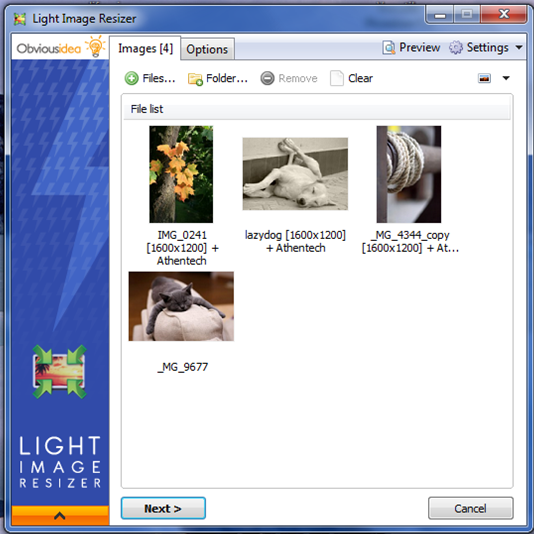
Light Image Resizer version 7.6.3.172 has been released, offering users an efficient way to resize and convert images into various formats with ease and precision. This versatile software is designed to manage images effortlessly, utilizing advanced multi-core resizing technology to quickly resize, compress, and convert pictures while maintaining high quality.
The user-friendly interface simplifies tasks such as creating, renaming, and organizing images, making it easy for users to keep their files in order. A notable feature is the ability to add watermarks, ensuring protection of one's intellectual property before sharing images online or through email. Users can select the desired output resolution for each image, create duplicates for preservation of the originals, and then resize the images tailored to their specific needs.
Furthermore, the software allows for efficient organization of files by enabling users to move and rename images, as well as compress them for easier sharing and storage. Users can choose a specific destination for the processed images, making it convenient to locate them afterward. The application supports batch processing, allowing multiple images to be resized simultaneously with a single click, enhancing productivity for both casual and professional users.
Light Image Resizer also comes with a range of additional features, including:
- Customizable watermark options with HTML-like text formatting and transparency support.
- Image enhancements such as sepia conversion and border addition, with live previews available.
- Support for RAW formats and the ability to process files, folders, and subfolders.
- Quick access to the application via right-click in Windows shell explorer.
- Integration of output options for direct email attachments and PDF creation from images, supporting both individual and bulk processing.
- Pre-defined profiles for common resolutions, facilitating quick access to favorite settings.
For users looking to optimize images for digital photo frames, the Digital Picture Frame Wizard allows resizing of photos to fit the frame's specifications while adding more images for viewing.
In summary, Light Image Resizer 7.6.3.172 is a powerful tool that streamlines the image editing process, ensuring high-quality results whether for personal use or professional projects. With continuous improvements and a robust set of features, it stands out as an essential tool for anyone working with images
The user-friendly interface simplifies tasks such as creating, renaming, and organizing images, making it easy for users to keep their files in order. A notable feature is the ability to add watermarks, ensuring protection of one's intellectual property before sharing images online or through email. Users can select the desired output resolution for each image, create duplicates for preservation of the originals, and then resize the images tailored to their specific needs.
Furthermore, the software allows for efficient organization of files by enabling users to move and rename images, as well as compress them for easier sharing and storage. Users can choose a specific destination for the processed images, making it convenient to locate them afterward. The application supports batch processing, allowing multiple images to be resized simultaneously with a single click, enhancing productivity for both casual and professional users.
Light Image Resizer also comes with a range of additional features, including:
- Customizable watermark options with HTML-like text formatting and transparency support.
- Image enhancements such as sepia conversion and border addition, with live previews available.
- Support for RAW formats and the ability to process files, folders, and subfolders.
- Quick access to the application via right-click in Windows shell explorer.
- Integration of output options for direct email attachments and PDF creation from images, supporting both individual and bulk processing.
- Pre-defined profiles for common resolutions, facilitating quick access to favorite settings.
For users looking to optimize images for digital photo frames, the Digital Picture Frame Wizard allows resizing of photos to fit the frame's specifications while adding more images for viewing.
In summary, Light Image Resizer 7.6.3.172 is a powerful tool that streamlines the image editing process, ensuring high-quality results whether for personal use or professional projects. With continuous improvements and a robust set of features, it stands out as an essential tool for anyone working with images
Light Image Resizer 7.6.3.172 released
Light Image Resizer gives you the power to resize pictures or convert them into different formats easily and accurately.