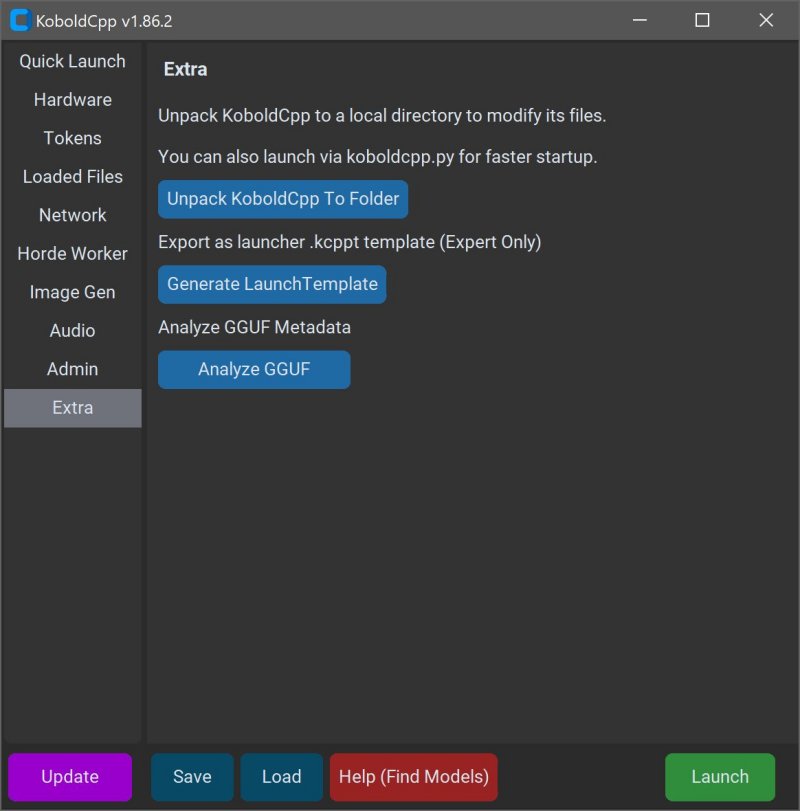
KoboldCPP is a powerful, open-source tool designed for running AI models locally on your computer, eliminating the need for accounts, internet access, subscriptions, or privacy compromises. Ideal for individuals engaged in private projects—such as writers crafting stories, game developers building lore, or those simply wanting to explore AI in a secure environment—KoboldCPP makes using large language models (LLMs) straightforward and accessible.
What is KoboldCPP?
KoboldCPP acts as a backend for the KoboldAI web interface, allowing users to interact with AI models in a chat-like format reminiscent of ChatGPT, all while operating offline. The tool supports GGUF-format AI models, specifically designed for local usage, and is compatible with both CPU and GPU acceleration to optimize performance across various hardware configurations.
Understanding GGUF and Compatible Models
GGUF stands for GPT-Generated Unified Format, which is tailored for local performance, especially with quantized models (4-bit or 8-bit). While many popular open-source models are available in GGUF format on repositories like Hugging Face, users should ensure compatibility before downloading.
Target Audience for KoboldCPP
KoboldCPP caters to a diverse audience, including writers, RPG creators, developers, and AI enthusiasts looking for a private, offline experience. It is particularly beneficial for users in low-connectivity areas or those frustrated with subscription costs and data privacy issues.
Main Features of KoboldCPP
- Local LLM execution compatible with GGUF/LLAMA models
- Offline functionality, ensuring complete privacy
- High performance with Intel oneAPI and NVIDIA CUDA support
- Simple installation process without complex coding
- Compatibility with the KoboldAI Web UI for added functionality
- Customization options for enhancing user experience
Finding and Using AI Models with KoboldCPP
KoboldCPP does not come with pre-included AI models, so users must download them separately. Recommended sources include Hugging Face, favoring 4-bit or 8-bit GGUF models for mid-range PCs. The usage process is straightforward: launch the application, select the model, configure backend settings, and start interacting with the AI.
System Requirements
KoboldCPP is designed to work efficiently on systems with:
- Windows or Linux OS
- A minimum of 8GB RAM, ideally 16GB+
- A modern Intel or AMD CPU with AVX2 support
- Optional GPU for enhanced performance
Users should be cautious about storage space, especially for larger models, and consider the specific version of KoboldCPP that best suits their hardware capabilities.
Conclusion
KoboldCPP 1.119 empowers users to control their AI interactions without data exposure or ongoing costs. Whether for creative writing, game design, or general AI exploration, it offers a seamless and private alternative to cloud-based solutions. The tool is backed by a robust open-source community, ensuring ongoing support and development. New users can feel encouraged to seek assistance in selecting models or customizing their experiences, making it one of the leading solutions for desktop AI applications.
Future Prospects
As the landscape of AI continues to evolve, tools like KoboldCPP will likely see enhancements in model compatibility, user interfaces, and performance optimization. Future releases may also incorporate more advanced features, further expanding the capabilities for users and maintaining a focus on privacy and self-hosting
What is KoboldCPP?
KoboldCPP acts as a backend for the KoboldAI web interface, allowing users to interact with AI models in a chat-like format reminiscent of ChatGPT, all while operating offline. The tool supports GGUF-format AI models, specifically designed for local usage, and is compatible with both CPU and GPU acceleration to optimize performance across various hardware configurations.
Understanding GGUF and Compatible Models
GGUF stands for GPT-Generated Unified Format, which is tailored for local performance, especially with quantized models (4-bit or 8-bit). While many popular open-source models are available in GGUF format on repositories like Hugging Face, users should ensure compatibility before downloading.
Target Audience for KoboldCPP
KoboldCPP caters to a diverse audience, including writers, RPG creators, developers, and AI enthusiasts looking for a private, offline experience. It is particularly beneficial for users in low-connectivity areas or those frustrated with subscription costs and data privacy issues.
Main Features of KoboldCPP
- Local LLM execution compatible with GGUF/LLAMA models
- Offline functionality, ensuring complete privacy
- High performance with Intel oneAPI and NVIDIA CUDA support
- Simple installation process without complex coding
- Compatibility with the KoboldAI Web UI for added functionality
- Customization options for enhancing user experience
Finding and Using AI Models with KoboldCPP
KoboldCPP does not come with pre-included AI models, so users must download them separately. Recommended sources include Hugging Face, favoring 4-bit or 8-bit GGUF models for mid-range PCs. The usage process is straightforward: launch the application, select the model, configure backend settings, and start interacting with the AI.
System Requirements
KoboldCPP is designed to work efficiently on systems with:
- Windows or Linux OS
- A minimum of 8GB RAM, ideally 16GB+
- A modern Intel or AMD CPU with AVX2 support
- Optional GPU for enhanced performance
Users should be cautious about storage space, especially for larger models, and consider the specific version of KoboldCPP that best suits their hardware capabilities.
Conclusion
KoboldCPP 1.119 empowers users to control their AI interactions without data exposure or ongoing costs. Whether for creative writing, game design, or general AI exploration, it offers a seamless and private alternative to cloud-based solutions. The tool is backed by a robust open-source community, ensuring ongoing support and development. New users can feel encouraged to seek assistance in selecting models or customizing their experiences, making it one of the leading solutions for desktop AI applications.
Future Prospects
As the landscape of AI continues to evolve, tools like KoboldCPP will likely see enhancements in model compatibility, user interfaces, and performance optimization. Future releases may also incorporate more advanced features, further expanding the capabilities for users and maintaining a focus on privacy and self-hosting
KoboldCPP 1.119 released
KoboldCPP is a great choice for running powerful AI models on your computer with no accounts, internet, subscriptions, or privacy trade-offs.