Kiwi for Gmail version 4.6.5 has been released, enhancing the way users interact with Gmail and other Google applications directly from their desktop. This app offers customizable viewing options such as sorting emails by Date, Importance, Unread status, Attachments, and Starred items, allowing users to efficiently filter and prioritize their inbox. A newly designed intuitive toolbar on the left side of the traditional Gmail layout grants quick access to all G Suite applications and documents.
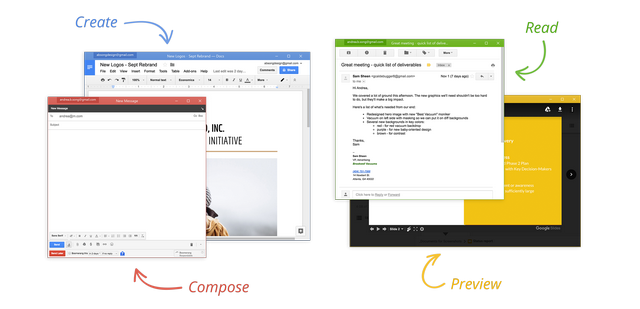
One of Kiwi for Gmail's standout features is the ability to send large attachments easily, positioning it as a strong competitor to Microsoft Office 365 in terms of office productivity. Users can utilize Google Docs, Sheets, and Slides as native applications with their own windows, promoting a more organized and multi-tasking-friendly environment. The app allows users to restore their previously opened windows upon restart, ensuring a seamless workflow across multiple accounts.
In addition to its core functionalities, Kiwi for Gmail also supports third-party plugins, with Boomerang being the most requested plugin integrated into the platform. The developers have indicated plans to add more plugins in the future, further enhancing the capabilities of the app.
Looking forward, Kiwi for Gmail could explore deeper integrations with other productivity tools and platforms, as well as improve collaboration features, making it an even more powerful tool for professionals who rely on Google services. Enhanced customization options for the user interface and additional support for more third-party plugins could also be beneficial. As remote work continues to evolve, Kiwi for Gmail is well-positioned to adapt and meet the changing needs of its users
One of Kiwi for Gmail's standout features is the ability to send large attachments easily, positioning it as a strong competitor to Microsoft Office 365 in terms of office productivity. Users can utilize Google Docs, Sheets, and Slides as native applications with their own windows, promoting a more organized and multi-tasking-friendly environment. The app allows users to restore their previously opened windows upon restart, ensuring a seamless workflow across multiple accounts.
In addition to its core functionalities, Kiwi for Gmail also supports third-party plugins, with Boomerang being the most requested plugin integrated into the platform. The developers have indicated plans to add more plugins in the future, further enhancing the capabilities of the app.
Looking forward, Kiwi for Gmail could explore deeper integrations with other productivity tools and platforms, as well as improve collaboration features, making it an even more powerful tool for professionals who rely on Google services. Enhanced customization options for the user interface and additional support for more third-party plugins could also be beneficial. As remote work continues to evolve, Kiwi for Gmail is well-positioned to adapt and meet the changing needs of its users
Kiwi for Gmail 4.6.5 released
Kiwi for Gmail is an excellent app that brings Gmail and Google apps directly to your desktop.