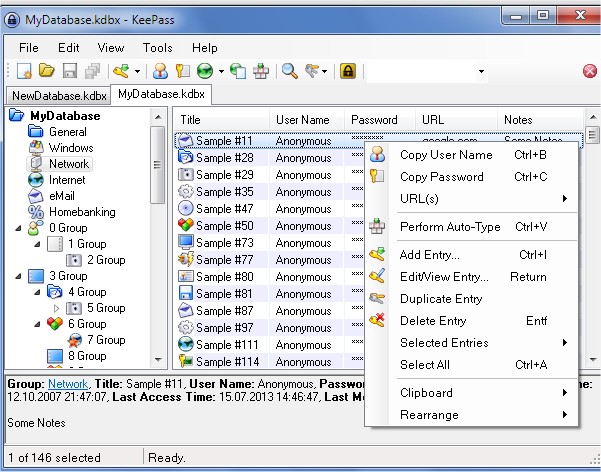
KeePass Password Safe has recently released versions 2.61.1 Professional and 1.43 Classic Edition. This open-source password manager is designed to help users securely manage their numerous passwords, which can be particularly challenging in today's digital age where individuals often have a multitude of online accounts. KeePass offers a solution by storing passwords, usernames, and additional information, such as notes and file attachments, in a securely encrypted database.
The encryption methods used by KeePass include advanced algorithms like AES and Twofish, ensuring that user data is protected. Users only need to remember one master password or use a key disk to access their entire database, simplifying the management of multiple credentials. Furthermore, KeePass includes features such as a password generator, synchronization capabilities, two-factor authentication, and a Secure Desktop mode to enhance security. It also offers a two-channel auto-type obfuscation feature to safeguard against keyloggers.
For those who may prefer alternatives, KeePass has inspired two notable forks: KeePassX and KeePassXC, which extend the functionality of the original software. Additionally, KeePass supports importing data from over 30 other popular password managers, making it accessible for users transitioning from different platforms.
In summary, KeePass Password Safe is an effective tool for securely managing passwords, with robust features aimed at enhancing user security and convenience. It not only caters to individual needs but also stands out in the landscape of password management solutions, offering various options for users with different preferences. As digital security becomes increasingly vital, tools like KeePass can play a crucial role in protecting personal information
The encryption methods used by KeePass include advanced algorithms like AES and Twofish, ensuring that user data is protected. Users only need to remember one master password or use a key disk to access their entire database, simplifying the management of multiple credentials. Furthermore, KeePass includes features such as a password generator, synchronization capabilities, two-factor authentication, and a Secure Desktop mode to enhance security. It also offers a two-channel auto-type obfuscation feature to safeguard against keyloggers.
For those who may prefer alternatives, KeePass has inspired two notable forks: KeePassX and KeePassXC, which extend the functionality of the original software. Additionally, KeePass supports importing data from over 30 other popular password managers, making it accessible for users transitioning from different platforms.
In summary, KeePass Password Safe is an effective tool for securely managing passwords, with robust features aimed at enhancing user security and convenience. It not only caters to individual needs but also stands out in the landscape of password management solutions, offering various options for users with different preferences. As digital security becomes increasingly vital, tools like KeePass can play a crucial role in protecting personal information
KeePass Password Safe 2.61.1 Professional / 1.43 Classic Edition released
KeePass Password Safe is an open-source password manager or safe, which helps you manage your passwords securely.
KeePass Password Safe 2.61.1 Professional / 1.43 Classic Edition released @ MajorGeeks