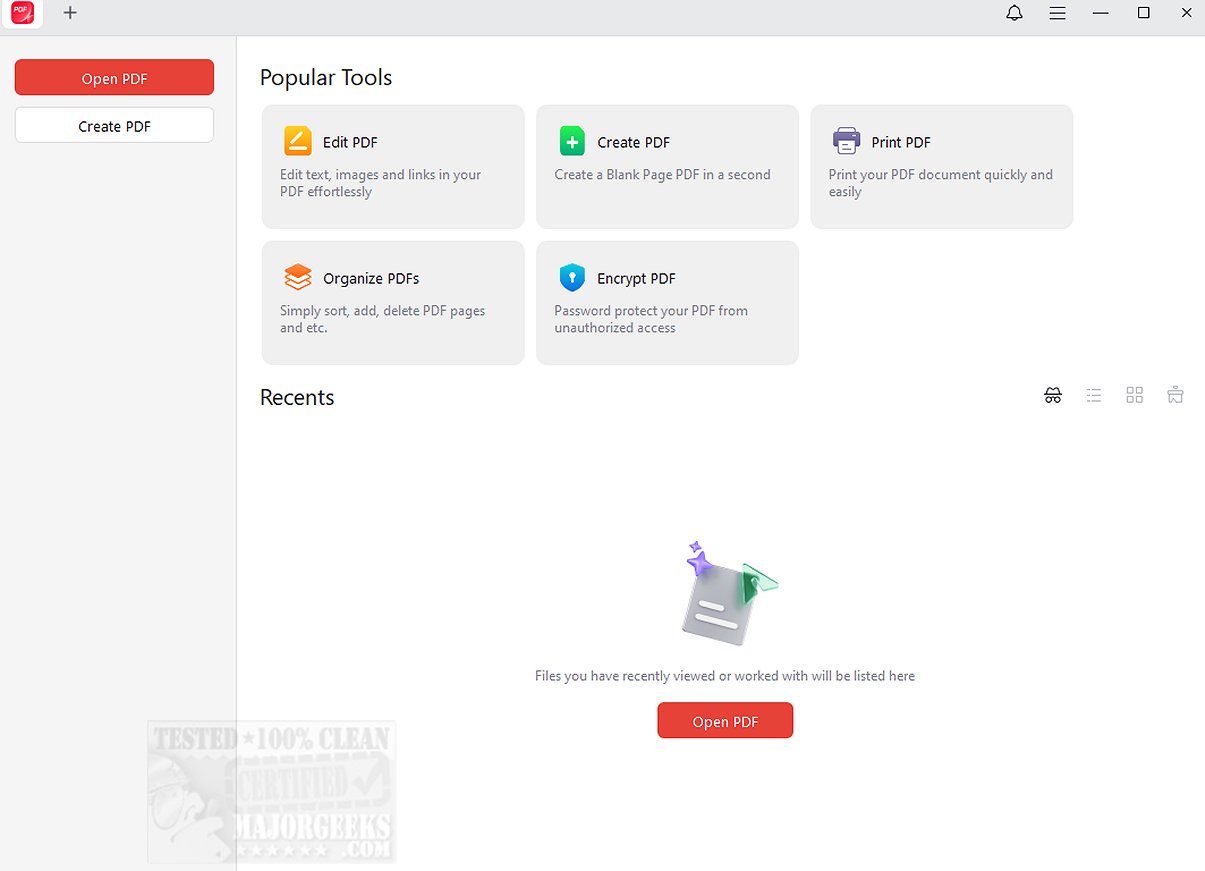
JOPDF 2.2.4 has been released, enhancing its position as a comprehensive PDF editor and reader aimed at optimizing your PDF workflow.
What is JOPDF?
JOPDF is a multifunctional tool for managing PDF documents, offering a wide range of features that include editing text and images, annotating, rearranging pages, splitting PDFs, applying password protection, and printing. It serves as a practical alternative to Adobe Acrobat, catering to both casual users and professionals alike.
Simple and User-Friendly
This free software is designed for ease of use, allowing users to quickly add text, links, and images to existing PDF files. It supports image manipulation through functionalities like rotating, cropping, replacing, or resizing, and allows users to modify content seamlessly.
Adequate Toolset Including Password Protection
With over ten annotation tools, JOPDF excels in enabling users to effectively mark up and comment on PDFs. Features such as highlighting, underlining, strikethrough text, and freehand drawing position it as one of the most efficient PDF annotators available for Windows. Additionally, JOPDF prioritizes document security by allowing users to set passwords, safeguarding sensitive information from unauthorized access. This reliable desktop tool is user-friendly and does not require any registration.
Geek Verdict
JOPDF unlocks the full potential of your PDF experience by providing an all-in-one solution for viewing, editing, organizing, and securing documents. It efficiently handles various PDF tasks, ensuring reliability and convenience. Whether aiming to streamline your workflow or protect sensitive information, JOPDF transforms the way you manage PDFs.
Extended Insights
In an ever-evolving digital landscape, the demand for efficient PDF management tools continues to rise. JOPDF stands out not only for its robust feature set but also for its commitment to user experience. Future updates may include enhanced collaboration features, cloud integration for easier sharing, and advanced editing capabilities, making it an even more indispensable tool for businesses and individual users alike. Furthermore, as cybersecurity concerns grow, JOPDF's focus on password protection could be expanded to include additional encryption options, ensuring that users' documents remain secure in an increasingly interconnected world. As JOPDF continues to evolve, it promises to remain a key player in the PDF management space.
Related Resources:
- How to Stop Microsoft Edge From Opening PDF Files
- How to Create a PDF in Windows
- How to Enable Two-Page View for PDF Documents in Google Chrom
What is JOPDF?
JOPDF is a multifunctional tool for managing PDF documents, offering a wide range of features that include editing text and images, annotating, rearranging pages, splitting PDFs, applying password protection, and printing. It serves as a practical alternative to Adobe Acrobat, catering to both casual users and professionals alike.
Simple and User-Friendly
This free software is designed for ease of use, allowing users to quickly add text, links, and images to existing PDF files. It supports image manipulation through functionalities like rotating, cropping, replacing, or resizing, and allows users to modify content seamlessly.
Adequate Toolset Including Password Protection
With over ten annotation tools, JOPDF excels in enabling users to effectively mark up and comment on PDFs. Features such as highlighting, underlining, strikethrough text, and freehand drawing position it as one of the most efficient PDF annotators available for Windows. Additionally, JOPDF prioritizes document security by allowing users to set passwords, safeguarding sensitive information from unauthorized access. This reliable desktop tool is user-friendly and does not require any registration.
Geek Verdict
JOPDF unlocks the full potential of your PDF experience by providing an all-in-one solution for viewing, editing, organizing, and securing documents. It efficiently handles various PDF tasks, ensuring reliability and convenience. Whether aiming to streamline your workflow or protect sensitive information, JOPDF transforms the way you manage PDFs.
Extended Insights
In an ever-evolving digital landscape, the demand for efficient PDF management tools continues to rise. JOPDF stands out not only for its robust feature set but also for its commitment to user experience. Future updates may include enhanced collaboration features, cloud integration for easier sharing, and advanced editing capabilities, making it an even more indispensable tool for businesses and individual users alike. Furthermore, as cybersecurity concerns grow, JOPDF's focus on password protection could be expanded to include additional encryption options, ensuring that users' documents remain secure in an increasingly interconnected world. As JOPDF continues to evolve, it promises to remain a key player in the PDF management space.
Related Resources:
- How to Stop Microsoft Edge From Opening PDF Files
- How to Create a PDF in Windows
- How to Enable Two-Page View for PDF Documents in Google Chrom
JOPDF 2.2.4 released
JOPDF provides an all-in-one PDF editor and reader designed to optimize your PDF workflow.