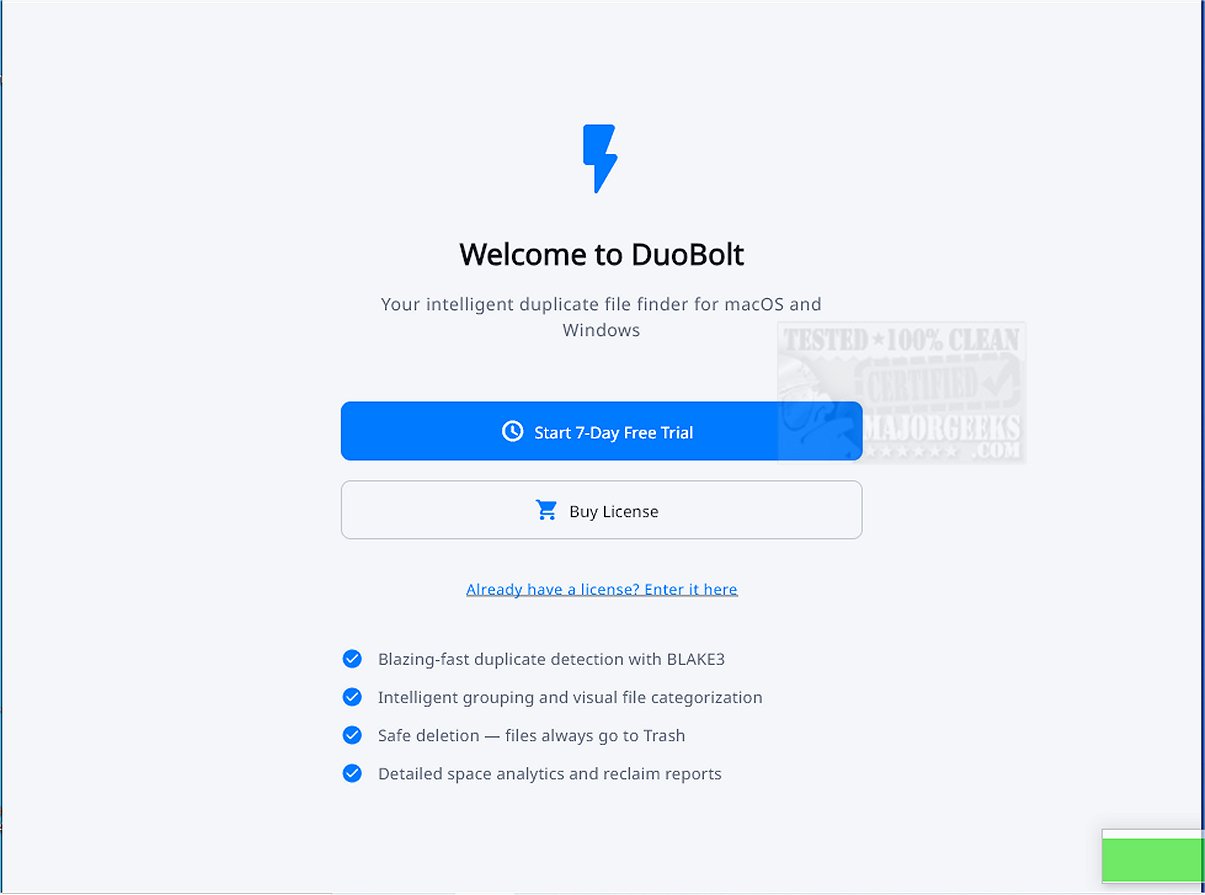
DuoBolt 1.4.0 has been released, enhancing its capabilities as a powerful software solution for identifying and removing duplicate files with remarkable precision and reliability. Utilizing a robust, multi-threaded engine powered by the BLAKE3 hashing algorithm, DuoBolt effectively scans a wide range of storage options, including local folders, large codebases, design archives, external hard drives, and network-attached storage (NAS) volumes. The software maintains consistent performance, delivering swift results regardless of the data size.
User-Friendly Experience
DuoBolt offers an intuitive user experience that simplifies the scanning process. Users can easily select which locations to scan, and upon completion, detected duplicates are conveniently grouped with contextual details to facilitate informed decision-making. This transparency ensures users can confidently decide which files to delete.
Key Features of DuoBolt:
- Fast scanning through multi-threaded BLAKE3 hashing.
- Byte-for-byte detection of duplicates, independent of filenames or metadata.
- Safe deletions that go through the Recycle Bin.
- Grouped review of duplicates, including paths, sizes, and previews.
- Smart-Select suggestions for expedited cleanup.
- Tracking of freed space with scan history.
- Compatibility with large codebases, design archives, and media libraries.
- Optimized for HDDs, SSDs, and NAS volumes.
- Core engine shared with DuoBolt's Command Line Interface (CLI) available on Windows, macOS, and Linux.
- A minimalistic interface designed for clarity.
Notable Feature:
A standout feature is DuoBolt’s reversible deletion system, which directs all deleted files to a dedicated Recycle Bin, allowing users to recover mistakenly removed items. Additionally, every action taken in the application is logged, providing a comprehensive history for users to reference if needed.
Byte-Level Processing
DuoBolt's methodology of processing files at the byte level ensures accuracy by avoiding reliance on potentially misleading metadata or file names. This is particularly critical in professional settings where data integrity is essential.
Target Audience
Designed to be compatible with both Windows and macOS, DuoBolt is suitable for a wide range of users, from software developers to designers, anyone looking to maintain an organized and clutter-free digital environment. The software promises to enhance productivity and streamline workflows.
Comparison with Other Tools
In addition to DuoBolt, users might consider other storage management tools like Storage Sense for automatic junk file deletion, Disk Cleanup for automated maintenance, and other drive cleaners such as CCleaner, Wise Disk Cleaner, and PrivaZer for comparative effectiveness in managing storage.
Future Enhancements
Looking ahead, further developments could include enhanced features like cloud storage integration, automated scheduling for regular scans, and improved machine learning algorithms for smarter duplicate detection. These advancements could further elevate the utility of DuoBolt in managing digital clutter
User-Friendly Experience
DuoBolt offers an intuitive user experience that simplifies the scanning process. Users can easily select which locations to scan, and upon completion, detected duplicates are conveniently grouped with contextual details to facilitate informed decision-making. This transparency ensures users can confidently decide which files to delete.
Key Features of DuoBolt:
- Fast scanning through multi-threaded BLAKE3 hashing.
- Byte-for-byte detection of duplicates, independent of filenames or metadata.
- Safe deletions that go through the Recycle Bin.
- Grouped review of duplicates, including paths, sizes, and previews.
- Smart-Select suggestions for expedited cleanup.
- Tracking of freed space with scan history.
- Compatibility with large codebases, design archives, and media libraries.
- Optimized for HDDs, SSDs, and NAS volumes.
- Core engine shared with DuoBolt's Command Line Interface (CLI) available on Windows, macOS, and Linux.
- A minimalistic interface designed for clarity.
Notable Feature:
A standout feature is DuoBolt’s reversible deletion system, which directs all deleted files to a dedicated Recycle Bin, allowing users to recover mistakenly removed items. Additionally, every action taken in the application is logged, providing a comprehensive history for users to reference if needed.
Byte-Level Processing
DuoBolt's methodology of processing files at the byte level ensures accuracy by avoiding reliance on potentially misleading metadata or file names. This is particularly critical in professional settings where data integrity is essential.
Target Audience
Designed to be compatible with both Windows and macOS, DuoBolt is suitable for a wide range of users, from software developers to designers, anyone looking to maintain an organized and clutter-free digital environment. The software promises to enhance productivity and streamline workflows.
Comparison with Other Tools
In addition to DuoBolt, users might consider other storage management tools like Storage Sense for automatic junk file deletion, Disk Cleanup for automated maintenance, and other drive cleaners such as CCleaner, Wise Disk Cleaner, and PrivaZer for comparative effectiveness in managing storage.
Future Enhancements
Looking ahead, further developments could include enhanced features like cloud storage integration, automated scheduling for regular scans, and improved machine learning algorithms for smarter duplicate detection. These advancements could further elevate the utility of DuoBolt in managing digital clutter
DuoBolt 1.4.0 released
DuoBolt provides a sophisticated software solution that identifies and eliminates duplicate files with exceptional accuracy and reliability.