The latest version of Internet Lock, 7.0.2, has been launched, providing users with advanced capabilities to restrict and manage internet connectivity on their devices. This software is designed to enhance security and privacy by requiring a password to access specific programs, thus preventing unauthorized internet usage.
Comprehensive Internet Management
Internet Lock offers users complete control over their internet connections. It serves various purposes, such as minimizing distractions, protecting sensitive applications, and managing internet access for children or employees. The software can be customized to fit individual needs, ensuring that only authorized users can access the internet through designated programs.
Password Protection for Enhanced Security
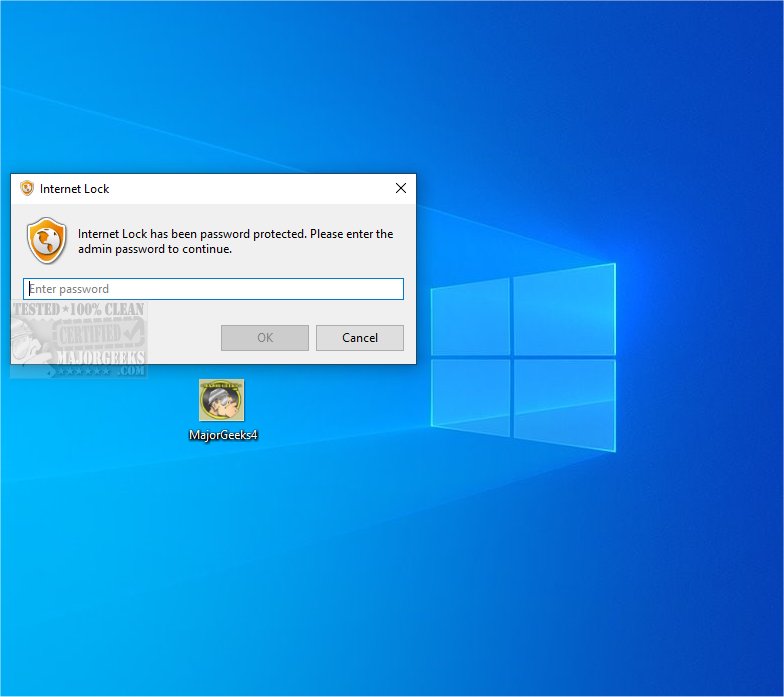
One of the standout features of Internet Lock is its password protection mechanism. When a program attempts to connect to the internet, users are prompted to enter a password. If an incorrect password is entered, the connection is blocked, adding an extra layer of security against unauthorized access. It is essential for users to remember their passwords, as correct entry is required to access the internet through protected applications.
Key Features of Internet Lock 7.0.2
- Restrict or Password-Protect Internet Access: Users can limit internet connectivity entirely or for specific programs.
- Scheduled Internet Access: The software allows for setting specific times for internet availability, promoting structured usage.
- IP Address Restrictions: Users can restrict access based on specific IP addresses, ensuring only approved connections are allowed.
Conclusion
Internet Lock 7.0.2 stands out as a comprehensive solution for managing and safeguarding online activities. By providing robust security features and customizable options, it empowers users to navigate the complexities of the online world with confidence and peace of mind. Whether for personal use or in a workplace setting, Internet Lock proves to be an invaluable tool for maintaining control over internet access.
Additional Resources:
- Tips on hiding or blocking neighbor's Wi-Fi networks on Windows
- Guide on resetting TCP/IP or Internet Protocol
- Instructions for flushing the Windows DNS cache
Future Considerations
As internet security continues to evolve, it may be beneficial for users to stay updated on new features and enhancements in software like Internet Lock. Regularly reviewing security protocols and adjusting settings can further bolster protection against emerging threats in the digital landscape
Comprehensive Internet Management
Internet Lock offers users complete control over their internet connections. It serves various purposes, such as minimizing distractions, protecting sensitive applications, and managing internet access for children or employees. The software can be customized to fit individual needs, ensuring that only authorized users can access the internet through designated programs.
Password Protection for Enhanced Security
One of the standout features of Internet Lock is its password protection mechanism. When a program attempts to connect to the internet, users are prompted to enter a password. If an incorrect password is entered, the connection is blocked, adding an extra layer of security against unauthorized access. It is essential for users to remember their passwords, as correct entry is required to access the internet through protected applications.
Key Features of Internet Lock 7.0.2
- Restrict or Password-Protect Internet Access: Users can limit internet connectivity entirely or for specific programs.
- Scheduled Internet Access: The software allows for setting specific times for internet availability, promoting structured usage.
- IP Address Restrictions: Users can restrict access based on specific IP addresses, ensuring only approved connections are allowed.
Conclusion
Internet Lock 7.0.2 stands out as a comprehensive solution for managing and safeguarding online activities. By providing robust security features and customizable options, it empowers users to navigate the complexities of the online world with confidence and peace of mind. Whether for personal use or in a workplace setting, Internet Lock proves to be an invaluable tool for maintaining control over internet access.
Additional Resources:
- Tips on hiding or blocking neighbor's Wi-Fi networks on Windows
- Guide on resetting TCP/IP or Internet Protocol
- Instructions for flushing the Windows DNS cache
Future Considerations
As internet security continues to evolve, it may be beneficial for users to stay updated on new features and enhancements in software like Internet Lock. Regularly reviewing security protocols and adjusting settings can further bolster protection against emerging threats in the digital landscape
Internet Lock 7.0.2 released
Internet Lock allows you to enforce restrictions on internet connectivity, ensuring that specific programs can only be accessed with a password, enhancing both security and privacy.