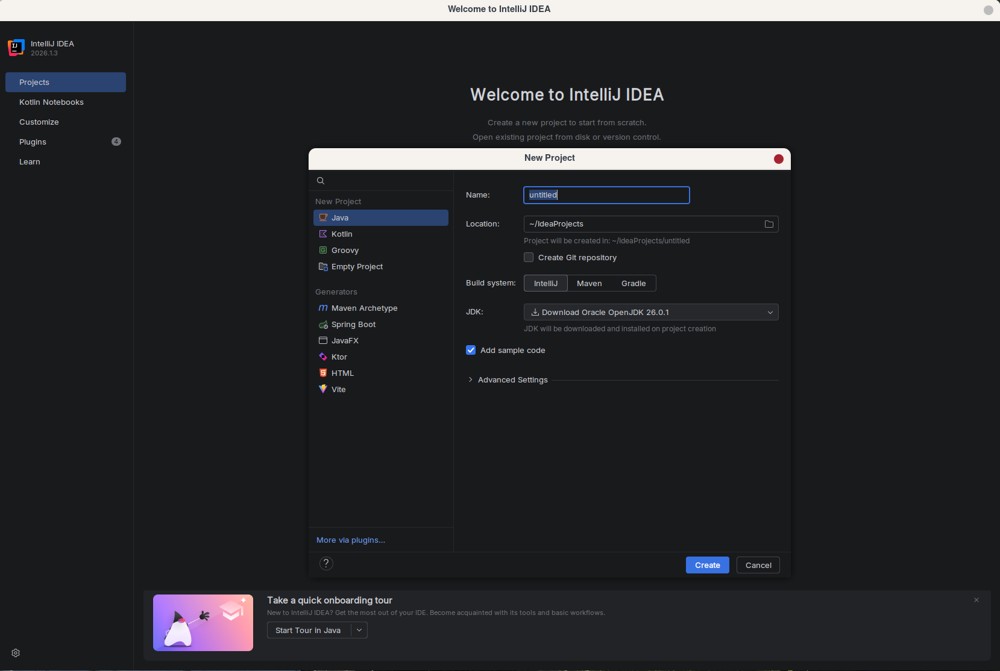
IntelliJ IDEA has established itself as the leading integrated development environment (IDE) for Java and Kotlin development. The latest release, version 2026.2.1, introduces a unified installer that integrates Junie coding agents and allows for optional local AI routing via LM Studio or Ollama.
Key Features and Enhancements
- Unified Installer: JetBrains has made it easier for developers by discontinuing separate downloads for Community and Ultimate editions. This change simplifies the installation process, making it straightforward for users to access the IDE.
- Free Version Capabilities: The free Community edition remains robust, supporting Java, Kotlin, Groovy, and Scala with essential features such as smart autocomplete and built-in Git integration. However, users requiring advanced features like Spring Boot or database tools must subscribe to the Ultimate edition.
- Performance Considerations: The IDE demands significant system resources, with a minimum recommendation of 2 GB RAM and 3.5 GB disk space. For optimal performance, running on an SSD with at least 8 GB of free memory is advised. Users should manage memory settings to avoid system slowdowns.
- Plugin Management: With over 7,600 plugins available, it’s crucial to be selective with installations to maintain IDE performance and avoid unnecessary resource consumption.
Pricing and Accessibility
- The Ultimate edition is priced at around $199 per year, which is only advisable for those needing comprehensive toolsets for complex projects. Students and educators can access free licenses through JetBrains’ verification program.
AI Integration
- The introduction of AI features, including Junie and support for models like GPT and Claude, enhances code management by automating IDE workflows and executing more complex language tasks locally or via cloud services.
Pros and Cons
- Pros: The free version is functional for basic projects, and refactoring tools are reliable. The unified installer alleviates previous confusion regarding downloads.
- Cons: High RAM consumption can hinder performance on lower-end machines, and many plugins can cause performance degradation. The Ultimate tier’s pricing can feel excessive for those not using its full capabilities.
Conclusion
IntelliJ IDEA continues to be the go-to IDE for professional JVM development, balancing powerful features with user-friendly enhancements. Users should leverage the free version if working with basic projects while evaluating the necessity of the Ultimate edition based on their specific needs. To maximize performance, manage memory settings and be judicious with plugin installations.
Extended Insights and Considerations
As developers increasingly seek tools that streamline their workflows, IntelliJ IDEA's latest iteration is positioned to meet these demands. The introduction of AI capabilities represents a significant shift in how coding environments can assist developers, potentially reducing the time spent on routine tasks and allowing for greater focus on problem-solving and creativity.
It's also worth noting that the evolution of IDEs like IntelliJ IDEA reflects broader trends in software development, including the growing importance of cloud computing and machine learning. Developers may consider how these tools can integrate with existing cloud services or enhance collaborative workflows.
Moreover, as the development landscape continues to evolve, JetBrains might explore further enhancements, such as improved support for emerging programming languages or integration with new frameworks. Keeping an eye on future updates and community feedback will be crucial for users looking to optimize their development processes.
Lastly, as the software industry progresses, the focus on resource efficiency and performance optimization will likely become more pronounced, encouraging IDE developers to prioritize lightweight alternatives or enhanced performance metrics in future releases
Key Features and Enhancements
- Unified Installer: JetBrains has made it easier for developers by discontinuing separate downloads for Community and Ultimate editions. This change simplifies the installation process, making it straightforward for users to access the IDE.
- Free Version Capabilities: The free Community edition remains robust, supporting Java, Kotlin, Groovy, and Scala with essential features such as smart autocomplete and built-in Git integration. However, users requiring advanced features like Spring Boot or database tools must subscribe to the Ultimate edition.
- Performance Considerations: The IDE demands significant system resources, with a minimum recommendation of 2 GB RAM and 3.5 GB disk space. For optimal performance, running on an SSD with at least 8 GB of free memory is advised. Users should manage memory settings to avoid system slowdowns.
- Plugin Management: With over 7,600 plugins available, it’s crucial to be selective with installations to maintain IDE performance and avoid unnecessary resource consumption.
Pricing and Accessibility
- The Ultimate edition is priced at around $199 per year, which is only advisable for those needing comprehensive toolsets for complex projects. Students and educators can access free licenses through JetBrains’ verification program.
AI Integration
- The introduction of AI features, including Junie and support for models like GPT and Claude, enhances code management by automating IDE workflows and executing more complex language tasks locally or via cloud services.
Pros and Cons
- Pros: The free version is functional for basic projects, and refactoring tools are reliable. The unified installer alleviates previous confusion regarding downloads.
- Cons: High RAM consumption can hinder performance on lower-end machines, and many plugins can cause performance degradation. The Ultimate tier’s pricing can feel excessive for those not using its full capabilities.
Conclusion
IntelliJ IDEA continues to be the go-to IDE for professional JVM development, balancing powerful features with user-friendly enhancements. Users should leverage the free version if working with basic projects while evaluating the necessity of the Ultimate edition based on their specific needs. To maximize performance, manage memory settings and be judicious with plugin installations.
Extended Insights and Considerations
As developers increasingly seek tools that streamline their workflows, IntelliJ IDEA's latest iteration is positioned to meet these demands. The introduction of AI capabilities represents a significant shift in how coding environments can assist developers, potentially reducing the time spent on routine tasks and allowing for greater focus on problem-solving and creativity.
It's also worth noting that the evolution of IDEs like IntelliJ IDEA reflects broader trends in software development, including the growing importance of cloud computing and machine learning. Developers may consider how these tools can integrate with existing cloud services or enhance collaborative workflows.
Moreover, as the development landscape continues to evolve, JetBrains might explore further enhancements, such as improved support for emerging programming languages or integration with new frameworks. Keeping an eye on future updates and community feedback will be crucial for users looking to optimize their development processes.
Lastly, as the software industry progresses, the focus on resource efficiency and performance optimization will likely become more pronounced, encouraging IDE developers to prioritize lightweight alternatives or enhanced performance metrics in future releases
IntelliJ IDEA 2026.2.1 released
IntelliJ IDEA is the undisputed standard for Java and Kotlin development, now shipping a unified installer with integrated Junie coding agents and optional local AI routing through LM Studio or Ollama.