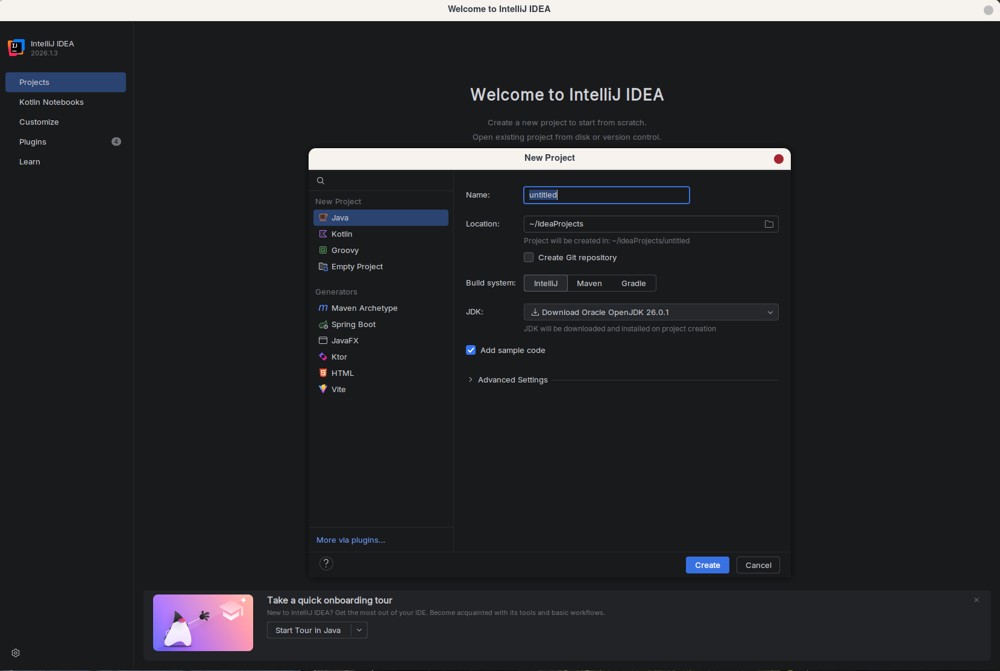
IntelliJ IDEA has solidified its position as the leading integrated development environment (IDE) for Java and Kotlin programming with the release of version 2026.2. This version introduces a unified installer that includes integrated Junie coding agents and optional local AI routing via LM Studio or Ollama, enhancing the coding experience for developers.
The IDE is praised for its efficiency in allowing developers to focus on writing code rather than battling with the tools. A practical guide has been created to help users navigate through its features, choose the appropriate version, optimize performance, and evaluate the necessity of the paid Ultimate edition. Starting with version 2025.3, the separate downloads for Community and Ultimate editions have been eliminated, allowing users to download a single installer. The free version of IntelliJ IDEA remains capable of handling languages such as Java, Kotlin, Groovy, and Scala, providing essential features like smart autocomplete, real-time error detection, and Git integration without requiring payment. However, users seeking advanced functionality, such as Spring Boot wizards or extensive database tools, will encounter paywalls that necessitate the Ultimate edition.
To ensure optimal performance when using IntelliJ IDEA, it is recommended to run it on a solid-state drive (SSD) with at least 8 GB of free memory, as the IDE's resource demands can be substantial. The system requirements suggest a minimum of 2 GB of RAM and 3.5 GB of disk space, but users will likely experience better performance with higher specifications. Java development involves real-time tasks like compiling classes and parsing bytecode, which can lead to high CPU usage, particularly during indexing. It’s advised to manage memory settings carefully to avoid overwhelming system resources.
The plugin ecosystem, consisting of over 7,600 extensions, can significantly impact performance. Developers should be cautious in selecting plugins, as many may be outdated or unnecessary, which can lead to excessive resource consumption. It is encouraged to disable any plugins not actively used to maintain system responsiveness.
Regarding pricing, the Ultimate edition costs around $199 per year, and it is crucial for potential buyers to determine whether the additional features justify the expense. Students, teachers, and open-source maintainers can obtain free licenses through JetBrains' verification program, emphasizing the importance of applying for the educational tier before purchasing.
The integration of AI tools, such as Junie and support for models like GPT and Claude, enhances the IDE's functionality, allowing for advanced assistance in coding workflows. Users also have the option to utilize local AI engines for performance optimization and privacy.
Pros and Cons Summary:
Pros:
- The free version supports core Java and Kotlin functionality.
- Reliable refactoring tools reduce the risk of code errors.
- The unified installer simplifies the download process.
Cons:
- High RAM usage can affect performance on systems with less than 16 GB.
- Advanced features are locked behind the Ultimate tier.
- Plugin overload can diminish the IDE's efficiency.
Conclusion:
IntelliJ IDEA remains a dominant choice for professional JVM development due to its superior understanding of code. While the Ultimate edition is necessary for those needing enterprise-level features, the free version suffices for many users. Developers are advised to manage system resources wisely, download the latest unified installer, and be judicious with plugin installations to ensure a smooth coding experience
The IDE is praised for its efficiency in allowing developers to focus on writing code rather than battling with the tools. A practical guide has been created to help users navigate through its features, choose the appropriate version, optimize performance, and evaluate the necessity of the paid Ultimate edition. Starting with version 2025.3, the separate downloads for Community and Ultimate editions have been eliminated, allowing users to download a single installer. The free version of IntelliJ IDEA remains capable of handling languages such as Java, Kotlin, Groovy, and Scala, providing essential features like smart autocomplete, real-time error detection, and Git integration without requiring payment. However, users seeking advanced functionality, such as Spring Boot wizards or extensive database tools, will encounter paywalls that necessitate the Ultimate edition.
To ensure optimal performance when using IntelliJ IDEA, it is recommended to run it on a solid-state drive (SSD) with at least 8 GB of free memory, as the IDE's resource demands can be substantial. The system requirements suggest a minimum of 2 GB of RAM and 3.5 GB of disk space, but users will likely experience better performance with higher specifications. Java development involves real-time tasks like compiling classes and parsing bytecode, which can lead to high CPU usage, particularly during indexing. It’s advised to manage memory settings carefully to avoid overwhelming system resources.
The plugin ecosystem, consisting of over 7,600 extensions, can significantly impact performance. Developers should be cautious in selecting plugins, as many may be outdated or unnecessary, which can lead to excessive resource consumption. It is encouraged to disable any plugins not actively used to maintain system responsiveness.
Regarding pricing, the Ultimate edition costs around $199 per year, and it is crucial for potential buyers to determine whether the additional features justify the expense. Students, teachers, and open-source maintainers can obtain free licenses through JetBrains' verification program, emphasizing the importance of applying for the educational tier before purchasing.
The integration of AI tools, such as Junie and support for models like GPT and Claude, enhances the IDE's functionality, allowing for advanced assistance in coding workflows. Users also have the option to utilize local AI engines for performance optimization and privacy.
Pros and Cons Summary:
Pros:
- The free version supports core Java and Kotlin functionality.
- Reliable refactoring tools reduce the risk of code errors.
- The unified installer simplifies the download process.
Cons:
- High RAM usage can affect performance on systems with less than 16 GB.
- Advanced features are locked behind the Ultimate tier.
- Plugin overload can diminish the IDE's efficiency.
Conclusion:
IntelliJ IDEA remains a dominant choice for professional JVM development due to its superior understanding of code. While the Ultimate edition is necessary for those needing enterprise-level features, the free version suffices for many users. Developers are advised to manage system resources wisely, download the latest unified installer, and be judicious with plugin installations to ensure a smooth coding experience
IntelliJ IDEA 2026.2 released
IntelliJ IDEA is the undisputed standard for Java and Kotlin development, now shipping a unified installer with integrated Junie coding agents and optional local AI routing through LM Studio or Ollama.