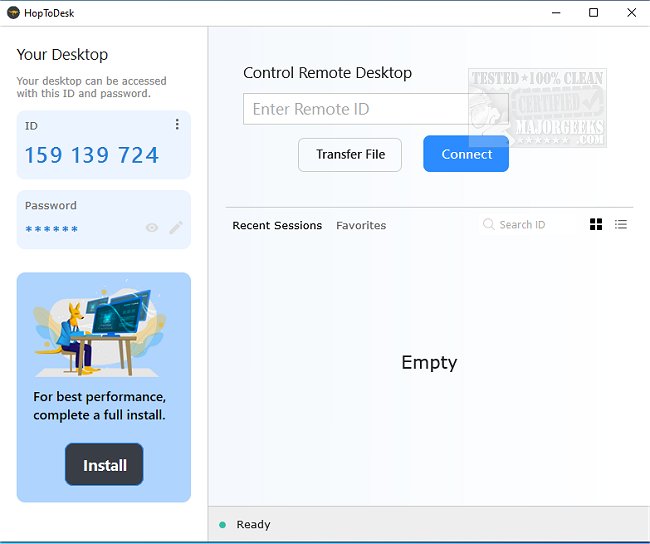
HopToDesk version 1.46.6 has been released, offering users a versatile multiplatform application for remote desktop sharing and access. This tool stands out in the crowded market of remote access applications due to several key features: it is completely free for both commercial and personal use, implements end-to-end encryption for all peer communications, and is open-source.
Security and privacy are top priorities for HopToDesk, with all data transmissions being encrypted to ensure that chats, file transfers, and other communications remain confidential and accessible only to the intended recipients. The app is designed for ease of use, requiring no complex configurations for routers or firewalls, making it portable and accessible from any location at any time. Users familiar with other remote access applications will find the user interface intuitive, allowing for a quick setup and connection.
In our tests, HopToDesk provided a fast and reliable connection, making it a strong alternative to other well-known remote access tools.
Key Features of HopToDesk include:
- Screen sharing
- Remote control
- File transfer
- Live chat
- Direct IP access
- IP whitelisting
- SOCKS5 proxy connections
For those exploring remote access solutions, HopToDesk offers a compelling mix of security, usability, and features at no cost. As remote work and digital collaboration continue to grow, tools like HopToDesk are becoming increasingly essential for seamless connectivity and communication.
Similar Tools:
- Instructions on how to enable or disable the always prompt for password upon remote desktop connection for additional security measures can also be useful for users looking to enhance their remote access experience.
In conclusion, as technology evolves, the need for secure and efficient remote access tools like HopToDesk will only continue to rise, making it an important option for users across various sectors
Security and privacy are top priorities for HopToDesk, with all data transmissions being encrypted to ensure that chats, file transfers, and other communications remain confidential and accessible only to the intended recipients. The app is designed for ease of use, requiring no complex configurations for routers or firewalls, making it portable and accessible from any location at any time. Users familiar with other remote access applications will find the user interface intuitive, allowing for a quick setup and connection.
In our tests, HopToDesk provided a fast and reliable connection, making it a strong alternative to other well-known remote access tools.
Key Features of HopToDesk include:
- Screen sharing
- Remote control
- File transfer
- Live chat
- Direct IP access
- IP whitelisting
- SOCKS5 proxy connections
For those exploring remote access solutions, HopToDesk offers a compelling mix of security, usability, and features at no cost. As remote work and digital collaboration continue to grow, tools like HopToDesk are becoming increasingly essential for seamless connectivity and communication.
Similar Tools:
- Instructions on how to enable or disable the always prompt for password upon remote desktop connection for additional security measures can also be useful for users looking to enhance their remote access experience.
In conclusion, as technology evolves, the need for secure and efficient remote access tools like HopToDesk will only continue to rise, making it an important option for users across various sectors
HopToDesk 1.46.6 released
HopToDesk is a multiplatform app that enables remote desktop sharing of screens and remote access to your machine.