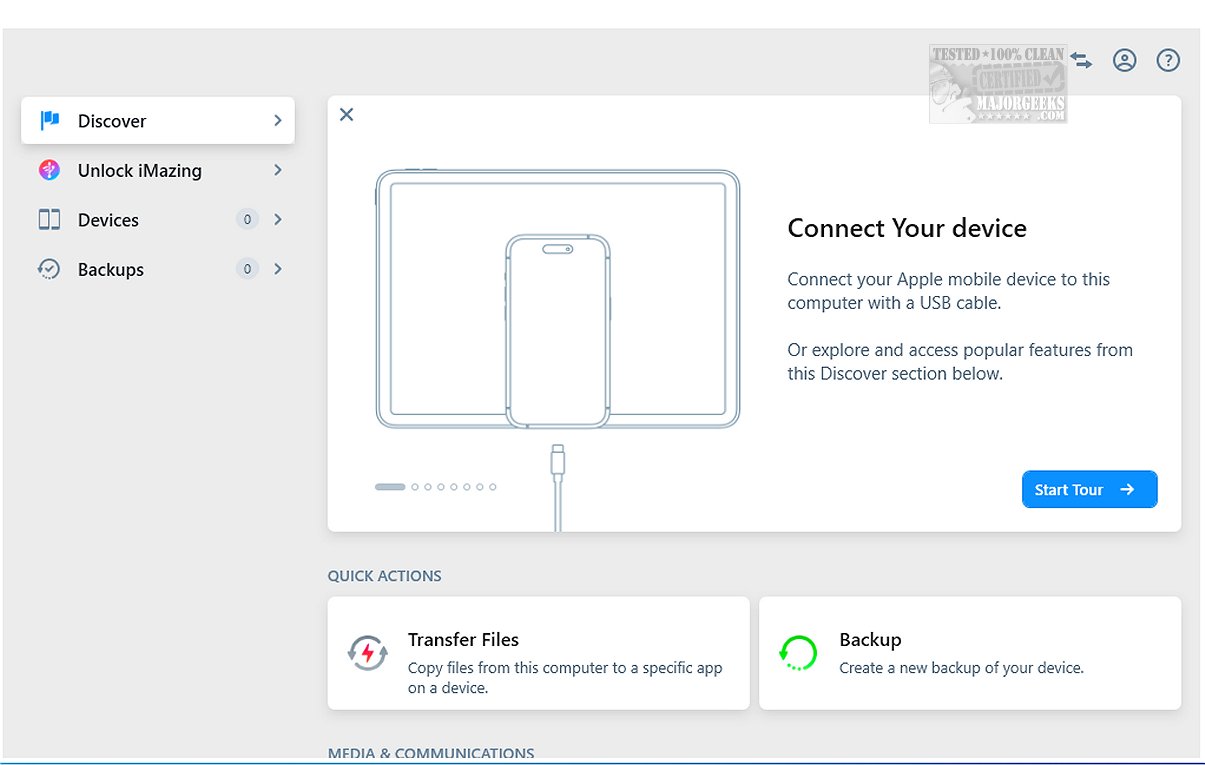
iMazing has launched its latest version 3.6.0.1, enhancing its position as a robust alternative to iTunes by providing a versatile suite of tools for file transfer, app management, and backup and restore processes. The software is designed to simplify the management of iOS devices, allowing users to effectively handle their data with ease.
Key Features of iMazing
One of the standout features of iMazing is its incremental backup capability, which enables users to back up only the changes made since the last backup, significantly saving time and storage space. Additionally, users have the flexibility to choose their preferred backup locations, whether on local drives or external storage devices. The software also supports scheduled Wi-Fi backups, further enhancing user convenience.
iMazing allows users to connect their iPhone, iPod touch, or iPad via USB, enabling these devices to act as external storage. This functionality ensures that users can easily transfer and preserve messages, music, files, and data from iOS devices to either Mac or PC systems. The software's user-friendly drag-and-drop interface simplifies file management, making it accessible for users of all technical skill levels.
Device Compatibility and Backup Management
iMazing supports a wide array of iOS device models, ensuring that users can create efficient backups for their devices while also checking for new operating system updates to keep them current. When connected via USB, users can initiate immediate backups or browse their device's contents, providing a seamless way to protect or access their information.
The software offers comprehensive management options for iPhone, iPad, and iPod touch backups. Users can create new backups, restore previous ones, export backups as folders, and manage existing backups by repairing or deleting them. Furthermore, iMazing allows for detailed analysis of files and folders within older backups to ensure that necessary items are preserved.
Enhanced Data Management Features
iMazing includes a data preview function, allowing users to view and browse various content types on their devices, such as images, videos, songs, e-books, messages, contacts, and notes. With a simple right-click, users can transfer selected items directly to their computer, streamlining the data management process further.
Another notable feature is iMazing's capability to export WhatsApp messages and attachments, making it easy for users to transfer this data to new devices. Additionally, it supports saving and transferring Safari bookmarks from iPhones or iPads to a computer without requiring iCloud.
Conclusion
In conclusion, iMazing is a powerful and user-friendly tool that serves as an essential companion for managing files and applications on iOS devices. With its intuitive features, iMazing enables effortless backups, file transfers, and content previews, making it an invaluable resource for users at any proficiency level. Experience the simplicity and efficiency that iMazing offers, where all your device management needs can be met with just a few clicks.
Whether you are a casual user or a tech-savvy individual, iMazing ensures that your essential data remains organized and accessible, enhancing your overall experience with iOS devices
Key Features of iMazing
One of the standout features of iMazing is its incremental backup capability, which enables users to back up only the changes made since the last backup, significantly saving time and storage space. Additionally, users have the flexibility to choose their preferred backup locations, whether on local drives or external storage devices. The software also supports scheduled Wi-Fi backups, further enhancing user convenience.
iMazing allows users to connect their iPhone, iPod touch, or iPad via USB, enabling these devices to act as external storage. This functionality ensures that users can easily transfer and preserve messages, music, files, and data from iOS devices to either Mac or PC systems. The software's user-friendly drag-and-drop interface simplifies file management, making it accessible for users of all technical skill levels.
Device Compatibility and Backup Management
iMazing supports a wide array of iOS device models, ensuring that users can create efficient backups for their devices while also checking for new operating system updates to keep them current. When connected via USB, users can initiate immediate backups or browse their device's contents, providing a seamless way to protect or access their information.
The software offers comprehensive management options for iPhone, iPad, and iPod touch backups. Users can create new backups, restore previous ones, export backups as folders, and manage existing backups by repairing or deleting them. Furthermore, iMazing allows for detailed analysis of files and folders within older backups to ensure that necessary items are preserved.
Enhanced Data Management Features
iMazing includes a data preview function, allowing users to view and browse various content types on their devices, such as images, videos, songs, e-books, messages, contacts, and notes. With a simple right-click, users can transfer selected items directly to their computer, streamlining the data management process further.
Another notable feature is iMazing's capability to export WhatsApp messages and attachments, making it easy for users to transfer this data to new devices. Additionally, it supports saving and transferring Safari bookmarks from iPhones or iPads to a computer without requiring iCloud.
Conclusion
In conclusion, iMazing is a powerful and user-friendly tool that serves as an essential companion for managing files and applications on iOS devices. With its intuitive features, iMazing enables effortless backups, file transfers, and content previews, making it an invaluable resource for users at any proficiency level. Experience the simplicity and efficiency that iMazing offers, where all your device management needs can be met with just a few clicks.
Whether you are a casual user or a tech-savvy individual, iMazing ensures that your essential data remains organized and accessible, enhancing your overall experience with iOS devices
iMazing 3.6.0.1 released
iMazing offers a diverse range of tools for file transfer, app management, and backup and restore processes, making it a strong alternative to iTunes. Key features of iMazing include incremental backups, which allow you to back up only the changes made since the last backup, as well as flexibility in selecting backup locations.