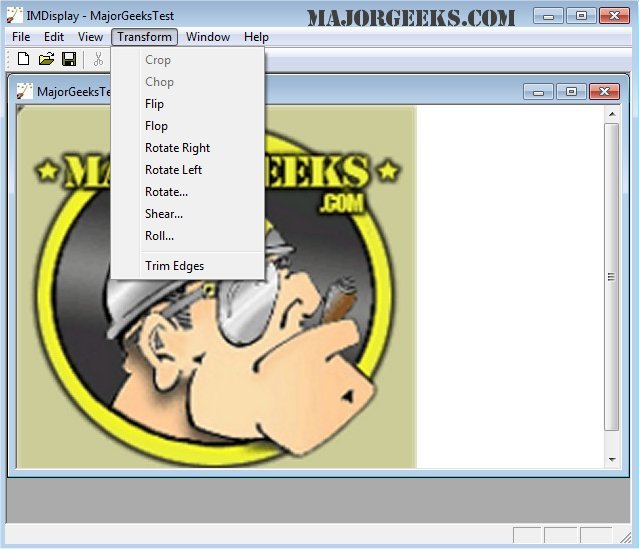
ImageMagick 7.1.2-26 has been released, enhancing its status as a comprehensive, free graphics software suite suitable for image creation, editing, composition, and conversion across Windows, Linux, and Mac platforms. This versatile tool supports over 100 image formats, including popular ones like GIF, JPEG, PNG, and TIFF, enabling users to manipulate images in various ways.
Key features of ImageMagick include:
- Format Conversion: Easily switch between image formats.
- Transformations: Resize, rotate, crop, and flip images.
- Transparency: Make parts of images invisible.
- Drawing Tools: Add shapes and text.
- Decorative Options: Include borders or frames.
- Special Effects: Apply blur, sharpen, threshold, or tint effects.
- Animation Creation: Generate GIFs from multiple images.
- Image Identification: Analyze and describe image attributes.
- Image Compositing: Overlay images on top of each other.
- Montage Creation: Arrange thumbnails on a canvas.
- Pixel Distortion Techniques: Correct or create distortions.
- Shape Morphology: Analyze and recognize patterns.
- Motion Picture Support: Handle common formats used in digital filmmaking.
- Mathematical Image Manipulation: Apply calculations to images.
- Color Management: Ensure accurate color representation.
- High Dynamic Range Imaging: Manage a broad range of intensity levels.
- Image Encryption: Secure images by converting them into unreadable formats.
- Virtual Pixel Support: Access pixels outside the standard image area.
- Large Image and Thread Support: Process very large images and utilize multicore processing capabilities.
- Distributed Processing: Leverage remote servers for pixel storage and processing across varied hardware.
Additionally, ImageMagick is available for iOS devices, allowing users to manipulate images on iPhones and iPads.
In summary, ImageMagick continues to be a powerful tool for both casual users and professionals needing sophisticated image editing capabilities. Its extensive feature set and compatibility across multiple platforms make it a go-to solution for various image-related tasks. As technology evolves, future updates may introduce even more advanced features, enhancing its utility for graphic designers and developers alike
Key features of ImageMagick include:
- Format Conversion: Easily switch between image formats.
- Transformations: Resize, rotate, crop, and flip images.
- Transparency: Make parts of images invisible.
- Drawing Tools: Add shapes and text.
- Decorative Options: Include borders or frames.
- Special Effects: Apply blur, sharpen, threshold, or tint effects.
- Animation Creation: Generate GIFs from multiple images.
- Image Identification: Analyze and describe image attributes.
- Image Compositing: Overlay images on top of each other.
- Montage Creation: Arrange thumbnails on a canvas.
- Pixel Distortion Techniques: Correct or create distortions.
- Shape Morphology: Analyze and recognize patterns.
- Motion Picture Support: Handle common formats used in digital filmmaking.
- Mathematical Image Manipulation: Apply calculations to images.
- Color Management: Ensure accurate color representation.
- High Dynamic Range Imaging: Manage a broad range of intensity levels.
- Image Encryption: Secure images by converting them into unreadable formats.
- Virtual Pixel Support: Access pixels outside the standard image area.
- Large Image and Thread Support: Process very large images and utilize multicore processing capabilities.
- Distributed Processing: Leverage remote servers for pixel storage and processing across varied hardware.
Additionally, ImageMagick is available for iOS devices, allowing users to manipulate images on iPhones and iPads.
In summary, ImageMagick continues to be a powerful tool for both casual users and professionals needing sophisticated image editing capabilities. Its extensive feature set and compatibility across multiple platforms make it a go-to solution for various image-related tasks. As technology evolves, future updates may introduce even more advanced features, enhancing its utility for graphic designers and developers alike
ImageMagick 7.1.2-26 released
ImageMagick is an all-in-one freeware graphics software suite for creating, editing, composing, or converting images in Windows, Linux, and Mac.