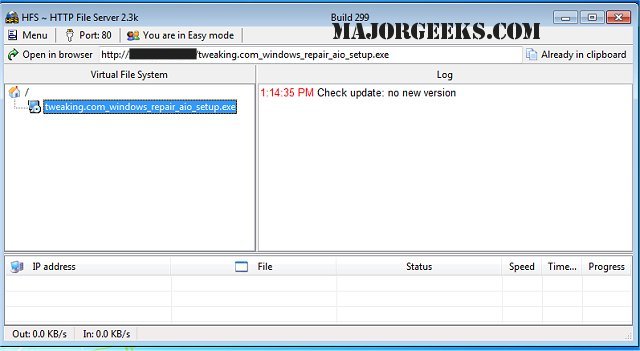
The HFS - Http File Server has been updated to version 3.4.2, enhancing its functionality as a streamlined solution for transferring files. This software transforms your computer into an HTTP server, allowing users to connect and download files via a simple web interface. The application automatically copies file URLs to the clipboard, facilitating easy sharing in chats or other platforms.
HFS offers several features that enhance user control and customization. Users can specify their preferred IP address, manage bandwidth, create user accounts, and maintain comprehensive oversight of all connections. Its intuitive interface simplifies remote file access, making it accessible for users of varying technical abilities.
Key features of HFS - Http File Server include:
- Support for both download and upload functionalities
- A virtual file system for organized file management
- High levels of customization, including HTML templates
- Bandwidth control for optimized performance
- Two operational modes: Easy and Expert
- Logging capabilities for tracking activity
- Full connection management
- User account creation for secure access
- Dynamic DNS updater for consistent server accessibility
In addition to its core functions, users interested in file transfer solutions may also want to explore how to set up an FTP server on Windows 10, which offers an alternative method for file sharing over networks. Overall, HFS - Http File Server is a versatile tool for efficient file transfer, catering to both casual users and more advanced needs
HFS - Http File Server 3.4.2 released
HFS - Http File Server is a fast and convenient way for you to transfer files.