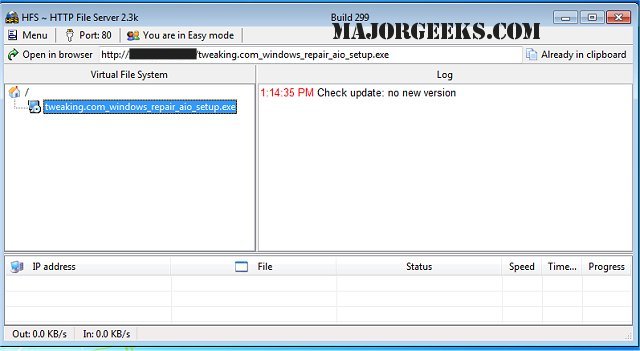
HFS - Http File Server has recently released version 3.1.3, enhancing its capabilities as a fast and user-friendly tool for file transfers. This software effectively transforms your computer into an HTTP server, allowing users to connect and download files through a simple webpage interface. The URLs for files are automatically copied to the clipboard, simplifying the process of sharing links via chat or other platforms.
HFS offers several features that provide users with extensive control over file transfers. Users can set their desired IP address, manage bandwidth, create user accounts, and more, ensuring a tailored experience for each connection. Its straightforward interface allows for easy remote access to files over a network.
Key features of HFS include:
- Support for downloading and uploading files
- A virtual file system for organizing files
- High customization options
- HTML template capabilities for personalized web pages
- Bandwidth control settings
- Modes for both novice and expert users
- Logging features for tracking connections
- Comprehensive connection management
- User account management for enhanced security
- Dynamic DNS updater for easier access
For users looking for alternative file transfer solutions, a tutorial on setting up an FTP server on Windows 10 is available, which can provide a different approach to file sharing.
As HFS continues to evolve, users can expect even more features and improvements in future updates, making it an increasingly valuable tool for those needing reliable and efficient file transfer solutions
HFS offers several features that provide users with extensive control over file transfers. Users can set their desired IP address, manage bandwidth, create user accounts, and more, ensuring a tailored experience for each connection. Its straightforward interface allows for easy remote access to files over a network.
Key features of HFS include:
- Support for downloading and uploading files
- A virtual file system for organizing files
- High customization options
- HTML template capabilities for personalized web pages
- Bandwidth control settings
- Modes for both novice and expert users
- Logging features for tracking connections
- Comprehensive connection management
- User account management for enhanced security
- Dynamic DNS updater for easier access
For users looking for alternative file transfer solutions, a tutorial on setting up an FTP server on Windows 10 is available, which can provide a different approach to file sharing.
As HFS continues to evolve, users can expect even more features and improvements in future updates, making it an increasingly valuable tool for those needing reliable and efficient file transfer solutions
HFS - Http File Server 3.1.3 released
HFS - Http File Server is a fast and convenient way for you to transfer files.