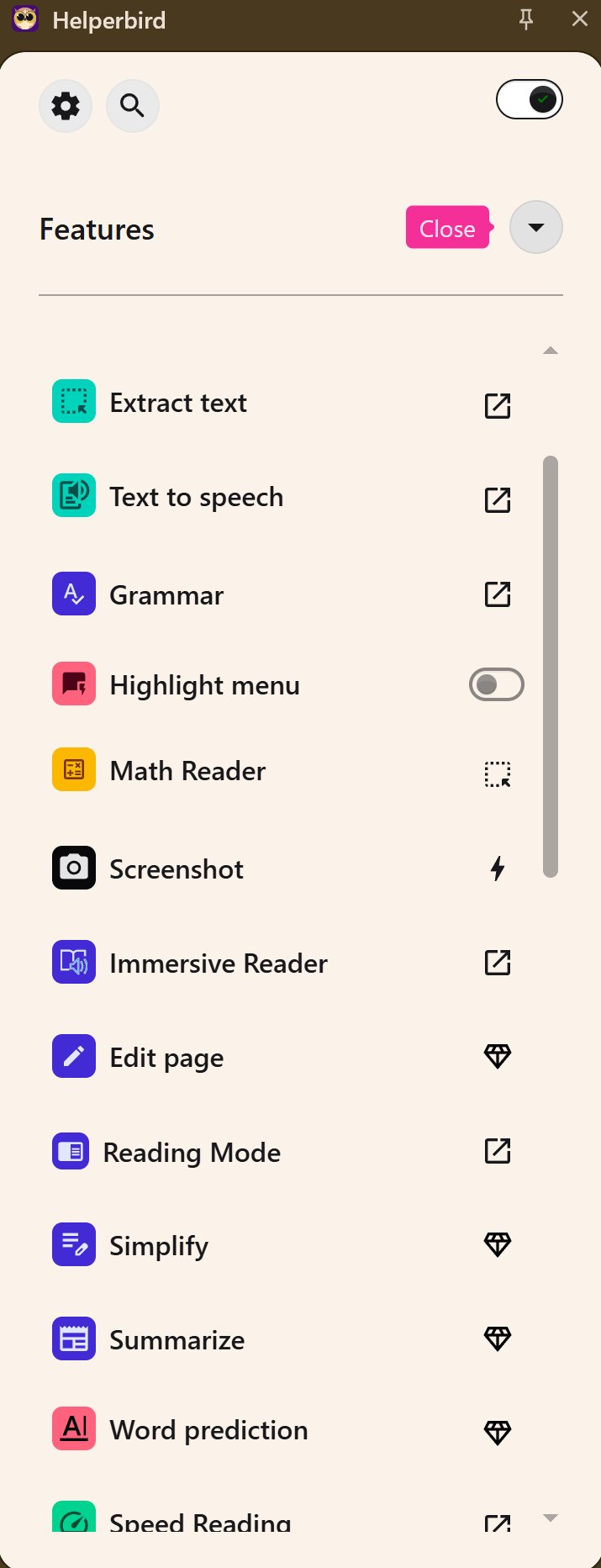
Helperbird 2026.4.22 has been released, enhancing its reputation as a browser-based accessibility and productivity extension aimed at improving the online experience for users, particularly those with dyslexia, visual stress, ADHD, or anyone seeking a more comfortable way to read, write, and browse the internet. The tool addresses common issues like eye strain and difficulty maintaining focus on long web pages by offering a comprehensive suite of customizable features that transform the way content is displayed and interacted with.
The extension is designed to provide significant control over the appearance and functionality of websites, PDFs, and documents, allowing users to adjust settings such as fonts, spacing, colors, reading modes, and text-to-speech options. Notably, these customizations carry over from site to site, streamlining the user experience. Helperbird's unique features, such as the Dyslexia ruler and Focus ruler, highlight specific sections of text while dimming distractions, making it easier for users to concentrate. These tools have received positive feedback, particularly from individuals with learning differences, who find them intuitive and beneficial for tasks like proofreading.
Helperbird's performance is commendable, maintaining stability even on complex websites, and is compatible with popular browsers including Chrome, Firefox, Edge, and Safari, as well as iPad and iPhone devices. Key features encompass distraction-free reading modes, immersive reading settings, text-to-speech capabilities, dyslexia-friendly options, writing aids like voice typing and word prediction, and additional browser tweaks that enhance accessibility.
The extension offers both a free version with essential features and a Pro version with advanced customization options available for a yearly subscription fee, with discounts available for students and educational institutions. The overall consensus is that Helperbird serves as an effective accessibility suite, combining practical tools to address real challenges faced by users rather than merely offering superficial enhancements.
In conclusion, Helperbird stands out as a valuable resource for individuals seeking to improve their online reading and writing experience. Users are encouraged to start with the free version to explore its benefits, and those who find themselves frequently online may find the Pro features worth the investment. The extension not only addresses accessibility issues but also aims to create a calmer and more inviting digital environment.
As technology advances, it’s important for tools like Helperbird to continue evolving, potentially integrating more AI-driven features to further enhance user experience and personalization. Future updates could include collaborative tools for users working in groups, advanced analytics to track reading habits, or even gamified learning experiences for students, ensuring that accessibility remains at the forefront of web browsing and content creation
The extension is designed to provide significant control over the appearance and functionality of websites, PDFs, and documents, allowing users to adjust settings such as fonts, spacing, colors, reading modes, and text-to-speech options. Notably, these customizations carry over from site to site, streamlining the user experience. Helperbird's unique features, such as the Dyslexia ruler and Focus ruler, highlight specific sections of text while dimming distractions, making it easier for users to concentrate. These tools have received positive feedback, particularly from individuals with learning differences, who find them intuitive and beneficial for tasks like proofreading.
Helperbird's performance is commendable, maintaining stability even on complex websites, and is compatible with popular browsers including Chrome, Firefox, Edge, and Safari, as well as iPad and iPhone devices. Key features encompass distraction-free reading modes, immersive reading settings, text-to-speech capabilities, dyslexia-friendly options, writing aids like voice typing and word prediction, and additional browser tweaks that enhance accessibility.
The extension offers both a free version with essential features and a Pro version with advanced customization options available for a yearly subscription fee, with discounts available for students and educational institutions. The overall consensus is that Helperbird serves as an effective accessibility suite, combining practical tools to address real challenges faced by users rather than merely offering superficial enhancements.
In conclusion, Helperbird stands out as a valuable resource for individuals seeking to improve their online reading and writing experience. Users are encouraged to start with the free version to explore its benefits, and those who find themselves frequently online may find the Pro features worth the investment. The extension not only addresses accessibility issues but also aims to create a calmer and more inviting digital environment.
As technology advances, it’s important for tools like Helperbird to continue evolving, potentially integrating more AI-driven features to further enhance user experience and personalization. Future updates could include collaborative tools for users working in groups, advanced analytics to track reading habits, or even gamified learning experiences for students, ensuring that accessibility remains at the forefront of web browsing and content creation
Helperbird 2026.4.22 released
Helperbird is a browser-based accessibility and productivity extension that makes reading, writing, and browsing the web easier for everyone, especially folks with dyslexia, visual stress, ADHD, or anyone who wants a more comfortable online experience.