HelpEdit is a free, versatile help authoring tool designed for Windows, aimed at creating high-quality documentation such as user manuals, online help systems, and technical guides. Its recent release, version 2.2, brings enhancements that further empower authors to produce organized and accessible content.
Key Features of HelpEdit
HelpEdit stands out with its user-friendly interface and robust capabilities that streamline the documentation process. Authors can efficiently compile information, making the tool essential for both individual writers and larger organizations in need of clear technical communication.
Organizational Capabilities
One of HelpEdit's defining features is its structured topic tree, which allows users to create a hierarchy of topics easily. Authors can create root topics and child topics, facilitating a logical arrangement that enhances navigation. Each topic is linked to an HTML content file, enabling the inclusion of keywords, index entries, and personalized publishing settings. The built-in editor eliminates the necessity for manual HTML coding, providing a variety of formatting options that enhance the presentation of content.
Multimedia Integration and Links
HelpEdit supports the integration of images and tables, with customizable options for resizing and editing. Users can create internal and external links, and insert custom HTML, which broadens the potential for interactive documentation. The tool also allows importing existing HTML pages and their associated assets, making it adaptable for various documentation needs.
Export Options
HelpEdit can export documentation in several popular formats, including:
- WebHelp: A browser-based help system featuring a comprehensive table of contents and searchable content.
- CHM Help: Classic Windows compiled HTML Help files for desktop applications.
- PDF Manual: Export projects as PDF documents via Microsoft Edge's headless printing capabilities.
Consistency and Customization
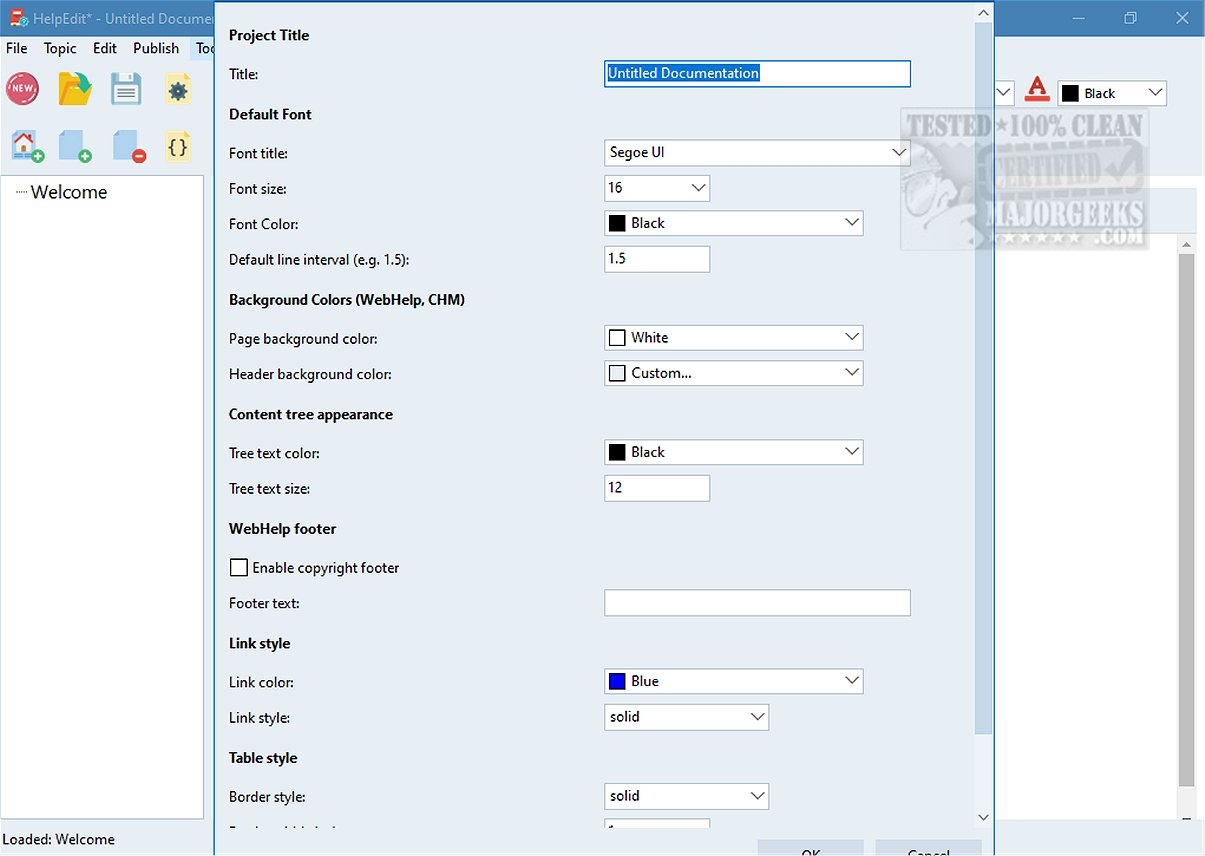
To ensure consistency across documentation, HelpEdit offers reusable features such as variables, snippets, and conditions. Variables are useful for recurring content elements, while snippets allow for the reuse of larger HTML blocks. Project-level settings enable users to customize the overall appearance of their documentation, aligning it with branding requirements and enhancing user experience.
Conclusion: The Ideal Solution for Technical Communication
For those aiming to effectively guide users, especially first-timers, HelpEdit is an exceptional solution. It enables detailed explanations of complex usage scenarios, accommodating a range of user expertise, including those who may be less tech-savvy. The tool's features ensure that everyone can understand and utilize the documentation to its fullest potential.
Future Enhancements and Community Engagement
As HelpEdit continues to evolve, users can look forward to further improvements and community engagement opportunities. Suggestions for new features and user experiences can help shape the future iterations of HelpEdit, making it a continually relevant tool for documentation needs. This ongoing commitment to enhancement ensures that HelpEdit remains a top choice for professionals seeking to create effective and user-friendly documentation
Key Features of HelpEdit
HelpEdit stands out with its user-friendly interface and robust capabilities that streamline the documentation process. Authors can efficiently compile information, making the tool essential for both individual writers and larger organizations in need of clear technical communication.
Organizational Capabilities
One of HelpEdit's defining features is its structured topic tree, which allows users to create a hierarchy of topics easily. Authors can create root topics and child topics, facilitating a logical arrangement that enhances navigation. Each topic is linked to an HTML content file, enabling the inclusion of keywords, index entries, and personalized publishing settings. The built-in editor eliminates the necessity for manual HTML coding, providing a variety of formatting options that enhance the presentation of content.
Multimedia Integration and Links
HelpEdit supports the integration of images and tables, with customizable options for resizing and editing. Users can create internal and external links, and insert custom HTML, which broadens the potential for interactive documentation. The tool also allows importing existing HTML pages and their associated assets, making it adaptable for various documentation needs.
Export Options
HelpEdit can export documentation in several popular formats, including:
- WebHelp: A browser-based help system featuring a comprehensive table of contents and searchable content.
- CHM Help: Classic Windows compiled HTML Help files for desktop applications.
- PDF Manual: Export projects as PDF documents via Microsoft Edge's headless printing capabilities.
Consistency and Customization
To ensure consistency across documentation, HelpEdit offers reusable features such as variables, snippets, and conditions. Variables are useful for recurring content elements, while snippets allow for the reuse of larger HTML blocks. Project-level settings enable users to customize the overall appearance of their documentation, aligning it with branding requirements and enhancing user experience.
Conclusion: The Ideal Solution for Technical Communication
For those aiming to effectively guide users, especially first-timers, HelpEdit is an exceptional solution. It enables detailed explanations of complex usage scenarios, accommodating a range of user expertise, including those who may be less tech-savvy. The tool's features ensure that everyone can understand and utilize the documentation to its fullest potential.
Future Enhancements and Community Engagement
As HelpEdit continues to evolve, users can look forward to further improvements and community engagement opportunities. Suggestions for new features and user experiences can help shape the future iterations of HelpEdit, making it a continually relevant tool for documentation needs. This ongoing commitment to enhancement ensures that HelpEdit remains a top choice for professionals seeking to create effective and user-friendly documentation
HelpEdit 2.2 released
HelpEdit is a versatile, free Windows-based help authoring tool tailored for creating professional-quality documentation. This software is ideal for developing user manuals, comprehensive online help systems, and detailed technical guides.