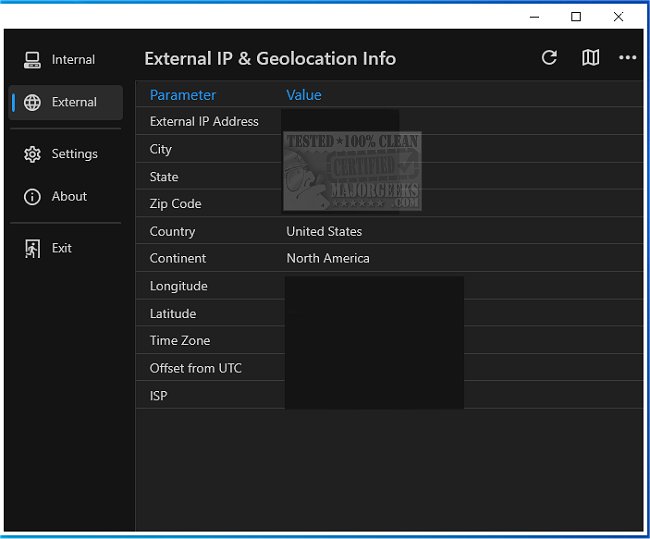
Get My IP has released version 0.23.0, enhancing its utility as a tool for users to quickly access their computer's IP and geolocation data. This application is particularly beneficial for users needing precise information about both internal and external IP addresses. With Get My IP, users can conveniently view their internal and external IPs, and it is capable of displaying multiple internal IP addresses, making it especially useful for individuals managing complex networks.
One of the notable features of Get My IP is its ability to launch a default web browser to display a map using the latitude and longitude provided by the geolocation data. Users have the option to choose between Google Maps, Bing Maps, and LatLong.net for the most accurate mapping experience. Additionally, the tool supports IPv6 addresses, catering to users who require this modern addressing format.
The application further simplifies data handling by allowing users to copy information in a tab-delimited format, making it easy to paste into applications like Excel. For users needing to archive their IP and geolocation data, Get My IP includes a feature to save this information to a text file, which is particularly valuable for continual monitoring.
User-friendliness is a core aspect of Get My IP, as it provides customizable options such as highlight colors (light, dark, or darker themes) and the ability to minimize to the system tray, with customizable tooltips for the tray icon.
In summary, Get My IP version 0.23.0 is a powerful and adaptable tool for accessing IP and geolocation information, suitable for casual users and advanced users alike. As technology evolves, tools like Get My IP will remain essential for those needing reliable and efficient access to network data. Future enhancements could include features such as real-time monitoring alerts, integration with network management software, or expanded support for additional geolocation services
One of the notable features of Get My IP is its ability to launch a default web browser to display a map using the latitude and longitude provided by the geolocation data. Users have the option to choose between Google Maps, Bing Maps, and LatLong.net for the most accurate mapping experience. Additionally, the tool supports IPv6 addresses, catering to users who require this modern addressing format.
The application further simplifies data handling by allowing users to copy information in a tab-delimited format, making it easy to paste into applications like Excel. For users needing to archive their IP and geolocation data, Get My IP includes a feature to save this information to a text file, which is particularly valuable for continual monitoring.
User-friendliness is a core aspect of Get My IP, as it provides customizable options such as highlight colors (light, dark, or darker themes) and the ability to minimize to the system tray, with customizable tooltips for the tray icon.
In summary, Get My IP version 0.23.0 is a powerful and adaptable tool for accessing IP and geolocation information, suitable for casual users and advanced users alike. As technology evolves, tools like Get My IP will remain essential for those needing reliable and efficient access to network data. Future enhancements could include features such as real-time monitoring alerts, integration with network management software, or expanded support for additional geolocation services
Get My IP 0.23.0 released
Get My IP is an efficient tool that provides users quick access to their computer's IP and geolocation data.