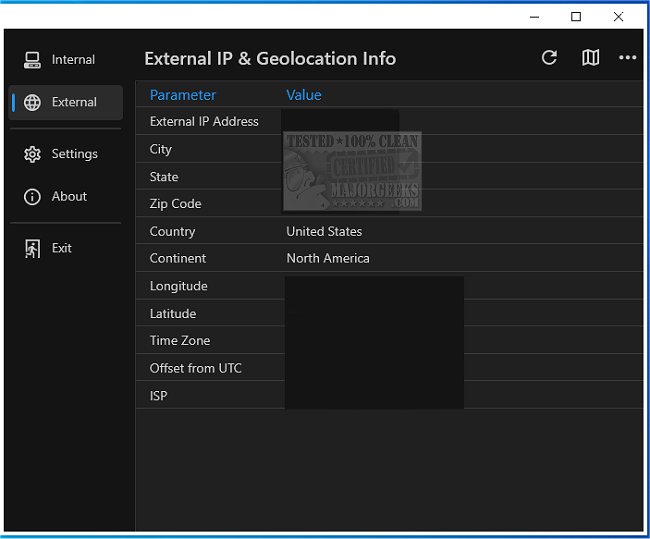
Get My IP 0.20.0 has been released, offering users a highly efficient tool for quickly accessing their computer's IP and geolocation data. This application is particularly beneficial for individuals needing precise information about both internal and external IP addresses. It boasts the capability to display multiple internal IP addresses, making it ideal for users managing complex networks.
One of the key features of Get My IP is its ability to launch the default web browser to showcase a map with latitude and longitude derived from the geolocation data. Users can select from popular mapping services like Google Maps, Bing Maps, and LatLong.net to obtain the most accurate and current information.
Additionally, the tool supports IPv6 addresses for internal networks, enhancing its versatility for users who require this information. Users can conveniently copy data in a tab-delimited format, making it easy to transfer into applications such as Excel. For those needing to track IP and geolocation information over time, Get My IP allows users to save this data to a tab-delimited text file.
The user-friendly interface of Get My IP is also customizable, with options for highlight colors that cater to different visual preferences, including light and dark themes. Users can minimize the application to the system tray and modify the tray icon tooltip to access vital information effortlessly.
In summary, Get My IP stands out as a highly adaptable and user-centric tool for anyone needing quick and accurate access to IP and geolocation information. Its blend of basic and advanced features makes it a valuable resource for both casual users and professionals alike.
Looking ahead, future updates could include enhancements such as real-time IP tracking, integration with additional mapping services, or even mobile compatibility, further expanding its utility for users across various platforms and devices
One of the key features of Get My IP is its ability to launch the default web browser to showcase a map with latitude and longitude derived from the geolocation data. Users can select from popular mapping services like Google Maps, Bing Maps, and LatLong.net to obtain the most accurate and current information.
Additionally, the tool supports IPv6 addresses for internal networks, enhancing its versatility for users who require this information. Users can conveniently copy data in a tab-delimited format, making it easy to transfer into applications such as Excel. For those needing to track IP and geolocation information over time, Get My IP allows users to save this data to a tab-delimited text file.
The user-friendly interface of Get My IP is also customizable, with options for highlight colors that cater to different visual preferences, including light and dark themes. Users can minimize the application to the system tray and modify the tray icon tooltip to access vital information effortlessly.
In summary, Get My IP stands out as a highly adaptable and user-centric tool for anyone needing quick and accurate access to IP and geolocation information. Its blend of basic and advanced features makes it a valuable resource for both casual users and professionals alike.
Looking ahead, future updates could include enhancements such as real-time IP tracking, integration with additional mapping services, or even mobile compatibility, further expanding its utility for users across various platforms and devices
Get My IP 0.20.0 released
Get My IP is an efficient tool that provides users quick access to their computer's IP and geolocation data.