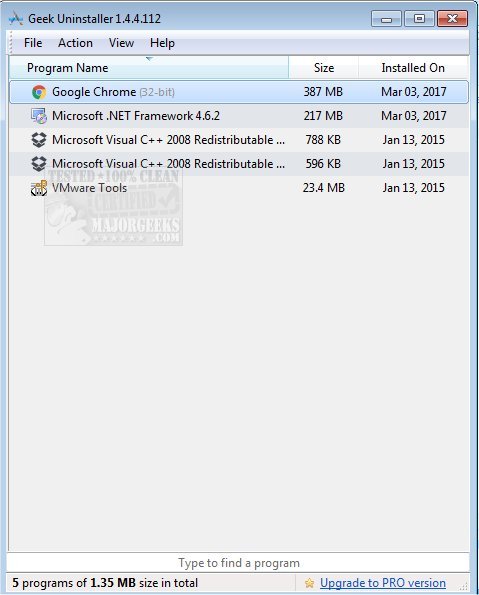
Geek Uninstaller has just launched version 1.5.4.180, enhancing its reputation as a powerful utility for uninstalling applications while ensuring your PC remains clutter-free. It performs deep and swift scans post-uninstallation, effectively removing all leftover files and registry entries that standard uninstallers often miss. For those seeking guidance, a video walkthrough is available.
Why Geek Uninstaller Stands Out
Many users grow frustrated with stubborn programs that linger on their systems, consuming valuable space and resources. Geek Uninstaller offers a smarter, more efficient alternative to the default Windows uninstaller. Here’s why you should consider it:
- Deep Clean Functionality: The tool goes beyond a simple uninstall, performing thorough scans to eliminate residual files and folders.
- Force Removal Feature: Perfect for tackling unyielding applications, this feature ensures that no remnants are left behind, even when standard methods fail.
- Effortless Microsoft Store App Management: Unlike traditional uninstallers that struggle with Windows Store apps, Geek Uninstaller simplifies this process across Windows 8, 10, and 11.
- Portable and Lightweight: With no installation necessary, you can easily carry it on a USB stick and use it on any compatible Windows PC.
- Multilingual Support: Available in over 40 languages, Geek Uninstaller caters to a global audience.
- Instant Search: Quickly locate applications with a type-to-search feature, streamlining the process for users with extensive program lists.
- HTML Reporting: Generate and export a detailed report of installed applications for personal records or IT purposes.
Who Can Benefit from Geek Uninstaller?
This tool is ideal for a variety of users:
- Everyday Users: Remove unused applications to enhance system performance.
- IT Professionals: Its portability makes it a valuable asset for on-site troubleshooting.
- Gamers and Performance Enthusiasts: Fully uninstall resource-heavy software for optimal system efficiency.
Conclusion
Geek Uninstaller is a must-have utility for anyone committed to maintaining an organized and high-performing PC. Its straightforward interface, powerful features, and portability make it accessible to both novice users and tech-savvy professionals. If you’re looking to declutter your system and boost performance, download Geek Uninstaller today—it’s free, effective, and designed to make your computing experience smoother.
Related Topics:
- How to Uninstall Programs
- Uninstalling Programs Not Listed in Control Panel
- Manually Removing Program Entries from Apps & Features
- Uninstalling Suggested Apps and Ads in Windows 10/11 Settings
In addition to its core functions, future updates could explore integrating cloud storage options for backing up essential applications before uninstallation, or implementing advanced scheduling features for regular system clean-ups, further enhancing user experience
Why Geek Uninstaller Stands Out
Many users grow frustrated with stubborn programs that linger on their systems, consuming valuable space and resources. Geek Uninstaller offers a smarter, more efficient alternative to the default Windows uninstaller. Here’s why you should consider it:
- Deep Clean Functionality: The tool goes beyond a simple uninstall, performing thorough scans to eliminate residual files and folders.
- Force Removal Feature: Perfect for tackling unyielding applications, this feature ensures that no remnants are left behind, even when standard methods fail.
- Effortless Microsoft Store App Management: Unlike traditional uninstallers that struggle with Windows Store apps, Geek Uninstaller simplifies this process across Windows 8, 10, and 11.
- Portable and Lightweight: With no installation necessary, you can easily carry it on a USB stick and use it on any compatible Windows PC.
- Multilingual Support: Available in over 40 languages, Geek Uninstaller caters to a global audience.
- Instant Search: Quickly locate applications with a type-to-search feature, streamlining the process for users with extensive program lists.
- HTML Reporting: Generate and export a detailed report of installed applications for personal records or IT purposes.
Who Can Benefit from Geek Uninstaller?
This tool is ideal for a variety of users:
- Everyday Users: Remove unused applications to enhance system performance.
- IT Professionals: Its portability makes it a valuable asset for on-site troubleshooting.
- Gamers and Performance Enthusiasts: Fully uninstall resource-heavy software for optimal system efficiency.
Conclusion
Geek Uninstaller is a must-have utility for anyone committed to maintaining an organized and high-performing PC. Its straightforward interface, powerful features, and portability make it accessible to both novice users and tech-savvy professionals. If you’re looking to declutter your system and boost performance, download Geek Uninstaller today—it’s free, effective, and designed to make your computing experience smoother.
Related Topics:
- How to Uninstall Programs
- Uninstalling Programs Not Listed in Control Panel
- Manually Removing Program Entries from Apps & Features
- Uninstalling Suggested Apps and Ads in Windows 10/11 Settings
In addition to its core functions, future updates could explore integrating cloud storage options for backing up essential applications before uninstallation, or implementing advanced scheduling features for regular system clean-ups, further enhancing user experience
Geek Uninstaller 1.5.4.180 released
Geek Uninstaller performs deep and fast scanning after uninstall and removes all leftovers to keep your PC clean and in tip-top shape. Video walkthrough available.