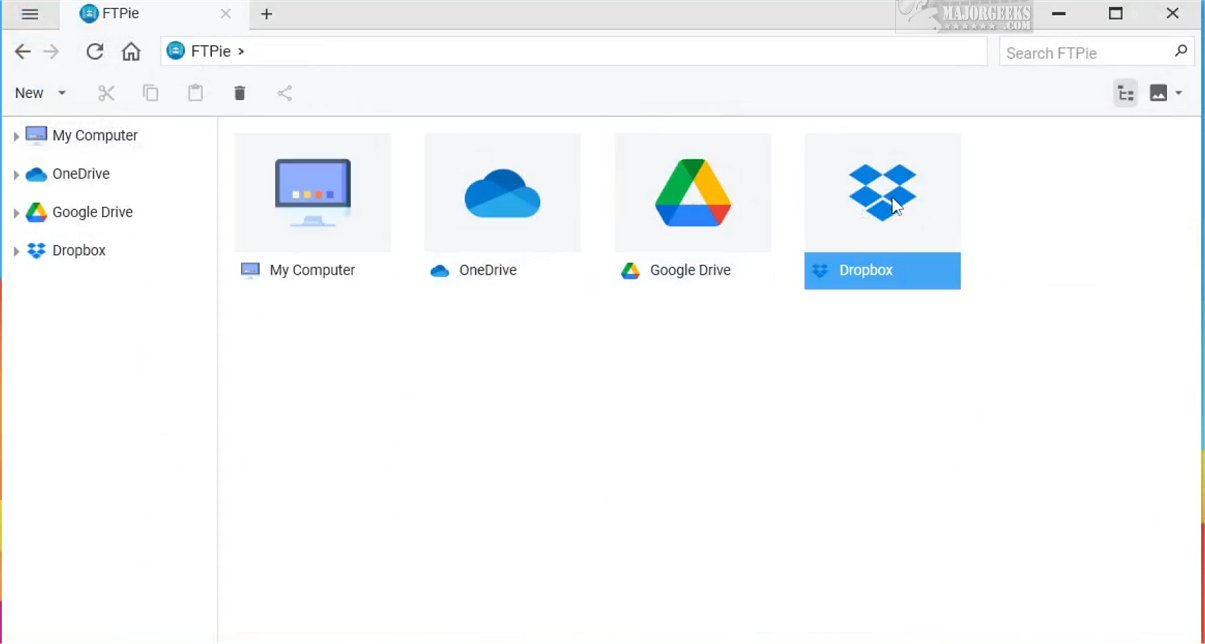
FTPie has launched its latest version, 2026.5.1, an FTP client designed with a strong focus on user-friendliness and convenience. This application facilitates efficient access to multiple servers and popular cloud services from a single, streamlined interface, enhancing the process of file transfer and management.
What is FTPie?
FTPie is an intuitive FTP client that simplifies interactions with various servers and cloud solutions. Users can manage their files and access their accounts on major cloud platforms such as Dropbox, Google Drive, and OneDrive, alongside traditional FTP and WebDAV servers, all within one comprehensive application.
Key Features of FTPie
One standout feature of FTPie is its ability to merge local and cloud storage into a unified platform. This integration addresses the complexities often associated with traditional FTP clients, which can be daunting for casual users. FTPie's user-centric design allows for easy navigation through FTP and WebDAV servers while providing seamless access to cloud services.
Adding a cloud account is a straightforward process, enabling users to quickly access their files without any hassle. Once the integration is complete, FTPie recognizes and organizes your files, fostering an efficient interaction with your cloud storage.
Additional Functionalities
Beyond file management, FTPie offers a variety of functionalities, including document creation and editing, as well as the ability to view photos and videos. This versatility boosts productivity by allowing users to manage different office file types—like spreadsheets and presentations—all within a single interface.
User Experience and Verdict
FTPie stands out as an elegantly designed FTP client, marrying simplicity with a sleek, minimalist interface. This thoughtful approach provides users with quick access to their files, free from unnecessary clutter, ultimately enhancing the overall user experience. With FTPie, users can enjoy a seamless and refined workflow that transforms file management into an enjoyable and efficient task.
Looking Ahead
As FTPie continues to evolve, users can stay informed about current and future features by visiting the official website. The application promises to remain an essential tool for those looking to streamline their file management processes across multiple platforms.
For those interested in setting up FTP services, additional resources are available, such as guides on configuring an FTP server on Windows 10/11
What is FTPie?
FTPie is an intuitive FTP client that simplifies interactions with various servers and cloud solutions. Users can manage their files and access their accounts on major cloud platforms such as Dropbox, Google Drive, and OneDrive, alongside traditional FTP and WebDAV servers, all within one comprehensive application.
Key Features of FTPie
One standout feature of FTPie is its ability to merge local and cloud storage into a unified platform. This integration addresses the complexities often associated with traditional FTP clients, which can be daunting for casual users. FTPie's user-centric design allows for easy navigation through FTP and WebDAV servers while providing seamless access to cloud services.
Adding a cloud account is a straightforward process, enabling users to quickly access their files without any hassle. Once the integration is complete, FTPie recognizes and organizes your files, fostering an efficient interaction with your cloud storage.
Additional Functionalities
Beyond file management, FTPie offers a variety of functionalities, including document creation and editing, as well as the ability to view photos and videos. This versatility boosts productivity by allowing users to manage different office file types—like spreadsheets and presentations—all within a single interface.
User Experience and Verdict
FTPie stands out as an elegantly designed FTP client, marrying simplicity with a sleek, minimalist interface. This thoughtful approach provides users with quick access to their files, free from unnecessary clutter, ultimately enhancing the overall user experience. With FTPie, users can enjoy a seamless and refined workflow that transforms file management into an enjoyable and efficient task.
Looking Ahead
As FTPie continues to evolve, users can stay informed about current and future features by visiting the official website. The application promises to remain an essential tool for those looking to streamline their file management processes across multiple platforms.
For those interested in setting up FTP services, additional resources are available, such as guides on configuring an FTP server on Windows 10/11
FTPie 2026.5.1 released
FTPie provides an FTP client designed with user-friendliness and convenience in mind. It enables users to efficiently access multiple servers and well-known cloud solutions all from a single interface, streamlining the process of file transfer and management.