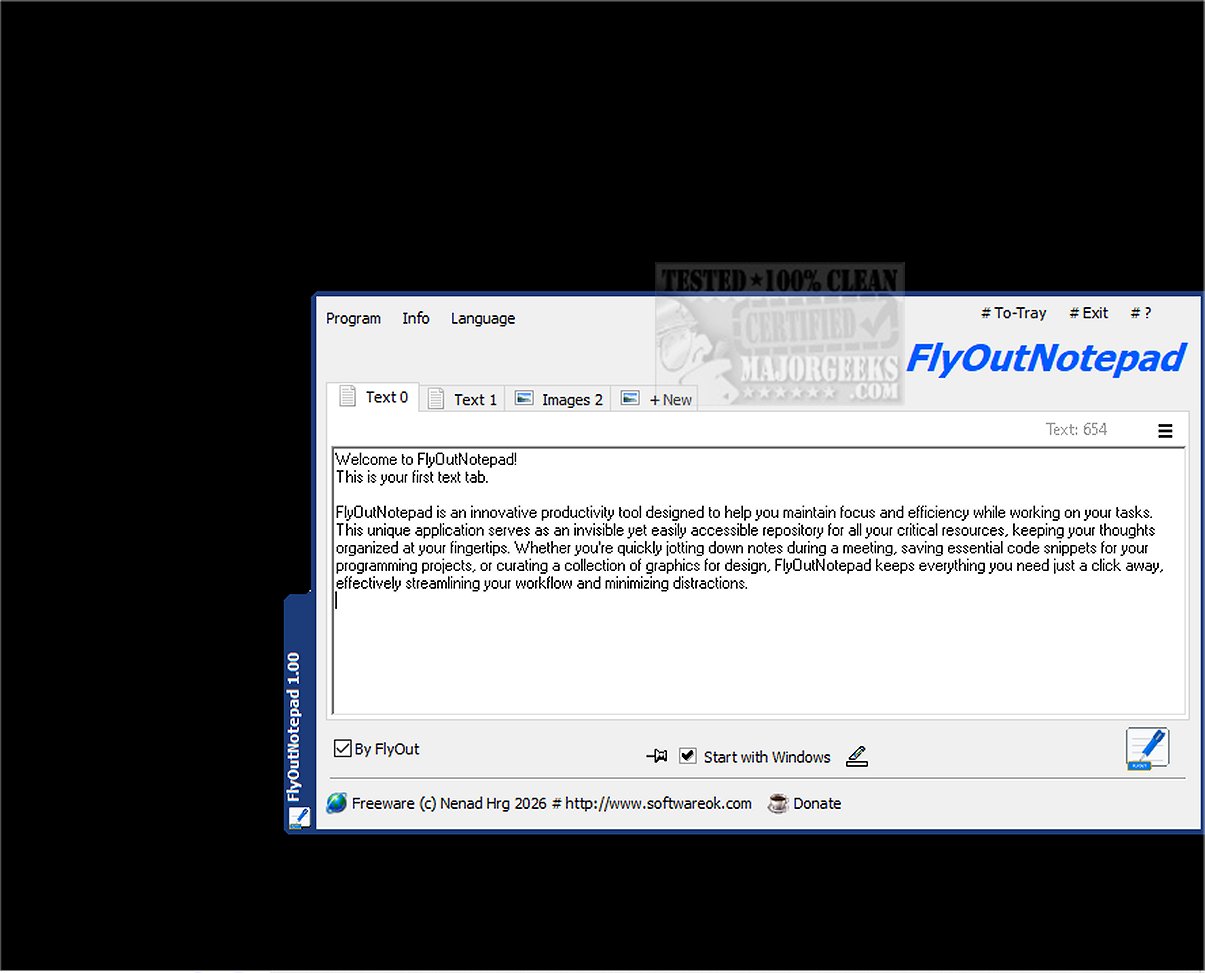
FlyOutNotepad has officially launched version 1.04, offering users a sophisticated tool for managing text, code snippets, and graphics efficiently. This application is tailored to enhance productivity by serving as an unobtrusive yet accessible repository for essential resources, allowing for quick note-taking, code storage, and graphic organization—all designed to minimize distractions and streamline workflows.
A key feature of FlyOutNotepad is its docking capability, allowing it to attach to any edge of the screen without consuming significant workspace. Its bidirectional Drag & Drop function facilitates seamless information transfer between applications, enhancing multitasking efficiency. With an impressive 20 tabs available, users can easily categorize and switch between various projects or subjects. The application also includes an auto-save feature to ensure that all work is preserved continuously, allowing users to concentrate on their tasks.
For users who prioritize portability, FlyOutNotepad saves its settings in the user directory by default, but it also offers a portable mode for advanced users. By renaming the executable file, users can activate this feature, making it easy to carry and use the application on different machines.
Developed in C++ with the Windows Template Library (WTL), FlyOutNotepad is optimized for performance, providing a fast and lightweight experience that doesn't drain system resources. This makes it an ideal solution for developers, designers, or anyone seeking an organized approach to note-taking and resource management.
In addition to its core functionalities, future updates could expand FlyOutNotepad's capabilities by introducing features like cloud synchronization for easy access across devices, advanced text formatting options, or integration with other productivity tools to further enhance its utility. Users can look forward to improvements that could help them maintain focus and increase efficiency in their daily tasks.
For more information, users may also explore related topics such as adding 'Open With Notepad' to the context menu, backing up and restoring Sticky Notes in Windows, or uninstalling Mail and Calendar apps in Windows 10 and 11
A key feature of FlyOutNotepad is its docking capability, allowing it to attach to any edge of the screen without consuming significant workspace. Its bidirectional Drag & Drop function facilitates seamless information transfer between applications, enhancing multitasking efficiency. With an impressive 20 tabs available, users can easily categorize and switch between various projects or subjects. The application also includes an auto-save feature to ensure that all work is preserved continuously, allowing users to concentrate on their tasks.
For users who prioritize portability, FlyOutNotepad saves its settings in the user directory by default, but it also offers a portable mode for advanced users. By renaming the executable file, users can activate this feature, making it easy to carry and use the application on different machines.
Developed in C++ with the Windows Template Library (WTL), FlyOutNotepad is optimized for performance, providing a fast and lightweight experience that doesn't drain system resources. This makes it an ideal solution for developers, designers, or anyone seeking an organized approach to note-taking and resource management.
In addition to its core functionalities, future updates could expand FlyOutNotepad's capabilities by introducing features like cloud synchronization for easy access across devices, advanced text formatting options, or integration with other productivity tools to further enhance its utility. Users can look forward to improvements that could help them maintain focus and increase efficiency in their daily tasks.
For more information, users may also explore related topics such as adding 'Open With Notepad' to the context menu, backing up and restoring Sticky Notes in Windows, or uninstalling Mail and Calendar apps in Windows 10 and 11
FlyOutNotepad 1.04 released
FlyOutNotepad is a powerful tool specifically designed to seamlessly manage text, code snippets, and graphics, allowing you to transfer information between various programs at remarkable speeds.