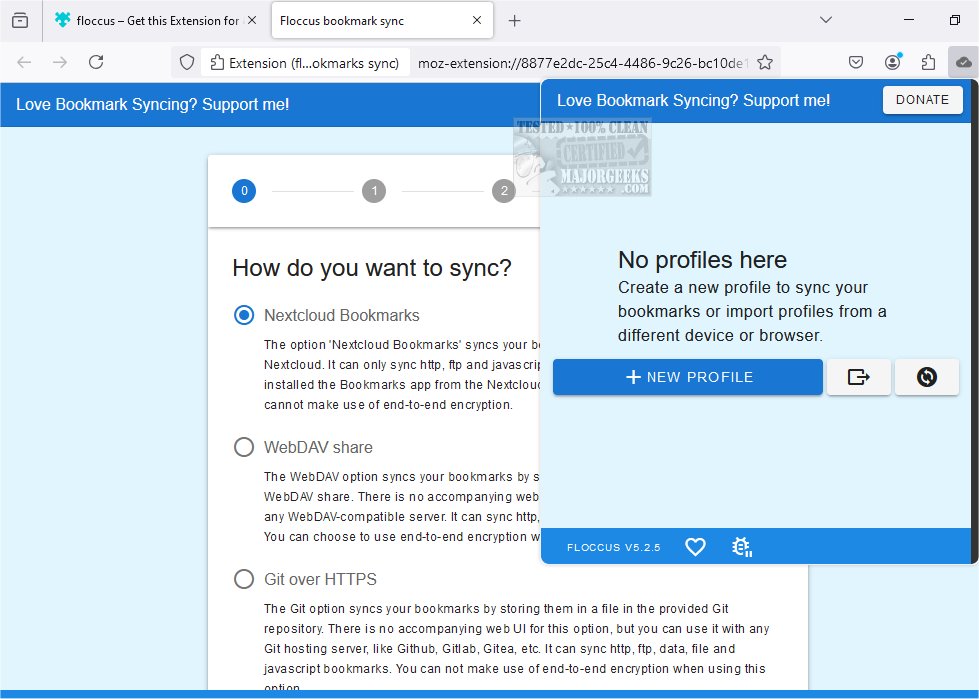
Floccus version 5.9.2 has been released, enhancing its capability to synchronize bookmarks across various web browsers and devices while maintaining user privacy. Unlike conventional bookmark managers that require users to navigate a new interface, Floccus integrates seamlessly with the native bookmark management features of existing browsers, allowing users to organize their bookmarks in familiar ways.
To utilize Floccus for bookmark synchronization, users must connect to a syncing server that serves as an intermediary for all their devices. Floccus supports multiple options for this, including Google Drive for straightforward access, or alternatively, users can opt for encryption for added privacy. For those who prefer more control over their data, WebDAV is available, compatible with many cloud storage services. A popular choice for easy synchronization is Nextcloud Bookmarks, an open-source collaboration tool that can be self-hosted or used as a service. By installing the Bookmarks app on a Nextcloud instance, users can synchronize their bookmarks and access them remotely, even from public computers.
Floccus boasts several features, including:
- Direct synchronization of native browser bookmarks
- Syncing via various platforms, including Nextcloud, Google Drive, Git servers, and WebDAV-compatible services
- Compatibility with any web browser that supports extensions, such as Firefox, Chrome, Edge, and more
- An Android app for mobile access
- The ability to create multiple sync profiles and control sync strategies, including unidirectional or bidirectional sync
- An easy export function for configurations
- Enhanced security through an encryption passphrase for credentials
Overall, Floccus presents a flexible and user-friendly solution for bookmark synchronization, making it easier for users to maintain their bookmarks across different platforms without compromising on privacy.
In addition to the core features, Floccus encourages users to engage in the community by contributing feedback and suggestions for future improvements. The developers are committed to continual updates and enhancements to ensure that users have the best experience possible. As digital landscapes evolve, Floccus aims to adapt, providing users with robust and modern tools to manage their bookmarks effectively
To utilize Floccus for bookmark synchronization, users must connect to a syncing server that serves as an intermediary for all their devices. Floccus supports multiple options for this, including Google Drive for straightforward access, or alternatively, users can opt for encryption for added privacy. For those who prefer more control over their data, WebDAV is available, compatible with many cloud storage services. A popular choice for easy synchronization is Nextcloud Bookmarks, an open-source collaboration tool that can be self-hosted or used as a service. By installing the Bookmarks app on a Nextcloud instance, users can synchronize their bookmarks and access them remotely, even from public computers.
Floccus boasts several features, including:
- Direct synchronization of native browser bookmarks
- Syncing via various platforms, including Nextcloud, Google Drive, Git servers, and WebDAV-compatible services
- Compatibility with any web browser that supports extensions, such as Firefox, Chrome, Edge, and more
- An Android app for mobile access
- The ability to create multiple sync profiles and control sync strategies, including unidirectional or bidirectional sync
- An easy export function for configurations
- Enhanced security through an encryption passphrase for credentials
Overall, Floccus presents a flexible and user-friendly solution for bookmark synchronization, making it easier for users to maintain their bookmarks across different platforms without compromising on privacy.
In addition to the core features, Floccus encourages users to engage in the community by contributing feedback and suggestions for future improvements. The developers are committed to continual updates and enhancements to ensure that users have the best experience possible. As digital landscapes evolve, Floccus aims to adapt, providing users with robust and modern tools to manage their bookmarks effectively
Floccus 5.9.2 released
Floccus allows you to sync your bookmarks across different browsers and devices privately.