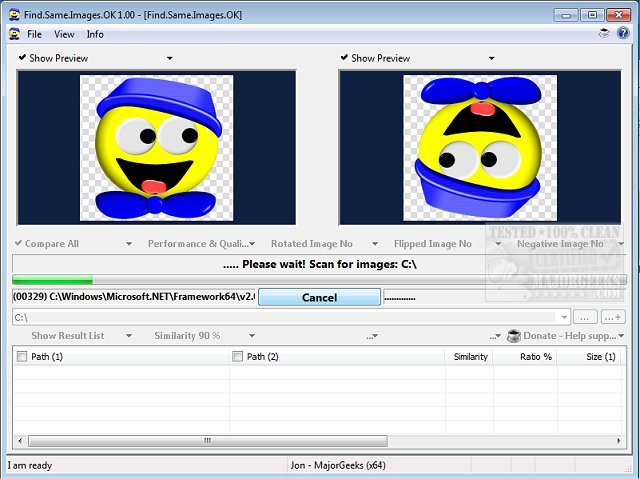
Find.Same.Images.OK version 6.16 has been released, specifically designed to identify duplicate images, including those that may be rotated, mirrored, or negative. Unlike standard image finders, it utilizes advanced technology to generate graphic signatures, allowing for pixel-level comparison. This utility not only locates duplicates but also provides image previews, enabling users to visually confirm the results of their scans.
This software is particularly beneficial for users managing extensive image collections, as it streamlines the process of locating and deleting redundant files, thereby freeing up valuable disk space. With its high-speed performance, Find.Same.Images.OK allows users to target specific folders or compare multiple directories without overloading the CPU. Additionally, it supports a wide range of image formats, including JPG, PNG, and WMF, and comes in a portable version for easy usage.
Key features of Find.Same.Images.OK include:
- Comparison of folders and the ability to analyze all images in selected directories.
- Enhanced quality and performance capabilities.
- The option to compare images across multiple folders.
- Minimal impact on CPU usage.
- Portability with installation options.
- Support for various image formats.
This utility serves as a valuable tool not only for individuals looking to optimize their image storage but also for those interested in maintaining an organized digital library.
Moreover, users seeking additional ways to manage disk space can explore related topics such as utilizing Storage Sense to automatically delete junk files in Windows 10 and 11, or comparing popular drive cleaning software like CCleaner, Wise Disk Cleaner, and PrivaZer. Additionally, restoring the Windows Photo Viewer on Windows 10 and 11 can help enhance image viewing experiences
This software is particularly beneficial for users managing extensive image collections, as it streamlines the process of locating and deleting redundant files, thereby freeing up valuable disk space. With its high-speed performance, Find.Same.Images.OK allows users to target specific folders or compare multiple directories without overloading the CPU. Additionally, it supports a wide range of image formats, including JPG, PNG, and WMF, and comes in a portable version for easy usage.
Key features of Find.Same.Images.OK include:
- Comparison of folders and the ability to analyze all images in selected directories.
- Enhanced quality and performance capabilities.
- The option to compare images across multiple folders.
- Minimal impact on CPU usage.
- Portability with installation options.
- Support for various image formats.
This utility serves as a valuable tool not only for individuals looking to optimize their image storage but also for those interested in maintaining an organized digital library.
Moreover, users seeking additional ways to manage disk space can explore related topics such as utilizing Storage Sense to automatically delete junk files in Windows 10 and 11, or comparing popular drive cleaning software like CCleaner, Wise Disk Cleaner, and PrivaZer. Additionally, restoring the Windows Photo Viewer on Windows 10 and 11 can help enhance image viewing experiences
Find.Same.Images.OK 6.16 released
Find.Same.Images.OK is designed to locate duplicate images as well as any that are rotated or mirrored and more.