Fido version 1.70 has been released, offering a user-friendly PowerShell script developed by the creator of Rufus. This tool simplifies the process of downloading retail ISOs for Windows 11, 10, and 8 by providing a straightforward graphical interface. A video tutorial accompanies the release, guiding users through the process.
Fido was created to address the cumbersome experience users faced when attempting to access retail ISO downloads from Microsoft. While Microsoft does provide these links publicly for Windows versions from 8 to 11, the previous process involved numerous unnecessary steps, which discouraged users from obtaining the ISOs they needed. Fido streamlines this process, allowing users to easily download ISOs without the hassle.
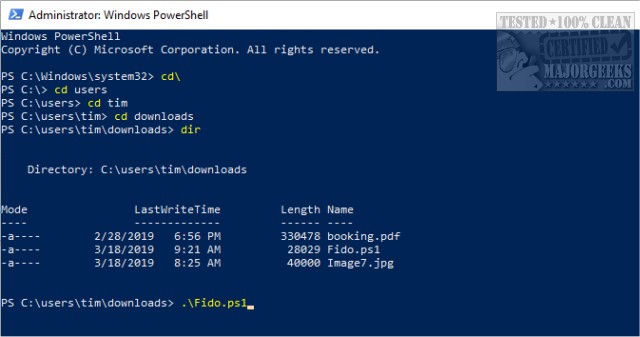
To use Fido, simply launch PowerShell by pressing Windows Key + X, and enter the command Fido.ps1. The script will then open a GUI where users can select their desired Windows version (11, 10, or 8.1) and continue to choose from various editions, such as Home, Pro, or Education, depending on availability.
For those encountering restricted errors, executing Fido with the command `Get-Content .\Fido.ps1 | powershell.exe -noprofile` can resolve the issue.
In addition to Fido, there are other applications available for downloading Windows ISOs, including Microsoft's Media Creation Tool, though older builds may be more difficult to find. Fido's name is also a clever nod, making it memorable and relatable to users.
Overall, the release of Fido serves to enhance the user experience significantly by providing a more direct and efficient way to obtain Windows ISOs, ultimately making the process more consumer-friendly.
Future improvements could include expanding the range of Windows versions supported or incorporating additional features such as automated checks for the latest ISO releases, further enhancing user convenience and accessibility
Fido was created to address the cumbersome experience users faced when attempting to access retail ISO downloads from Microsoft. While Microsoft does provide these links publicly for Windows versions from 8 to 11, the previous process involved numerous unnecessary steps, which discouraged users from obtaining the ISOs they needed. Fido streamlines this process, allowing users to easily download ISOs without the hassle.
To use Fido, simply launch PowerShell by pressing Windows Key + X, and enter the command Fido.ps1. The script will then open a GUI where users can select their desired Windows version (11, 10, or 8.1) and continue to choose from various editions, such as Home, Pro, or Education, depending on availability.
For those encountering restricted errors, executing Fido with the command `Get-Content .\Fido.ps1 | powershell.exe -noprofile` can resolve the issue.
In addition to Fido, there are other applications available for downloading Windows ISOs, including Microsoft's Media Creation Tool, though older builds may be more difficult to find. Fido's name is also a clever nod, making it memorable and relatable to users.
Overall, the release of Fido serves to enhance the user experience significantly by providing a more direct and efficient way to obtain Windows ISOs, ultimately making the process more consumer-friendly.
Future improvements could include expanding the range of Windows versions supported or incorporating additional features such as automated checks for the latest ISO releases, further enhancing user convenience and accessibility
Fido 1.70 released
Fido is a PowerShell script from the creator of Rufus. It features a simple graphical interface for downloading Windows 11, 10, and 8 retail ISOs. A video tutorial is available.